Neody
Travel and navigation: maps, waystones, air and sea
Maps, the compass bar, waystones, airships, ships, carts, trains, sleds, Elytras, graves and the Nether border: every way to travel on Neody.

Contents
The Kingdom is vast, your colony lies far from the world spawn point, your allies are across the map, and the perfect deposit is never nearby. On Neody Legacy, a full fleet helps you master distance: a map, compass bar, teleportation-stone network, airships, warships, carts, trains, sleds and customised Elytras. This guide covers every means of transport, with exact controls, actual costs and known pitfalls.
- Map and heading
- Minimap + full-screen map (
J), unlimited waypoints; Boussole (Compass) bar at the bottom of the screen - Teleportation
- Waystones: experience-point cost; plates are free
- Air
- 7 aircraft (biplane, airships, gyrocopter…)
- Sea & land
- 4 ships, carts and hitched implements (6 models), sleds and trains
The map: never get lost again
The map draws itself wherever you go. Minimap at the top right, full-screen map and waypoints: everything is available from your first login.
| Key (default) | Action |
|---|---|
J | Full-screen map (drag to move, scroll to zoom) |
Ctrl+J | Show/hide minimap |
B | Create a waypoint at your position |
N | Waypoint manager |
= / - | Zoom minimap in/out |
[ | Change map type (surface, topographic, caves) |
\ | Switch between two minimap presets |
- Reading the minimap : arrow = you; entities are grey (neutral), green (villagers), blue (players), red (hostile); a chevron marks a creature above or below you. The four corners show game time, coordinates and biome by default.
- Advanced waypoints : organise waypoints into groups (bases, ores, exploration…) with custom icons. Double-clicking the full-screen map also creates a waypoint. A death waypoint can be created automatically: it marks the spot but guarantees nothing, because a grave (see below) can be looted.
- Minimap presets : configure a “surface” and a “cave” preset, then switch with
\. - No browser map : Neody does not include a web map. Your map is in game, not in your browser.
B at every discovery: deposit, temple, neighbouring colony, abandoned horse. A waypoint takes half a second; finding a place again without one takes an evening.The Neody menu's Boussole bar
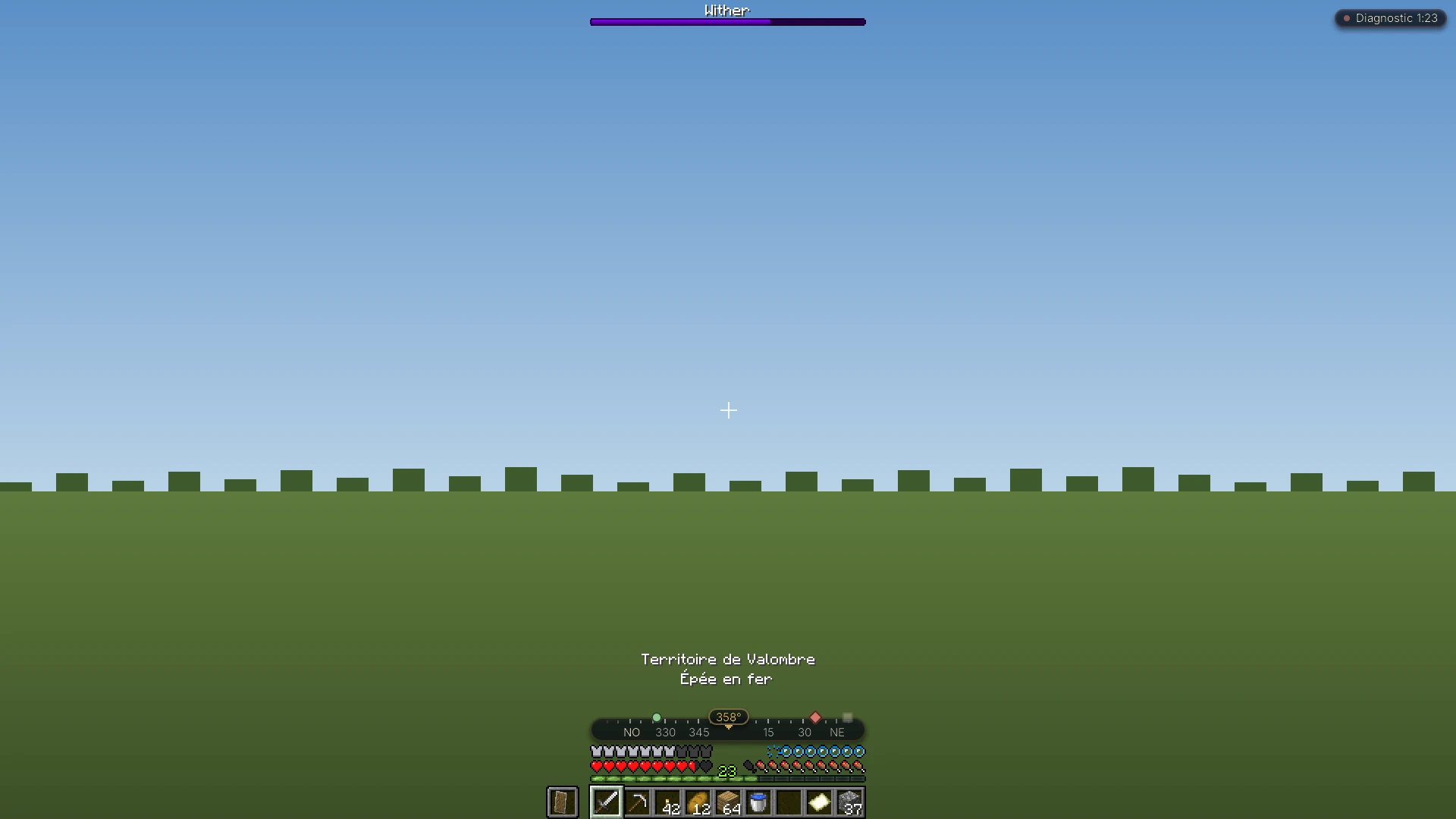
Before opening a map, look at the bottom of the screen, just above health and hunger: the compass bar shows your heading in degrees (NO, NE…: north-west, north-east…) and useful markers: the spawn point, your latest death (in the same dimension) and up to twelve map waypoints. It hides with F1 or the debug screen, F3, and can be switched off through “Boussole” (Compass) in menu preferences (press K; see the Neody menu). Rented territories (see territories, protection and disputes) also appear on screen as you enter them.
Waystones: the Kingdom's teleportation network
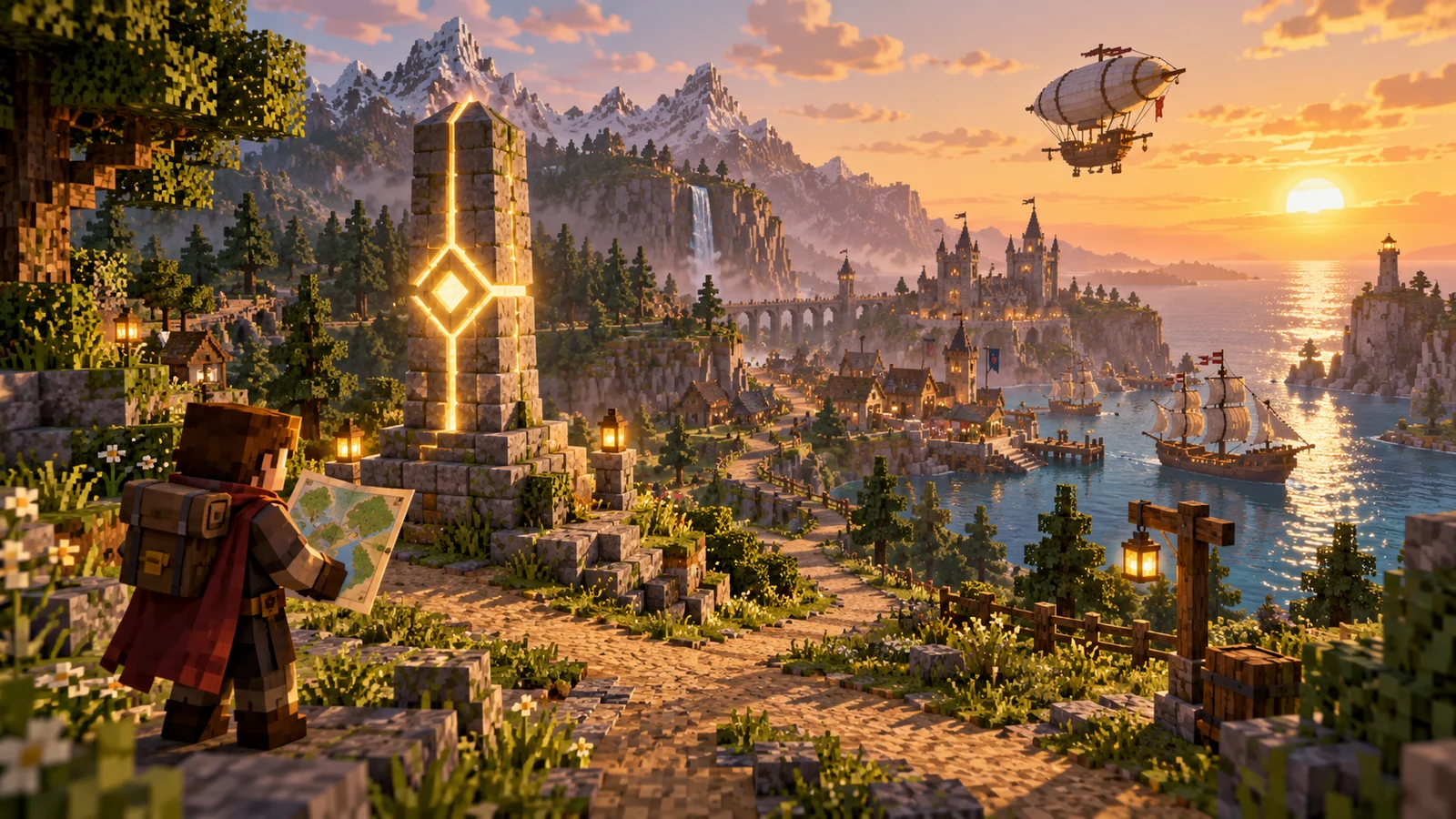
The waystones are stone markers: activate them as you approach, then teleport between them. The world generates them naturally in biome-appropriate styles, and you can craft your own.
Exact recipes
- Poussière de téléportation (Warp Dust) ×4 : 1 ender pearl + 1 amethyst shard (shapeless).
- Pierre de téléportation (Warp Stone) ×1 (rechargeable): amethyst / pearl / amethyst, pearl / emerald / pearl, amethyst / pearl / amethyst.
- Waystone ×1 : stone brick at the top, stone brick / Warp Stone / stone brick in the middle, 3 obsidian along the bottom.
- Plaque de téléportation (Warp Plate) ×1 : stone bricks in the corners, Warp Dust on the sides, Dormant Shard (shown in English in game) in the centre.
- Parchemin de téléportation (Warp Scroll) ×3 : gold nuggets / ink sac / ender pearl + 3 paper.
- Parchemin de retour (Return Scroll) ×3 : gold nuggets + ink sac + 3 paper.
- Parchemin lié (Bound Scroll) : no crafting-table recipe; use a blank scroll on a waystone to obtain it.
- Sharestones (15 colours) : coloured waystone variants (dye included in the recipe) forming networks by colour.
Actual server costs and rules
| Journey | Cost |
|---|---|
| Waystone → waystone (same dimension) | Experience points based on distance (0.03 points per block), with a minimum of 3 points and a cap of 8,100 points |
| Changing dimension | 81 experience points |
| Departure from a Warp Plate, or arrival at a global waystone | Free |
The cost is paid in experience points, not levels. Read the displayed cost before confirming. Arriving at a global waystone is free; leaving it for a personal marker can cost experience.
- Accessing teleportation : use a waystone or plate. The inventory teleport button is not enabled on Neody.
- Plate network : insert a Dormant Shard into a plate toattune it, then carry the attuned shard to a second plate: they become linked. Free journeys between base ↔ farm ↔ mine.
- Editing : only the owner can rename a waystone or set its visibility; players cannot create “global” waystones, so do not look for that option.
- Animals : an animal on a lead follows you when teleporting; an unled pet stays behind.
- Map integration : every activated waystone automatically creates a map waypoint. Your network draws itself.
- Groups and favourites : groups, persistent sorting and waystone aliases are available; reorder the Manage Waystones menu by dragging.
Taking to the air
Seven handmade aircraft, built component by component (hull, engine, sail, propeller, boiler), then placed on the ground like a boat. All recipes are in the recipe browser.
| Aircraft | Seats | Character |
|---|---|---|
| Biplan (Biplane) | 1 | Fast, needs a proper runway |
| Dirigeable (Airship) | 2 | Slow, stable, ideal for beginners |
| Dirigeable cargo (Cargo Airship) | 2 | Fuel-hungry, but moves a whole warehouse |
| Dirigeable de guerre (Warship) | 4 | Flying fortress: moving turret, six weapon mounts |
| Gyroptère (Gyrodyne) | 2 | Muscle-powered: pedal using hunger, not fuel |
| Quadrocopter | 1 | Precise hovering, ideal for building |
| Entonnoir de bambou (Bamboo Hopper) | 3 | Stocky, with floats: the only one suited to water landings |
- Flying : vanilla movement controls,
Z/Sfor the stick,Q/Dto turn,Espaceto rise,Majto descend.Rto dismount (press twice to jump out in flight),Bfor a rocket boost. - Fuel : any furnace fuel (coal…), plus blaze powder as dense fuel. The gyrocopter uses your hunger : “Tu as trop faim pour voler !” (You are too hungry to fly!) is no empty warning.
- Onboard inventory : while mounted, open your inventory for upgrade slots (reinforced propeller, efficient/Nether engine, steel boiler, landing gear, instruments…), fuel, banner, dye, rockets and cargo.
- Crash : an explosion that destroys no blocks and is never fatal by itself. Cargo spills, however; fly carefully.
- Repair : click the aircraft repeatedly (2.5% per click, at a small hunger cost).
Taking to the sea
Four rideable ships (maximum speeds shown) with holds, cannons and passengers, each suited to its own seas.
| Ship | Hold | Passengers | Speed | Speciality |
|---|---|---|---|---|
| Cog | 108 slots | 5 | 30 km/h | Medieval merchant of cold waters |
| Brigg | 162 slots | 11 | 35 km/h | Heavy two-masted cargo ship |
| Galère (Galley) | 54 slots | 9 | 30 km/h | Warm-water naval warfare |
| Drakkar | 54 slots | 11 | 30 km/h | Viking: icebreaker, banner-decorated shields |
- Sailing : place the ship well out in the water (it needs room to appear), right-click to sit,
Rto open/close the sail,Z/Sto adjust speed. Sneak + right-click from outside to open the hold. - Cannons : up to 4 on the Cog and 6 on the Brigg. Right-click holding a cannon to install it,
Espaceto fire towards your gaze (cannonballs in the hold), pickaxe to remove it. - Performance : ±20% speed by biome (cold/warm depending on hull), −2.5% per cannon. Dyeable sails; repair with iron nuggets + planks; name with a name tag.
- Unsure at sea? If a ship behaves differently from this guide, report it on the public Discord rather than wondering alone.
Roads and harnesses
The cart and implement range offers six modelsin 11 wood types (the recipe and appearance both change with the wood). Names appear in English in game because French translations are unavailable. All recipes are visible in the recipe browser.
- Hand Cart : the explorer's handcart, which you pull yourself.
- Animal Cart : two seats for animals or passengers, pulled by a mount.
- Supply Cart : the equivalent of a double chest on wheels, plus a rear seat.
Maj+right-click opens its inventory. Ideal logistics for a colony expedition. - Plow : equip a hoe (fast tilling), axe (stripping) or shovel (paths) for landscaping at a gallop.
- Reaper : pulled through a ripe field, it harvests as it passes.
- Seed Drill : replants behind the reaper, completing a harvest in one circuit of the field.
Hitching : press R near the mount to hitch/unhitch (to yourself on foot, otherwise to the horse). The mount's sprint pulls the cart.
Death on the road: graves and obituaries
When you die, the grave system places a grave (“Grave”) at your death location: “Grave of” followed by your name, the date and the number of stacks inside. These labels appear in English. You also receive an obituary (“Obituary”), a booklet recording each death's name, location, dimension, date and lost items, helping you find your way after several deaths. If placement fails (“Grave could not be placed”), the game tells you; read your coordinates from the obituary.
- Before the expedition : mark your base with a waypoint; the death waypoint and compass marker then guide you back.
- Accessories : recover your accessories from the grave and check their slots afterwards.
- No revival by an ally : on Neody, nobody can revive you on the spot. Travel in pairs and plan your return.
Winter by sled
- Sleds in each wood type : unlike boats, they follow the terrain, climb gentle slopes, accelerate downhill (yes, ski runs are an investment), glide on snow and ice, and stop sharply when turning 90°.
- Dog harness : a tamed wolf on a lead pulls the sled uphill. The advancement says “Laissez un loup tirer une luge avec un coffre” (Let a wolf pull a sled with a chest): that says it all.
- Cargo : place a chest, shulker box or placeable bags directly on the sled.
- Passenger : whoever sits on the sled does not freeze.
- Atmospheric extras : growable ginger, gingerbread, Christmas wreaths and the “Un Chant de Noël” (A Christmas Carol) music disc, matching the server's real-world seasonal rhythm (see the world guide).
Elytras: customisation and handling
- Elytra customisation : dye an Elytra like leather armour, apply a banner pattern (as on a shield), a trim or a glow ink sac for night-time glow, and even separate it into two independently customisable wings. A cauldron clears everything; Elytra + paper hides the cape.
- Flight simulation (personal view only): mouse-controlled roll and strafe-key yaw make flight feel like a simulator. Flight physics remain vanilla, and others do not see your loops: this is your private cockpit. Adjust it through the in-game settings screen.
- Elytra movement (personal view only): the Elytra floats behind you like a cape while walking. No gameplay effect, entirely style.
Common mistakes & troubleshooting
| Symptom | Cause | Solution |
|---|---|---|
| Not enough experience for the waystone | Insufficient experience points for the journey | Read the displayed points cost; plates and arrival at a global waystone are free |
| My dog did not follow the teleport | Unled pets are not transported | Put it on a lead before leaving |
| Cannot create a “global” waystone | Players cannot create global waystones | Use coloured sharestones for a shared network |
| No browser map | Browser mapping is not included | The map is in game (J) |
The R key does unexpected things | Several controls overlap: dismounting aircraft, ship sails and cart hitching | These usually work in different contexts; otherwise rebind in Options → Contrôles. Search and the “Conflits”, “Non-liées”, “Touches disp.” and “Tout” buttons find conflicts, unbound actions, available keys and all controls |
| “Cet avion ne fonctionne pas dans cette dimension.” (This aircraft does not work in this dimension.) | Flight limited to the Overworld, Nether and End | Stay in a dimension where the aircraft flies |
| The gyrocopter refuses to take off | Rotor not spinning fast enough, or hunger too low | Pedal until the minimum-speed message appears; eat beforehand |
| Elytra banner invisible | Display conflict reported with some shader settings | Temporarily disable shaders to check; report it on Discord |
The traveller's FAQ
- Which transport is most economical? A Warp Plate network: free to use, with only crafting costs. Ordinary waystones cost experience points according to the journey, capped at 8,100 points.
- How do I share a point of interest? Create a map waypoint (
B), then share through the manager; or place a sharestone in your group's colour. - Can I fly to the Nether? Aircraft work in the Overworld, Nether and End, but you cross portals on foot: pack the aircraft into an item. Remember that the Nether is bounded: 4,750 blocks in diameter (roughly 2,375 blocks either side of the centre). Details, including the End, are in the world's edges and the End.
- Where is my grave after death? A grave appears where you died with your items, but any player can break it and take them: return quickly. The death waypoint and “Dernière mort” (Last death) compass marker guide you back.
- Can a ship carry my villagers? Ships carry passengers (up to 11 on the Brigg and Drakkar); right-click an onboard entity to disembark it.
- Is “simulator” flight cheating? No: flight simulation changes your personal view, not physics. Avoid frantic manoeuvres: extreme camera movements and movement checks rarely mix well.
- Where should I place my first waystone? Near your Town Hall: that is the Kingdom's convention. A plate to your mine, a sharestone for your alliance, and you are connected.
The accomplished traveller's kit:
- Waystone near the Town Hall; map waypoints organised into groups
- Attuned plate network between base, mine and farm
- An airship for moving home, a ship for the coast
- Hitched cart for local supplies
- Base waypoint recorded; grave and obituary understood
- Sleeping bag in your satchel (sleeping-bag guide)
- Lead on the dog before every teleport
All roads lead to your colony; elegance is knowing several of them.