Neody
Deniers, the currency of the Kingdom
Money in Neody Legacy: deniers, coins, earning your first deniers, the Wallet, transfers with a 2% tax, shared accounts and the /baltop leaderboard.

Contents
In the Kingdom of Neody Legacy, everything is bought, sold, lent or shared in deniers. This guide shows you where your money is kept, how to earn it from your first days, how to move it without surprises (transfers, coins and shared accounts), and how to review every transaction. You will soon feel at home on every economy screen.
- Currency
- The denier, symbol D (displayed as “1 234,5 D”)
- Access
- Press K › Commerce › Portefeuille (Trade › Wallet)
- Coins
- 1 D, 10 D, 100 D and 1,000 D (stackable to 64)
- Transfer
- A 2% tax is added to the amount; transfers to yourself are forbidden
- Shared account
- 30 D to open, 5 D to close, maximum 3 accounts per player and 8 members per account
- Leaderboard
/baltop
The denier, the Kingdom's only currency
There is only one currency on Neody Legacy: the denier, written as D. It is used everywhere: at the Market, in contracts, companies and loans, and in your colony treasury.
There are no commands such as /pay or /bal to remember: everything goes through the Kingdom menu. Press K to open it (you can rebind the key in Minecraft's options), open Commerce (Trade), then Portefeuille (Wallet). The Neody menu guide explains the rest of the Desk. A useful shortcut: Ctrl+K opens the menu's command palette, which offers the “Envoyer de l'argent” (Send money) action directly.
Your account and coins: two forms of the same money
Your money first exists as a digital balancein your account. This is what you see at the top of Portefeuille under “Solde” (Balance), and what you use to pay at the Market, sign a contract or make a transfer. There is nothing to carry and nothing to lose when you die.
The Kingdom also mints four physical coins, all stackable to 64:
| Coin | Value |
|---|---|
| Denier de cuivre (copper denier) | 1 D |
| Dix deniers d'argent (ten silver deniers) | 10 D |
| Cent deniers d'or (one hundred gold deniers) | 100 D |
| Écu royal de mille deniers (royal coin worth one thousand deniers) | 1,000 D |
You cannot craft these coins or find them in loot chests: the only way to obtain them is to withdraw them from your account. Use them to hand money to someone, store it in a chest or carry it with you. To spend it at the Market or through a contract, deposit it into your account again. Your account remains the reference: a coin is simply a receipt you can hold in your hand.
Earning your first deniers
Good news for newcomers: although nobody receives a starting balance, you have ways to earn from the start. Your first money comes from your work.
1. Royal Orders: the main source
Each day, the Crown gives you 3 personal orders: deliver a set quantity of an item and the Kingdom pays you for it. These are by far the Kingdom's main source of newly created money. You will find them in Commerce › Marché › Commandes, and the money goes straight into your account (the “Revenu royal”, or Royal income, history entry). Earnings are capped at 5,000 D gross per player per day, before the royal contribution (see Royal Orders), and a new round arrives every day at midnight UTC. Everything is explained in Royal Orders.
2. Link your Discord
Without a linked Discord account, you only have a one-off trial allowance of 5,000 D gross in total. Type /link in game, then finish linking on Discord to unlock full access to Royal Orders, provided your Discord account is at least 30 days old and has not already unlocked access for another player. Follow the steps in Linking your Discord.
3. Sell at the Market
Other players can buy surplus goods from your farm, mine or workshop. Place a sell order at your chosen price, or sell immediately to the best buyer. The Market guide explains how.
4. Fulfil a contract or lend at interest
Services, deliveries spread across several deadlines, interest-bearing loans: contracts, companies and loans keep money moving between players. The game itself reminds you to sell to players, fulfil a contract or lend at interest.
Remember the distinction: Royal Orders are the main source of new deniers for players, while the colony budget also adds deniers to your colony treasury. Everything else moves deniers between players. Each order brings new money into circulation, which you can then spend with your neighbours.
Portefeuille, your account book
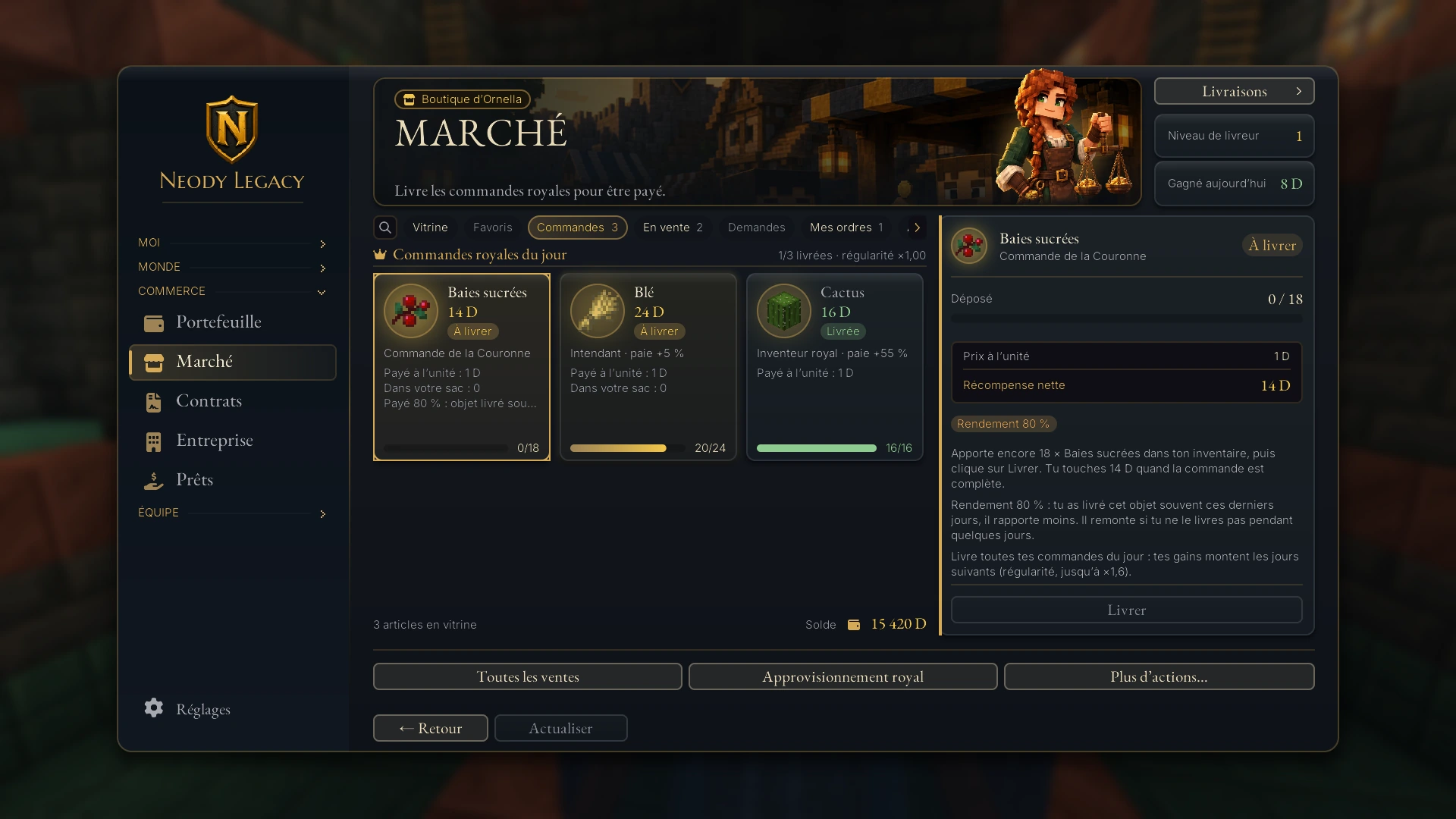
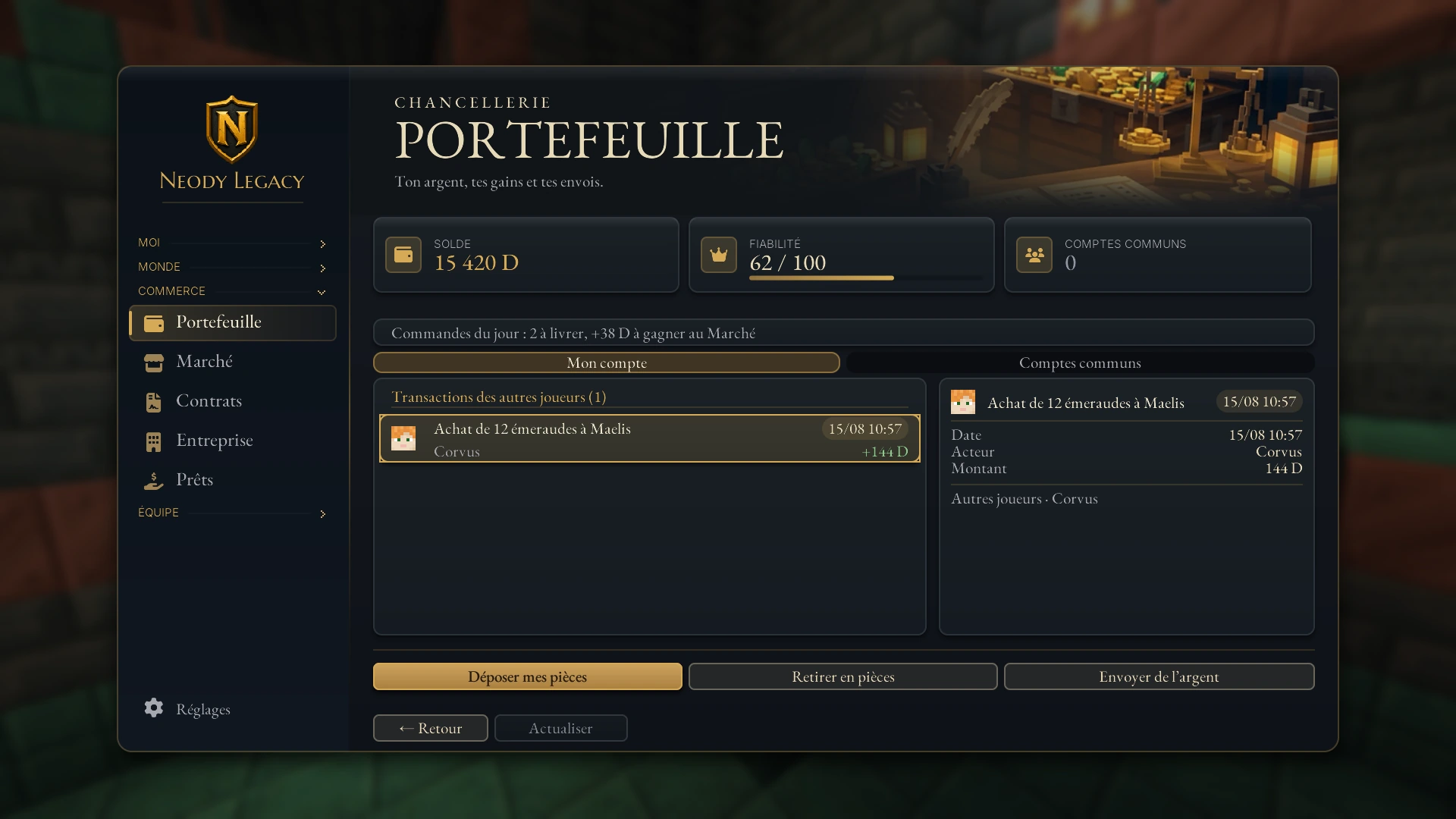
The Portefeuille screen's motto describes what you have, what you earn and what you send. It has four sections.
The three indicators at the top. “Solde” (Balance: your available money), “Réputation” (Reputation: a score out of 100 that partners see when you sign a contract) and “À lire” (Unread: the number of messages waiting).
Today's banner. It reminds you of Royal Orders to deliver and what you can still earn from them, for example: 2 orders to deliver today, with another 38 D to earn at the Market.
Three tabs. “Historique” (History: all your transactions), “Comptes communs” (Shared accounts) and “Alertes” (Alerts: your economic mail).
Three action buttons at the bottom. “Déposer mes pièces” (Deposit my coins), “Retirer en pièces” (Withdraw as coins) and “Envoyer de l'argent” (Send money).
History and its views
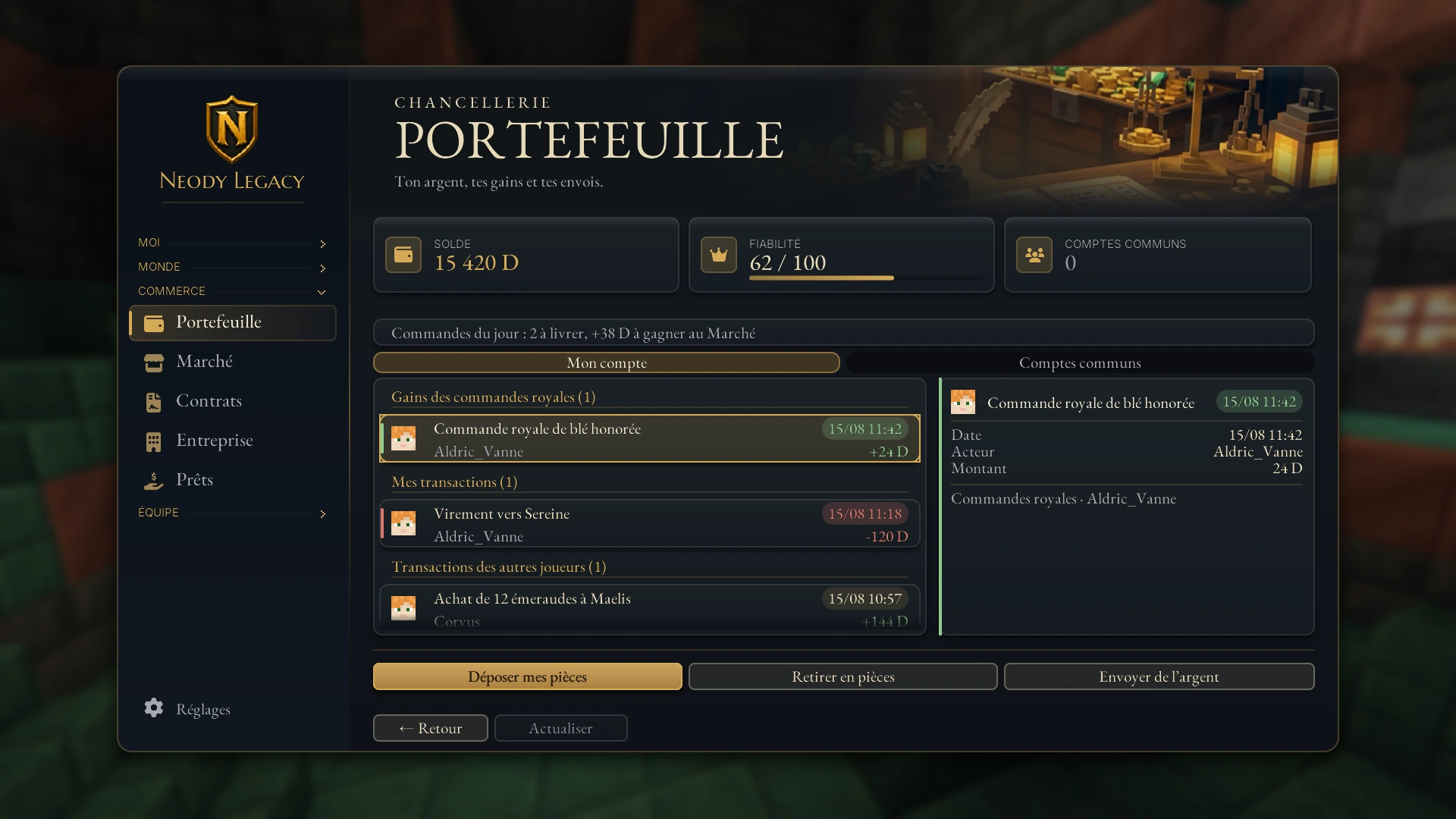
The Historique tab groups each transaction under a heading so you can quickly find what you need. Select an entry to open its details on the right (date, participant and amount). Credits are green, debits red.
- Gains des commandes royales (Royal Order earnings) : everything the Crown has paid you for deliveries, marked “Revenu royal” (Royal income).
- Mes transactions (My transactions) : transfers you send or receive, purchases, sales and shared account transactions.
- Transactions des autres joueurs (Other players' transactions) : exchanges between other players that appear in your history.
Coloured badges identify the entry: “Crédit” (Credit), “Débit” (Debit), “Commun” (Shared account) and “Revenu royal” (Royal income). In the Alertes tab, “À lire” (Unread) and “Lue” (Read) badges track your messages.
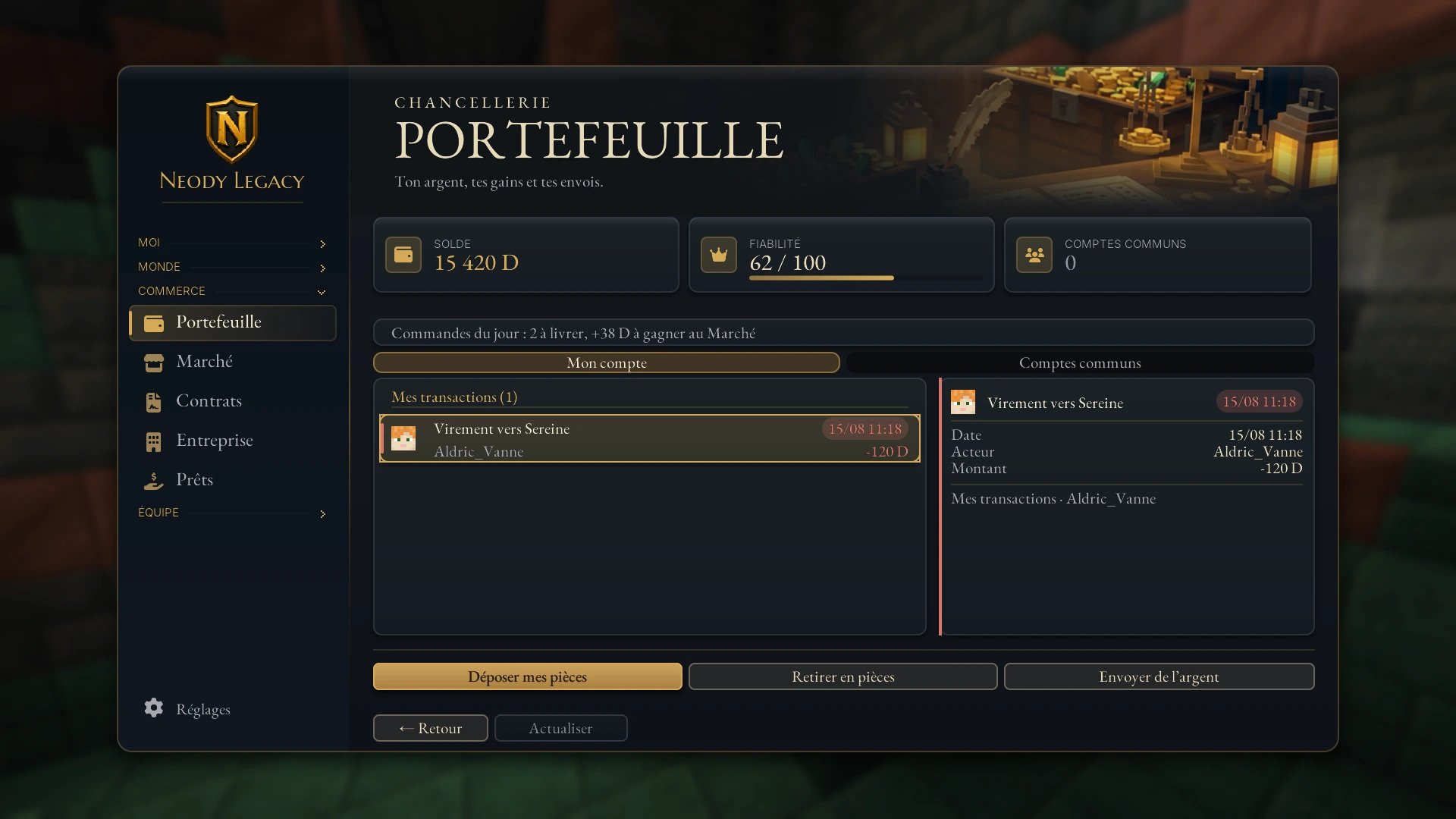
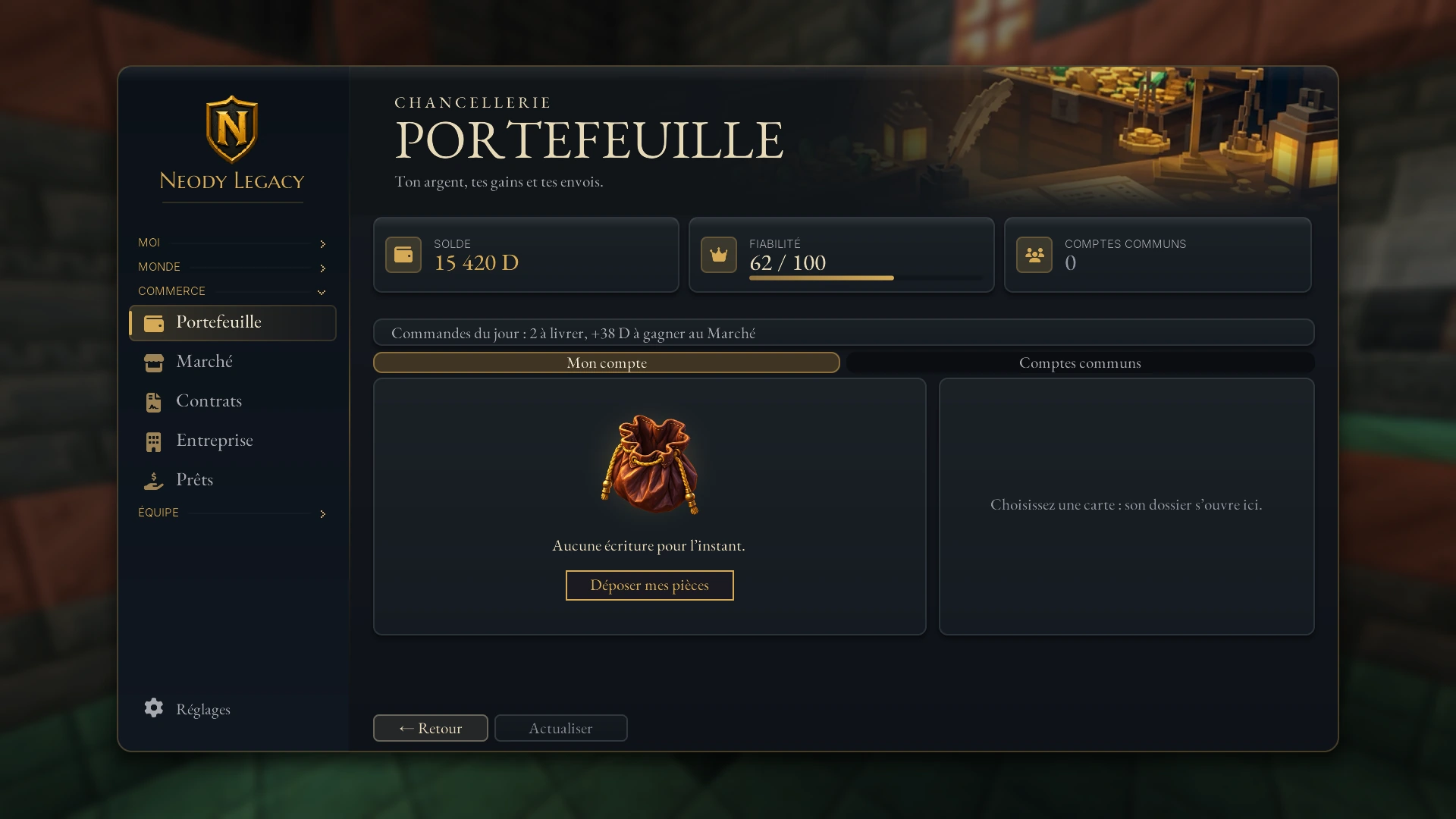
Until there is something to list, the history displays “Aucune écriture pour l'instant” (No entries yet), an empty purse and the Déposer mes pièces button. It reminds you that every transaction will appear here once you earn or deposit deniers.
Withdrawing and depositing coins
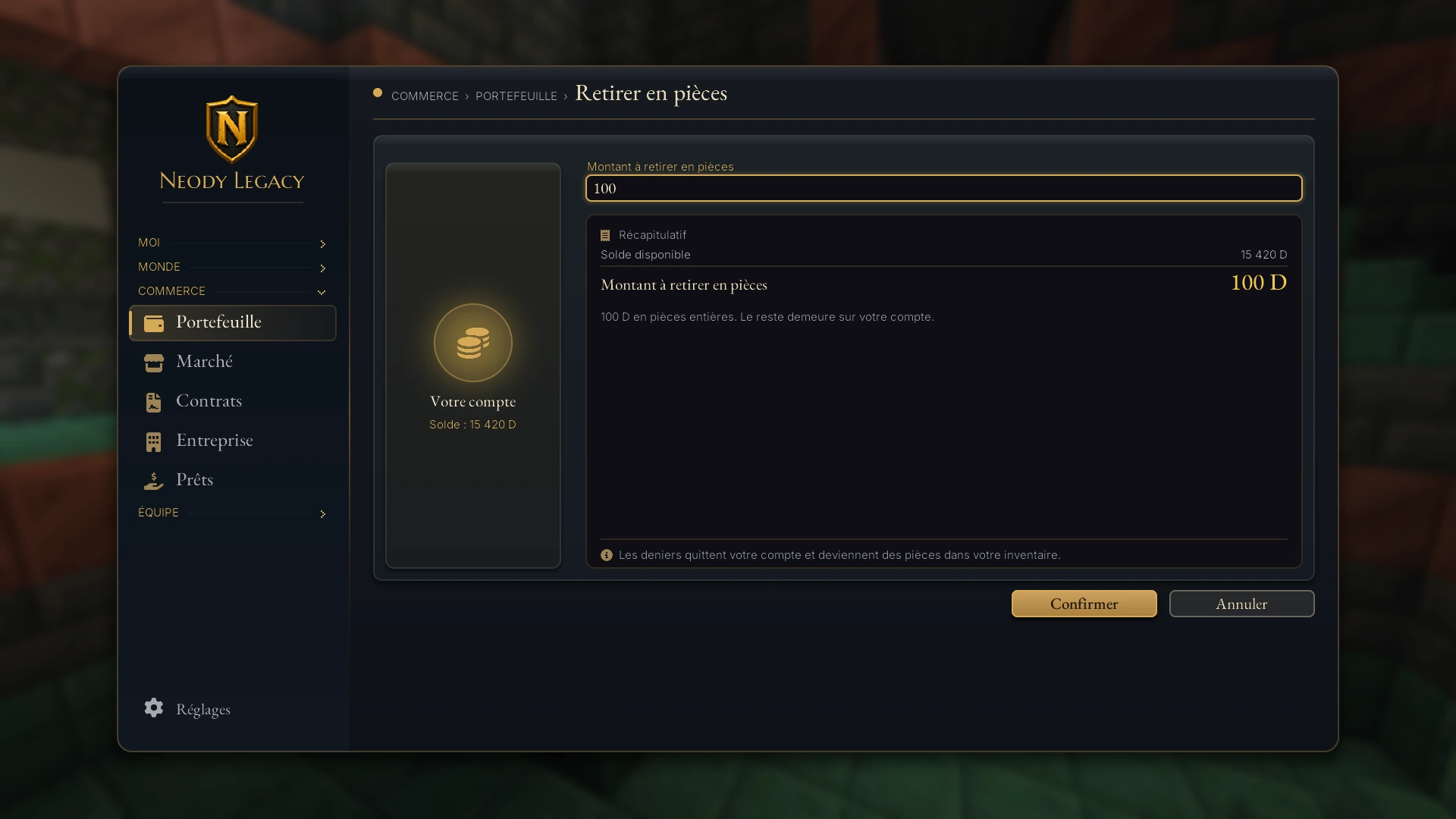
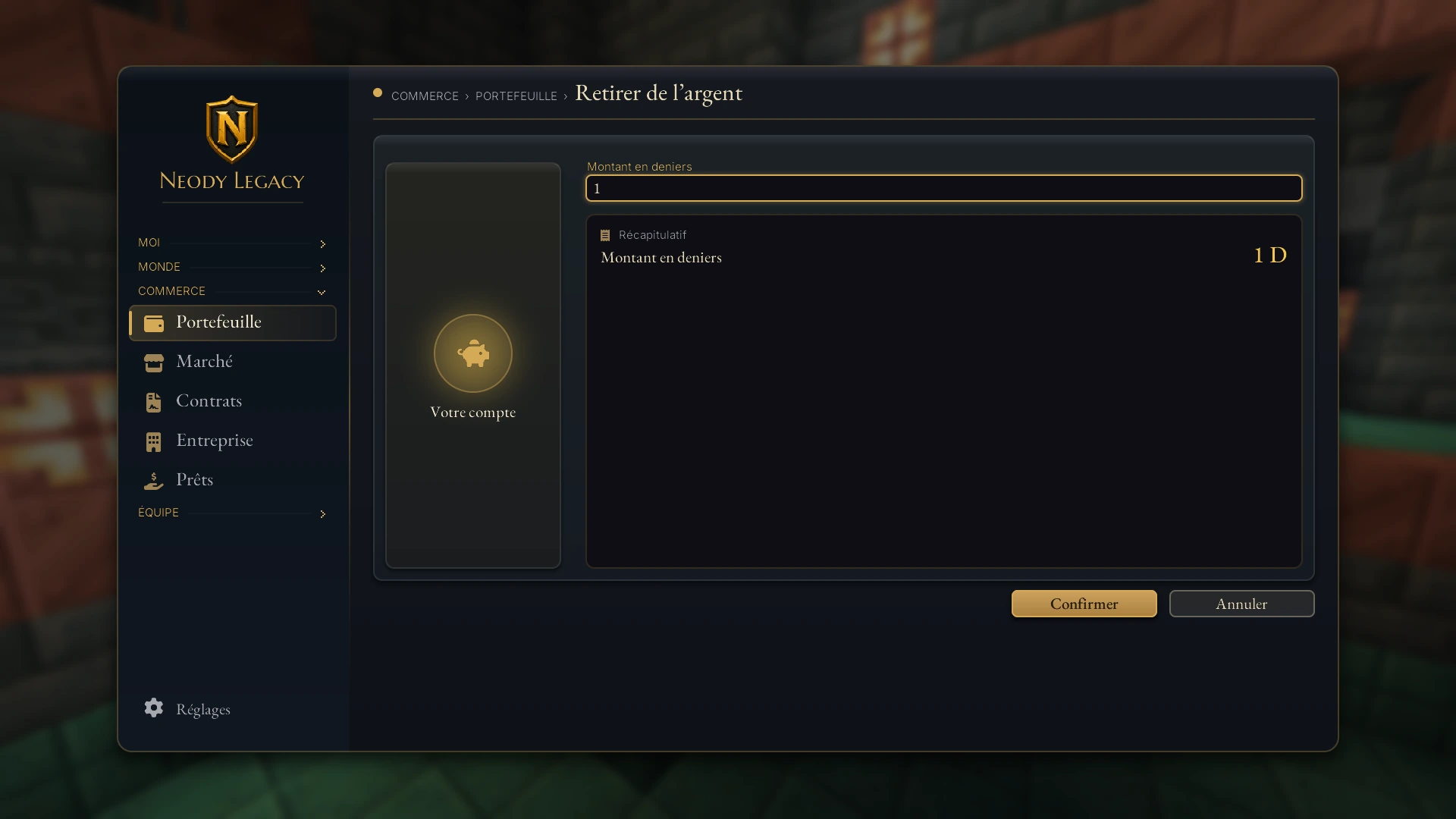
To turn your account balance into coins, use the Retirer en pièces (Withdraw as coins)button.
1. Open the form
In Portefeuille, click Retirer en pièces. The breadcrumb reads Commerce › Portefeuille.
2. Enter a whole number
The “Montant à retirer en pièces” (Amount to withdraw as coins) field only accepts whole deniers. The summary shows your available balance and confirms, for example, that you will receive 100 D in whole coins and the remainder will stay in your account.
3. Let the game choose the coins
It uses the largest denominations first (1,000 D coins, then 100, 10 and 1). Make room in your inventory before confirming.
4. Confirm
The deniers leave your account and become coins in your inventory. This happens immediately.
For the reverse operation, the Déposer mes pièces (Deposit my coins) button credits your account with every coin you are carrying. There is no amount to enter.
Sending money to a player
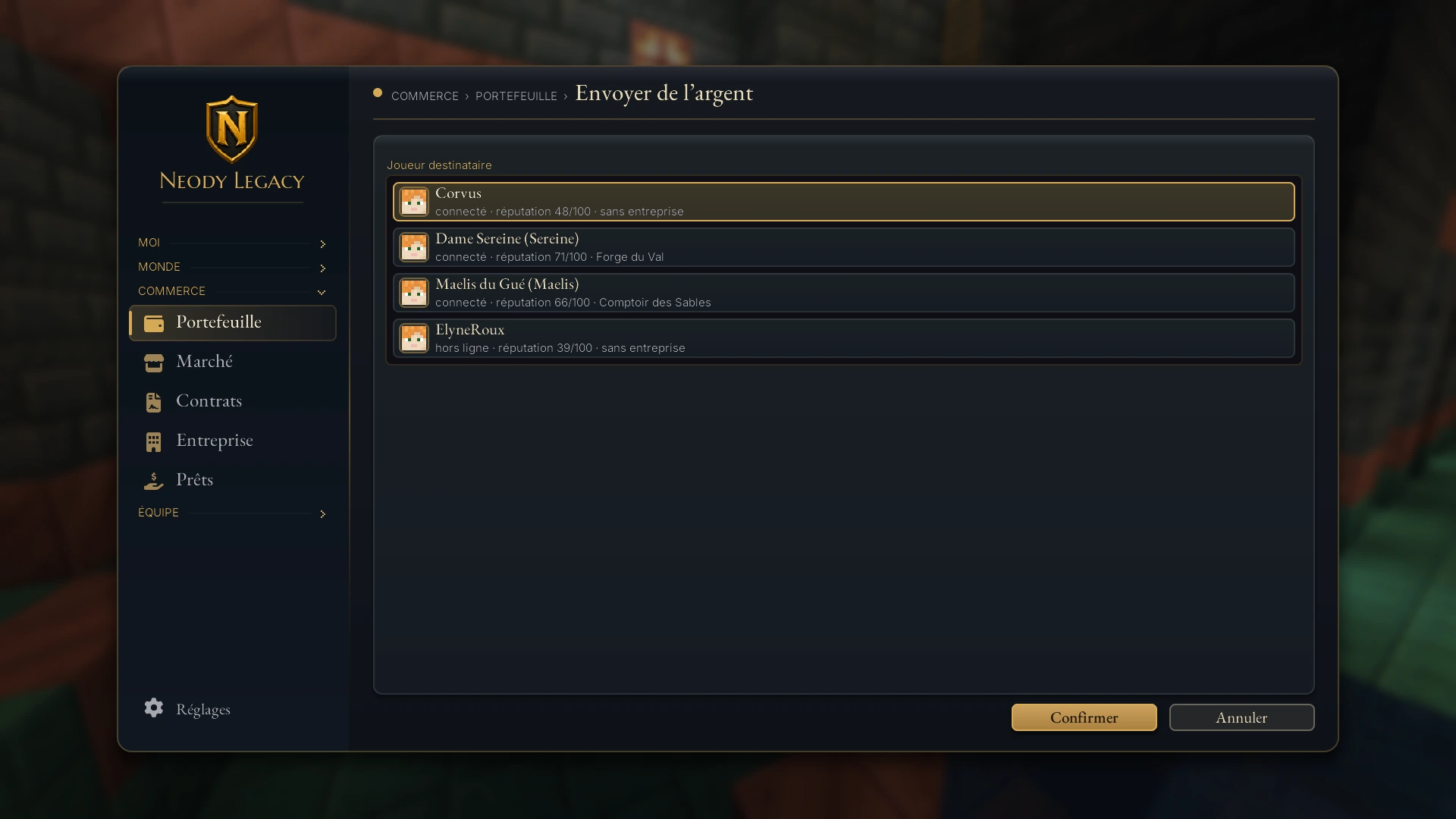
To pay a neighbour, repay a debt or fund a friend, use Envoyer de l'argent (Send money) in Portefeuille, or the action with the same name in the Ctrl+Kpalette.
1. Choose the recipient
The “Joueur destinataire” (Recipient player) field lists players with their status (online or offline), reputation out of 100 and company, if any. Offline players also appear in the list.
2. Enter the Montant en deniers (Amount in deniers)
The summary shows your available balance and the recipient. The 2% tax is added to the amount entered (see the box below).
3. Confirm
The recipient receives a “Virement reçu” (Transfer received) notification, and the entry appears in both your histories.
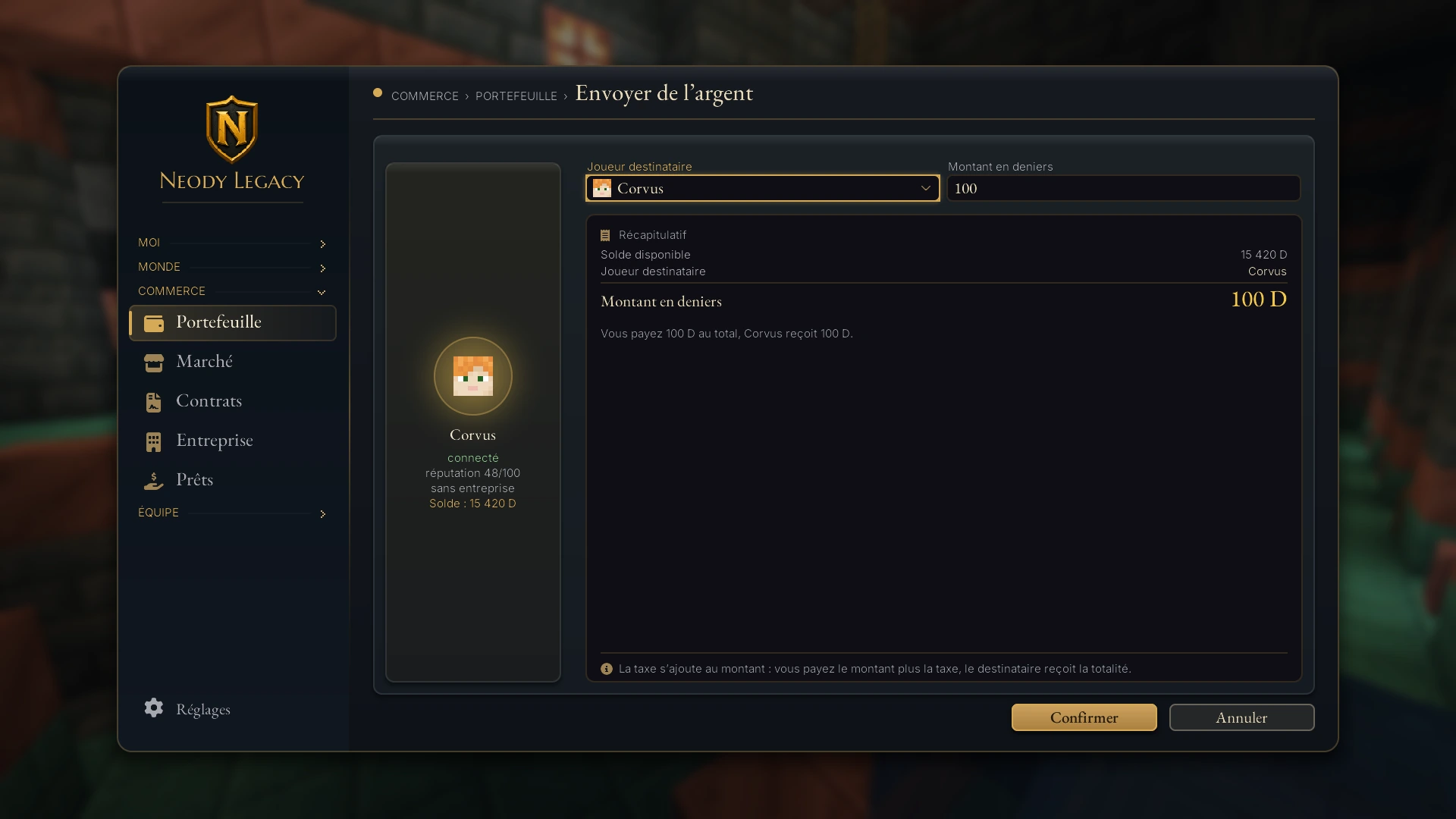
Two rules to remember: you cannot send money to yourself, and the game may refuse a transfer if your balance does not cover both the amount and the tax.
Shared accounts
A shared account is a shared purse: every member can freely deposit, withdraw and see everything. There are no shares or roles, just complete trust between partners. It suits a couple, siblings or two neighbours funding a building project together.
| Rule | Value |
|---|---|
| Opening an account | 30 D |
| Closing an account | 5 D |
| Shared accounts per player | Maximum 3 |
| Members per account | Maximum 8 |
| Account name | 3 to 32 characters |
Opening and funding an account
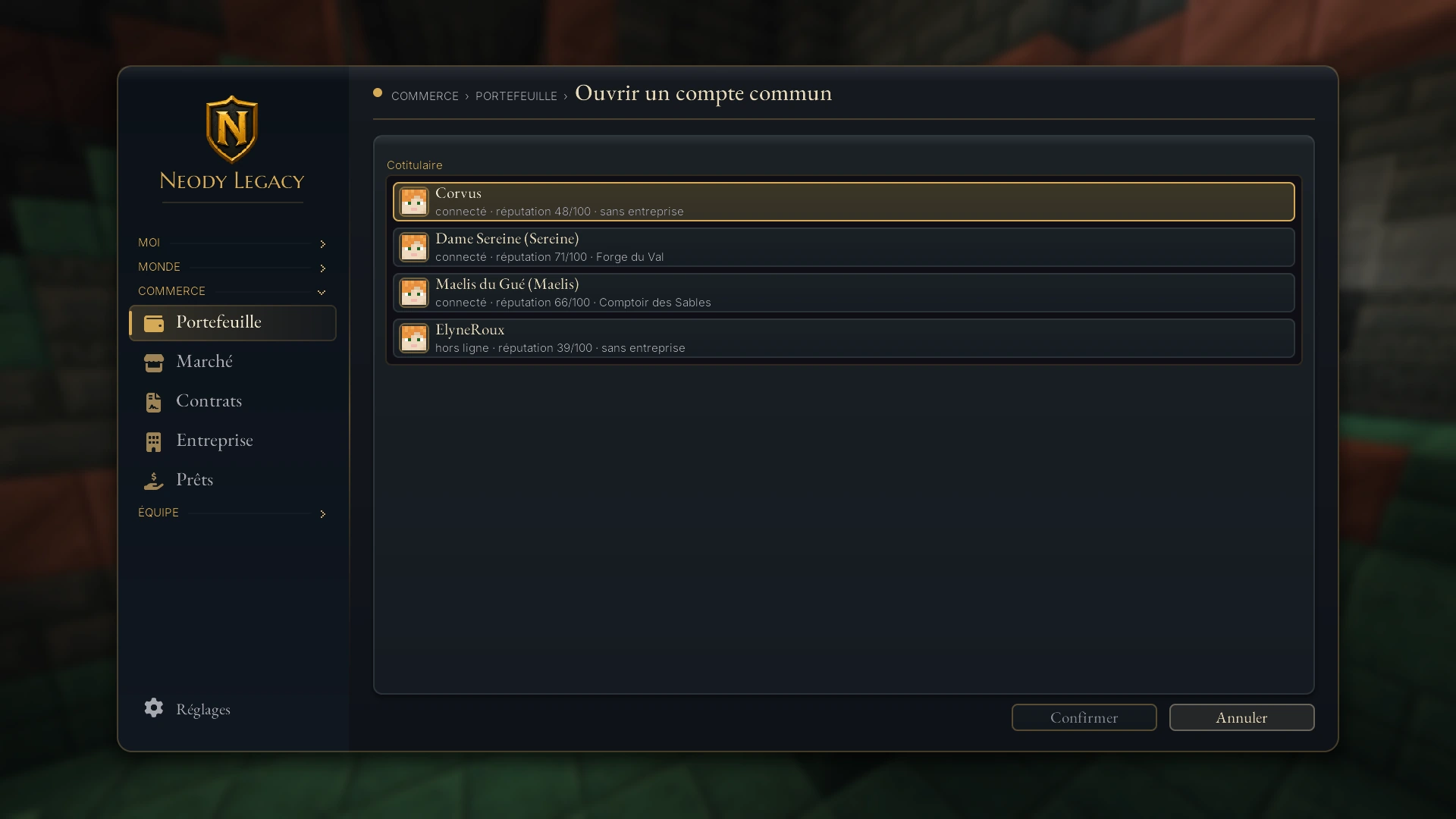
- Open a shared account : use the Comptes communs tab in Portefeuille. Choose a “Cotitulaire” (Co-holder) from the player list and name the account in “Nom du compte commun” (Shared account name).
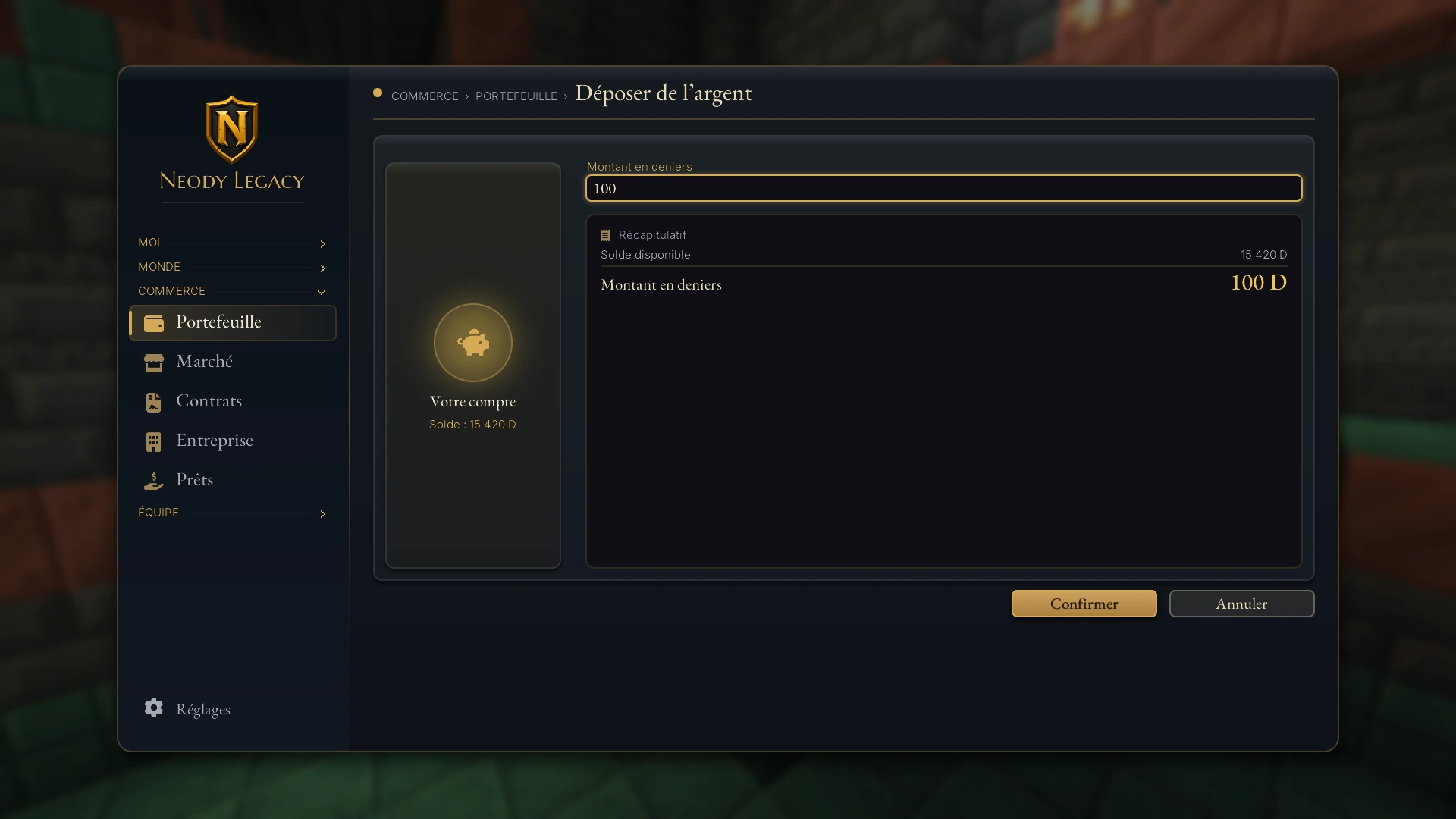
- Deposit money : move money from your personal account to the shared account using the Montant en deniers field.
- Withdraw money : move money from the shared account to your personal account.
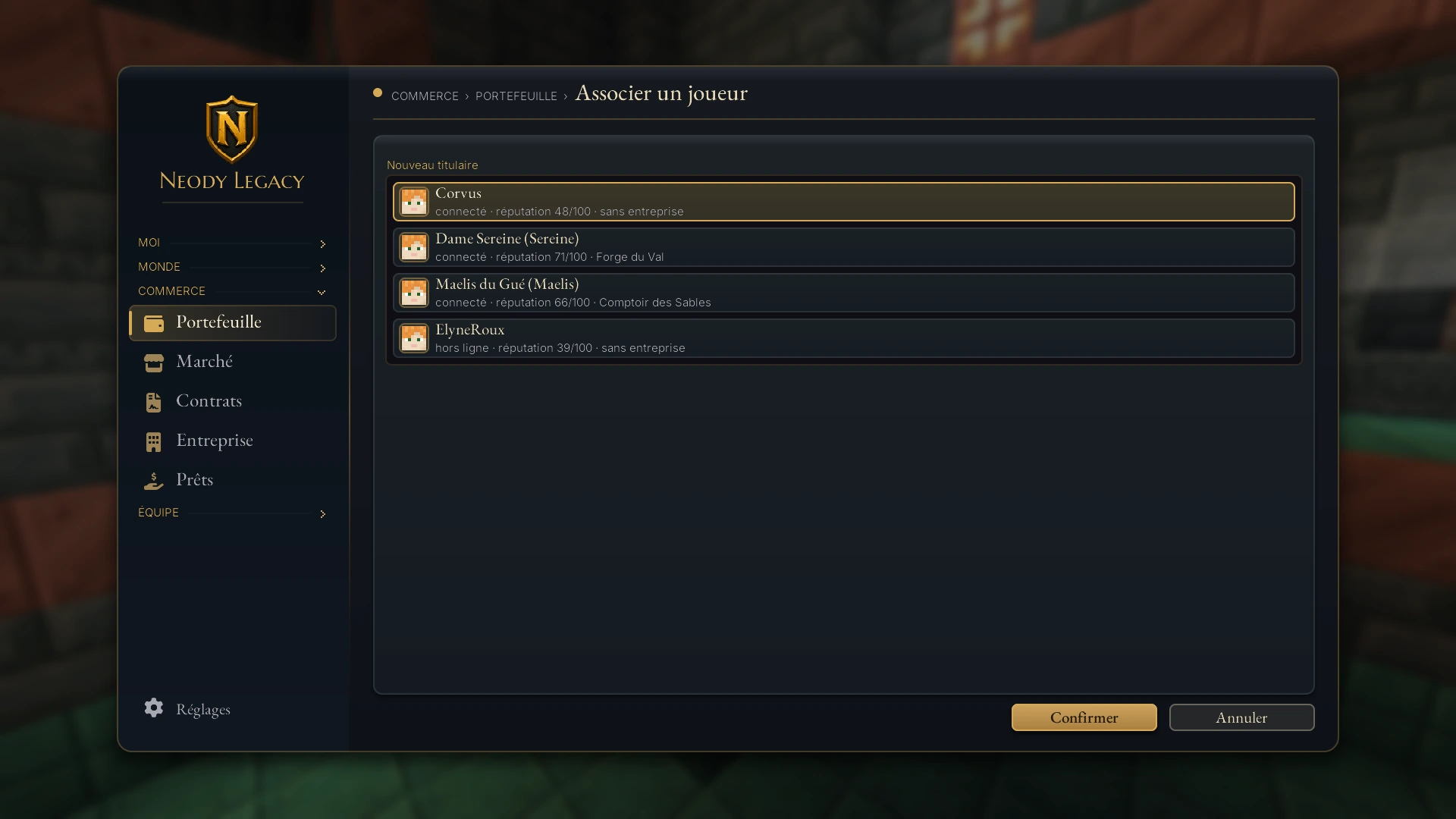
- Add a player : add a “Nouveau titulaire” (New holder), up to the limit of 8 members.
- Leave the account : you leave, and your share of the balance stays with the other holders. The last holder takes the remaining balance, less the closing fee.
The leaderboard /baltop
Wondering who has the largest balance in the Kingdom? Type /baltop (alias /balancetop or /soldes): the balance leaderboard appears in chat, eight players per page, with clickable pages. You can also go directly to a page with /baltop 2, /baltop 3, and so on.
Deliveries, alerts and notifications
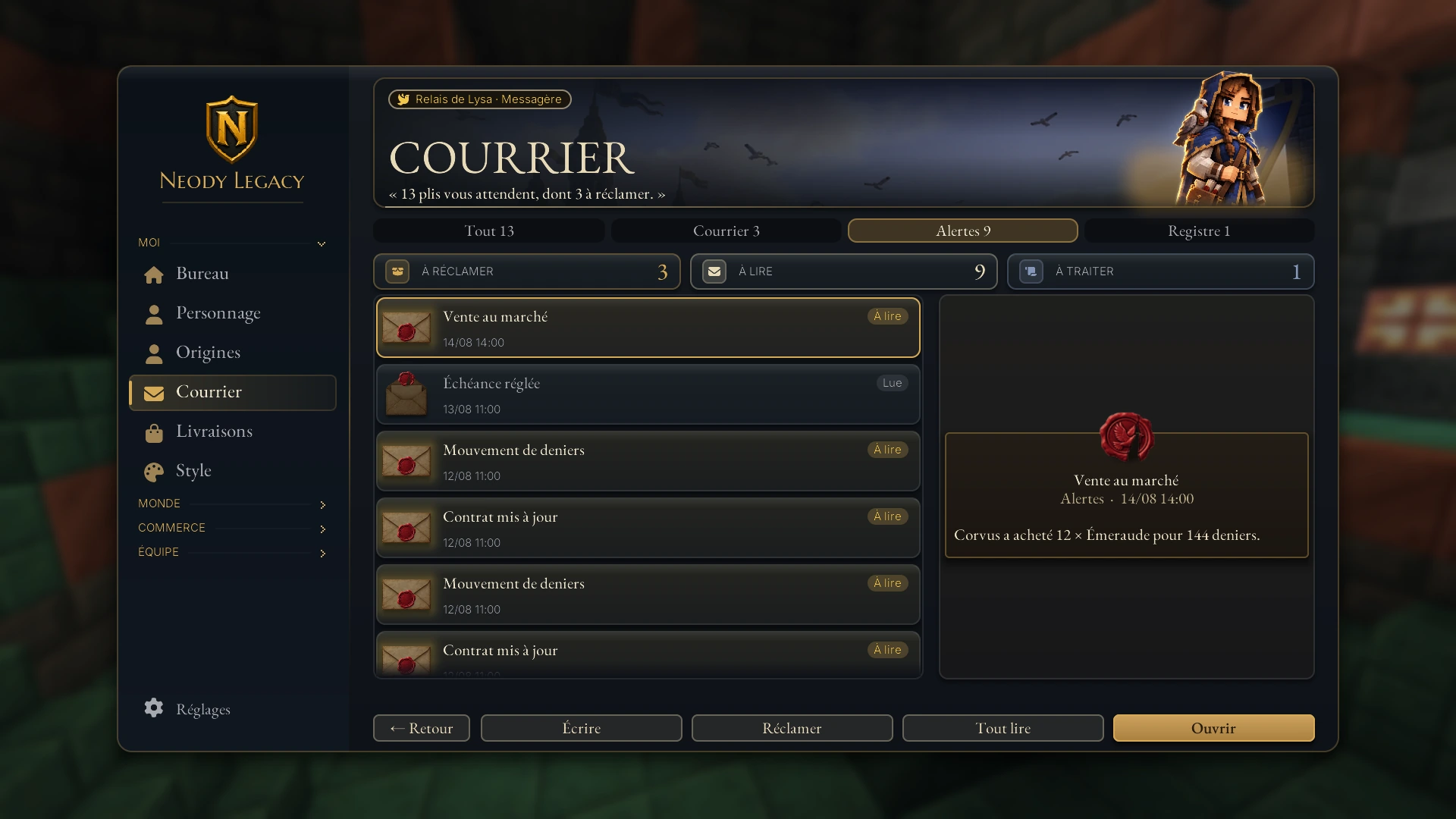
When you buy an item at the Market, it does not go straight into your inventory: it waits in Livraisons (Deliveries) (Moi › Livraisons), where Récupérer (Collect) moves it into your bag. You do not need to be online when the purchase happens: your items will wait. Returned items (cancelled or expired orders, unfulfilled Royal Orders) also come back here.
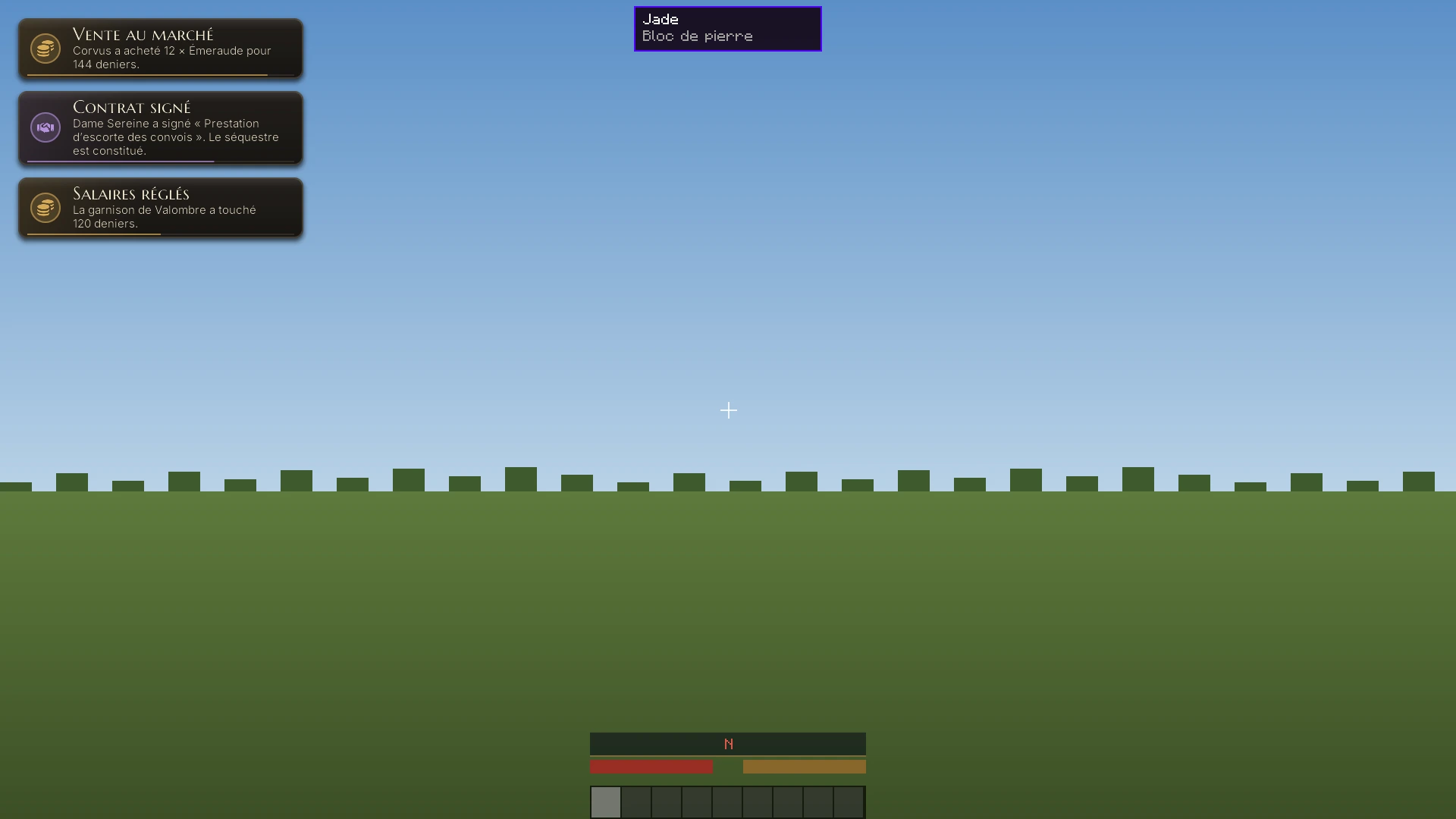
Economic events reach you in two ways. First, through small notifications at the top left of the game screen (“Vente au marché”, Market sale; “Contrat signé”, Contract signed; “Salaires réglés”, Wages paid…). Then through Moi › Courrier : each message is stored here with an À lire counter. You can “Ouvrir” (Open) a message, “Marquer comme lue” (Mark as read) or mark everything as read in one action. The “Écrire” (Write) button also lets you send a private note to a player (up to 500 characters), delivered when they connect.
Pitfalls and good habits
Account before coins. Keep most of your money in your account: it cannot be lost or stolen and can be spent everywhere. Coins are for handing money over in person.
Allow for tax. 2% on every transfer, 5.5% at the Market (paid by whoever fulfils an existing order). Always check the total before confirming.
Check the recipient. Read the name again before Confirmer, especially if two usernames look alike.
Watch your reputation. Future partners can see it. You build it by honouring contracts.
Screenshot amounts are examples. The names and amounts in this guide's images are illustrations: your own screens will show your real figures.
Settings can change. Taxes, fees and caps are part of life in the Kingdom: the staff may adjust them. Always rely on the amounts shown in the summaries just before confirming.
Your economic roadmap
Open K › Commerce › Portefeuille and find your balance, tabs and three buttons.
Link your Discord (/link) to unlock Royal Orders.
Deliver today's orders in Marché › Commandes.
Sell your surplus at the Market.
Only withdraw coins when you need them, then deposit them again.
Remember the 2% tax before every transfer.
A denier earned each day is better than a promised treasure: keep your purse moving, and the Kingdom will move with you.