Neody
Your colony treasury: income, guards and revolts
Income per building level, guard pay at 40 D, banking access, deposits and transfers, residents' mood and revolt: a complete guide to your colony account.

Contents
A thriving colony has working buildings, colonists at work and guards at their posts. It also has an account in deniers that fills each day thanks to your residents and empties when the garrison needs paying. This guide covers your colony treasury from start to finish: where to find it, where the money comes from, where it goes, who can use it and what happens when funds run out.
- Access
- Press K › Monde › Ma colonie (the “Compte de colonie”, Colony account, screen)
- Income per level per day
- Residence 10 D · Tavern 8 D · Agriculture 6 D · Industry 8 D
- Guard pay
- 40 D per guard per day
- Prolonged shortfall
- Income may be suspended after 7 days of unpaid wages
- Dormant colony
- After 3 days without a leader or officer connecting
Amounts are in deniers (D), the Kingdom's currency: all about deniers if you are just starting. To fill your personal wallet before funding the colony, your best sources are Royal Orders and the Market. If you have just founded your colony, start with Getting started with your colony.
Opening your treasury and reading the overview
Open K › Monde › Ma colonie. The account bears your colony's name. Four tabs remain visible: Aperçu (Overview), Argent (Money), Habitants (Residents) and Relations. Their pages appear in a second row. The colony selector lets you switch accounts if you have access to several colonies.
The overview brings together the essentials:
- Disponible de la colonie (Available colony balance): the collective account balance, with your own wallet just below.
- Prévision / jour réel (Forecast per real-world day): expected income, guard pay and the net per day, with the numbers of working colonists and guards.
- The three actions Déposer (Deposit), Retirer (Withdraw) and Virement (Transfer).
- Shortcuts: Prêts et tributs (Loans and tribute), Revenus par secteur (Income by sector), Liens politiques (Political ties), Humeur (Mood), Historique (History).
- The residents' mood out of 10 and war funds, then the list of recent transactions (today's income, guard pay, deposits, tribute and loans).
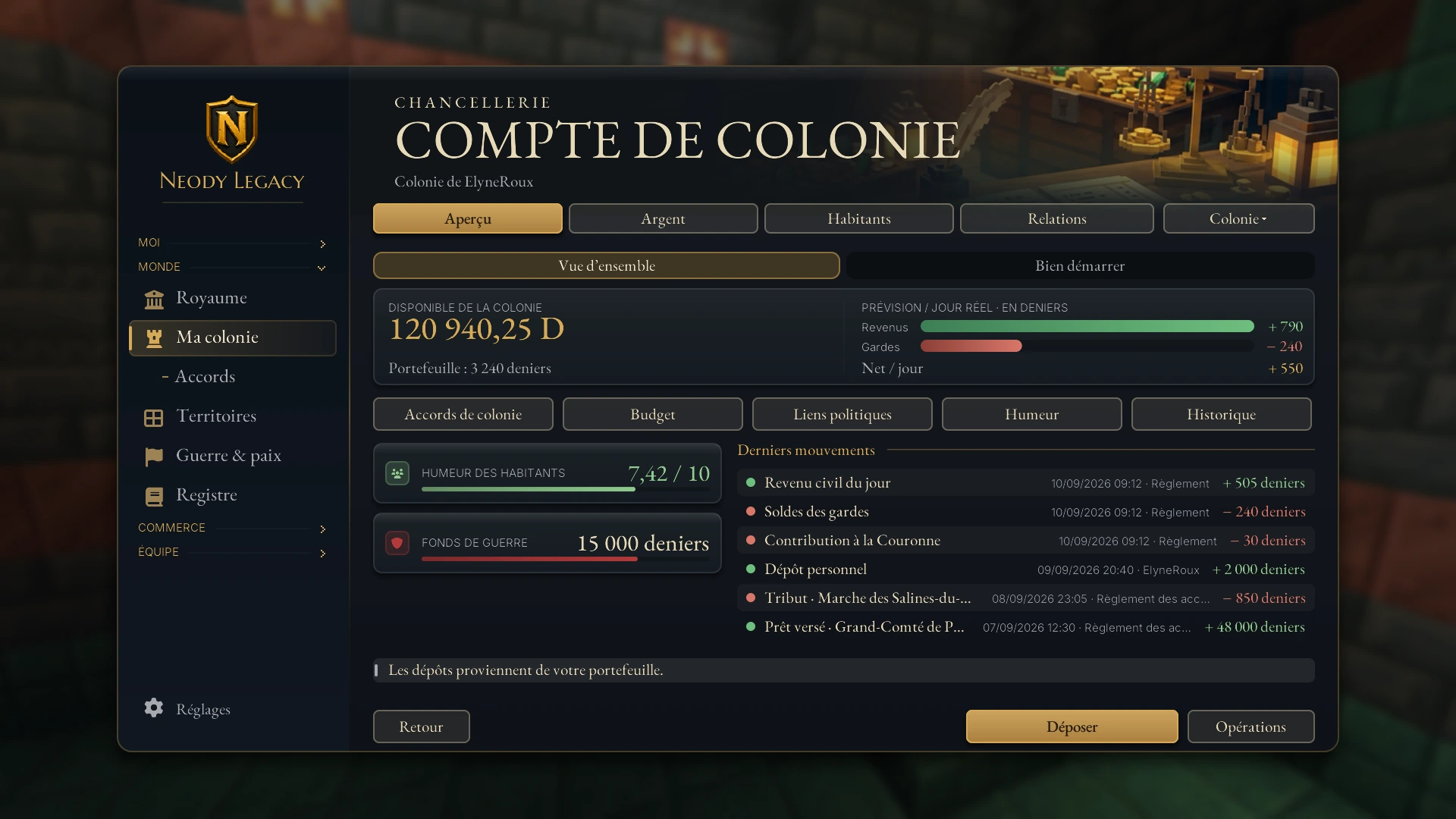
Aperçu contains the overview and Bien démarrer (Getting started). Argent brings together Budget, Bilan (Statement), Historique and trade assistance. Habitants gives access to mood and war funds. Relations contains access rights, political ties and colony agreements.
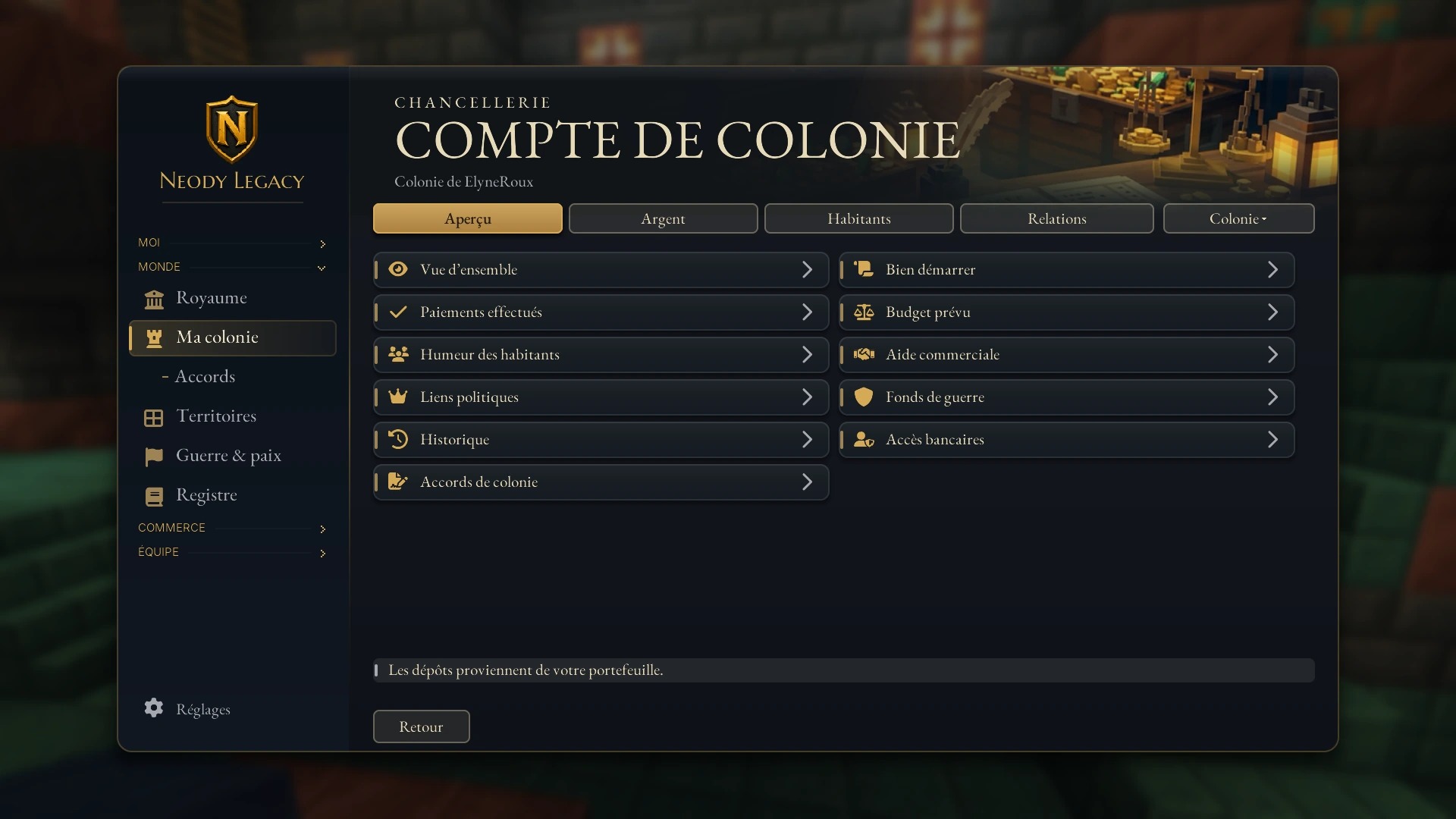
| Section | What it does |
|---|---|
| Vue d'ensemble (Overview) | Balance and latest confirmed transactions. |
| Bilan (Statement) | What has actually been paid: income and wages. |
| Budget | Forecasts for the next day, sector by sector. |
| Humeur des habitants (Residents' mood) | Social conditions and revolt risk. |
| Historique (History) | The colony's transaction log. |
| Accès bancaires (Banking access) | Who can view, deposit and spend. |
| Fonds de guerre (War funds) | Money set aside for war: total, committed and available. |
| Prêts et tributs (Loans and tribute) | Financial agreements between colonies. |
| Liens politiques (Political ties) | Overlord, vassals and treaties. |
| Aide commerciale (Trade assistance) | Discounts funded by an overlord for their vassals' Market purchases. |
| De la colonie à la guerre (From colony to war) | The five-step guide. |
Where the money comes from: the budget
Your colony receives civil income each real-world day, calculated from your colony buildings. The principle is simple: levels × rate per level × happiness effect, then a cap is applied.
| Sector | Rate per level per day |
|---|---|
| Residences (occupied levels) | 10 D |
| Taverns | 8 D |
| Agriculture | 6 D |
| Industry | 8 D |
A completed building counts once, even with several employees, provided it is occupied or staffed (a tavern may house residents or just visitors). Upgrading a building by one level therefore adds its rate to your daily income.
Your residents' happiness adjusts this income: a happy village earns more, an unhappy one less, and low happiness may reduce or suspend income depending on the colony's size. The Budget section shows the multiplier applied, line by line.
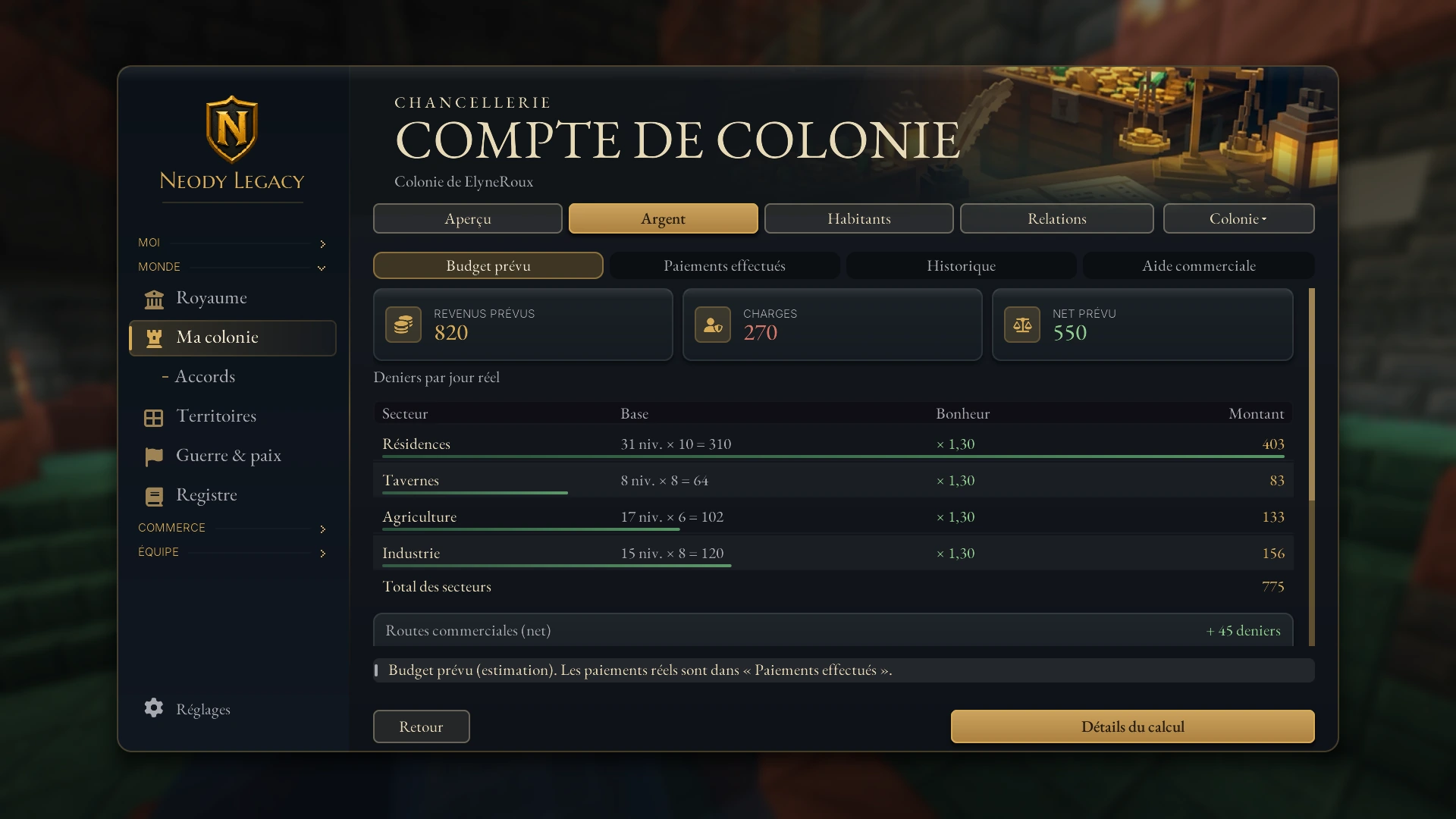
The Détails du calcul (Calculation details) button breaks down each sector: levels counted, rate per level and happiness effect. The Revenus par secteur (Income by sector) page tells you where your deniers come from. Trade routes between colonies, if you have any, are added separately.
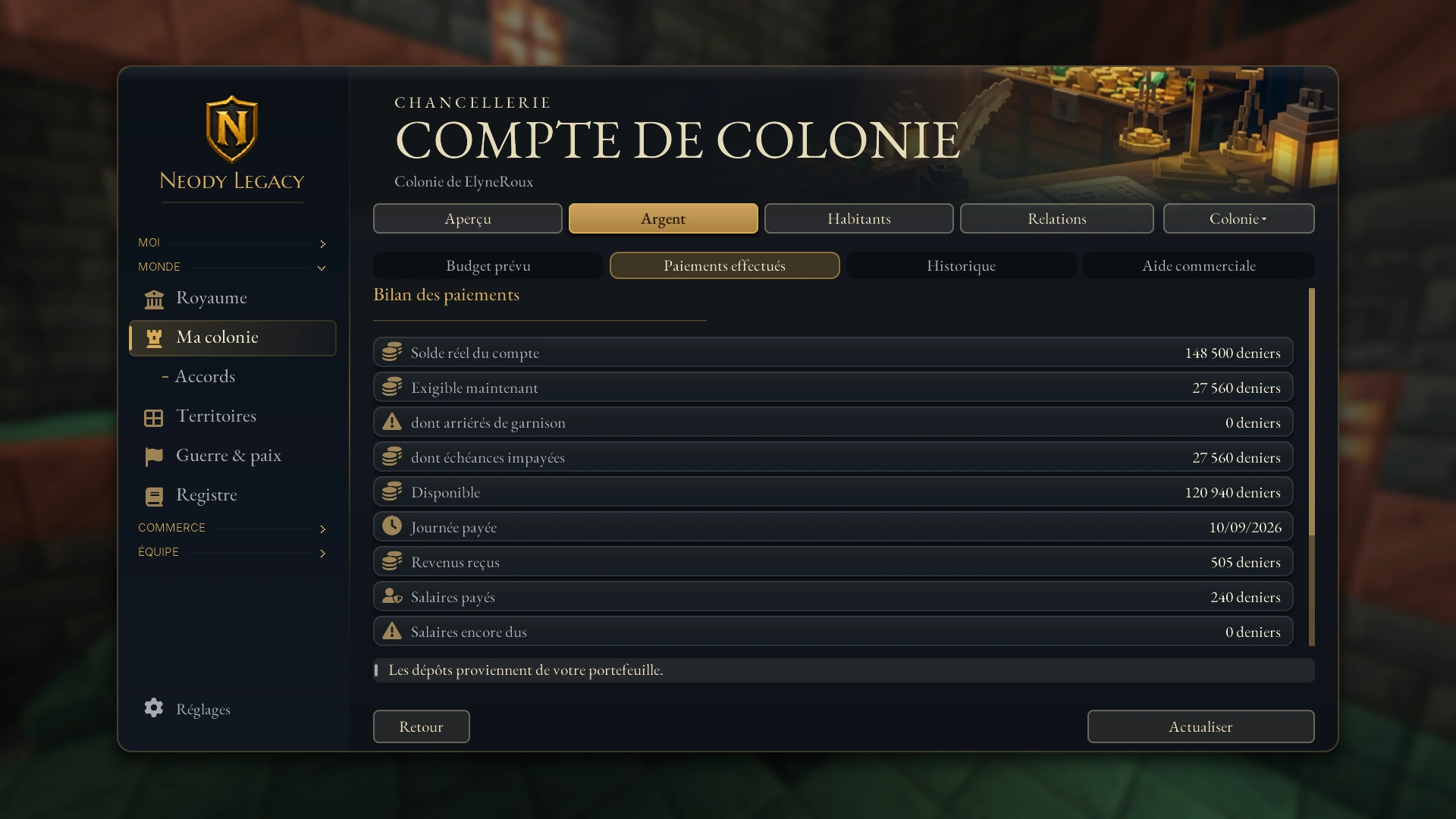
One last detail: the server applies no colony tax to residents (0%). Incoming deniers come from your buildings, your deposits and, if you choose, member contributions. A 5% share of income is reserved by the Kingdom's administration: it is deducted before guard pay.
Where the money goes: guards and garrison
A colony's main expense is guard pay: 40 D per guard per day. The account pays all guards at their posts, including those staying at the colony and when no expedition is planned. Expedition departure costs and a war bond are added to this pay; they do not replace it.
- If the account cannot cover today's pay, it pays what it can and the remainder becomes garrison arrears. These arrears are never taken from your personal wealth.
- To settle them manually, an authorised leader or officer uses Payer les salaires en retard (Settle overdue wages) (in the account actions), after checking the amount.
- While due amounts remain uncovered, withdrawals and transfers are blocked until payment. Deposits remain available to support the garrison.
War funds
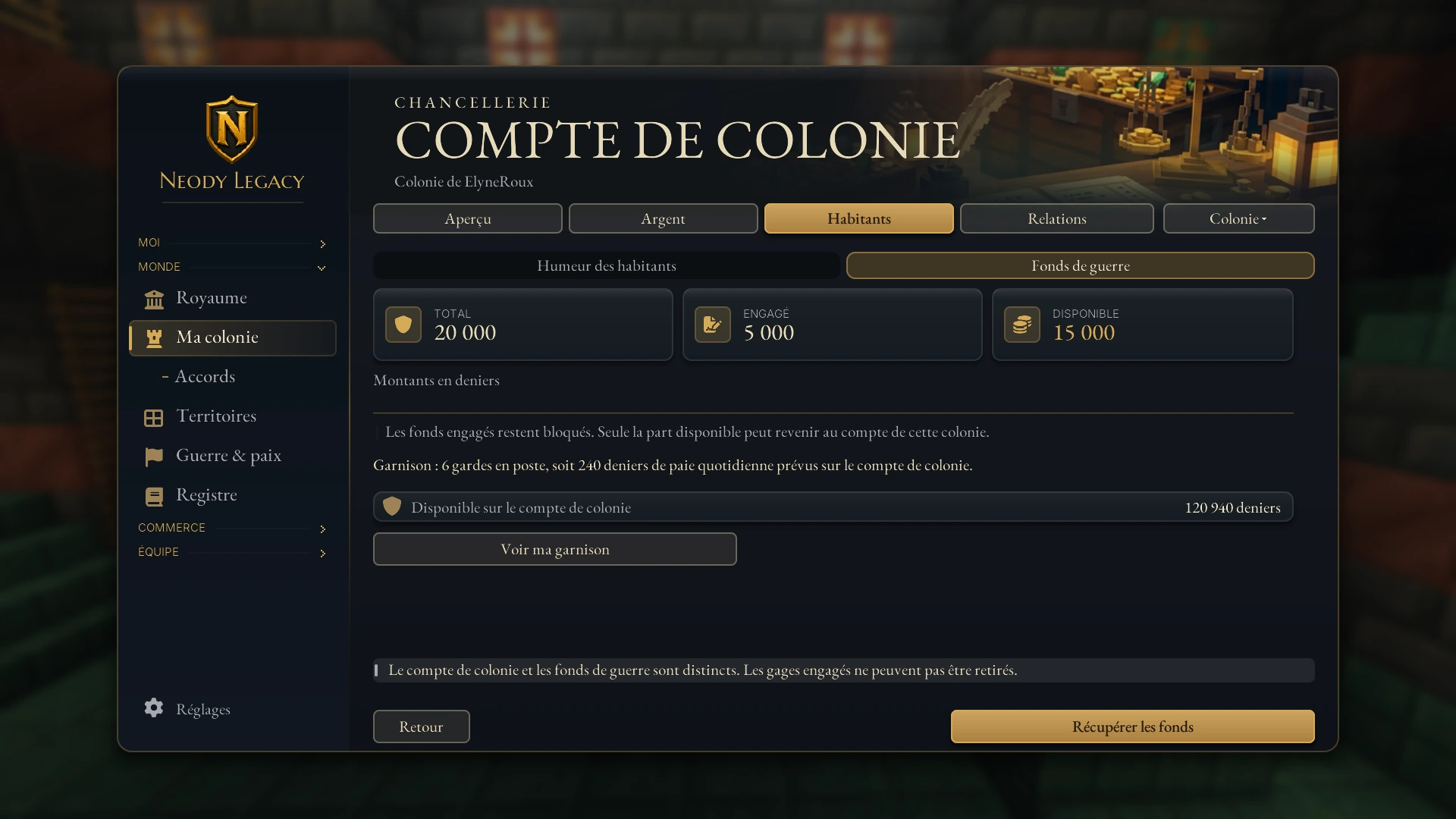
The Fonds de guerre (War funds) page separates three amounts: Total, the Engagé (Committed) share (active bonds, locked) and the Disponible (Available) share. Only available funds can return to the colony account through Récupérer les fonds (Recover funds), which is reserved for officers. The colony account and war funds are two separate purses: a committed bond cannot be withdrawn. The Voir ma garnison (View my garrison) button leads to your guards and preparations. For the full rules of war, read War and peace.
Depositing, withdrawing and transferring: who can do what
The account actions bring together the money controls. Each opens a form, then a summary to read before confirming: nothing leaves without your approval.
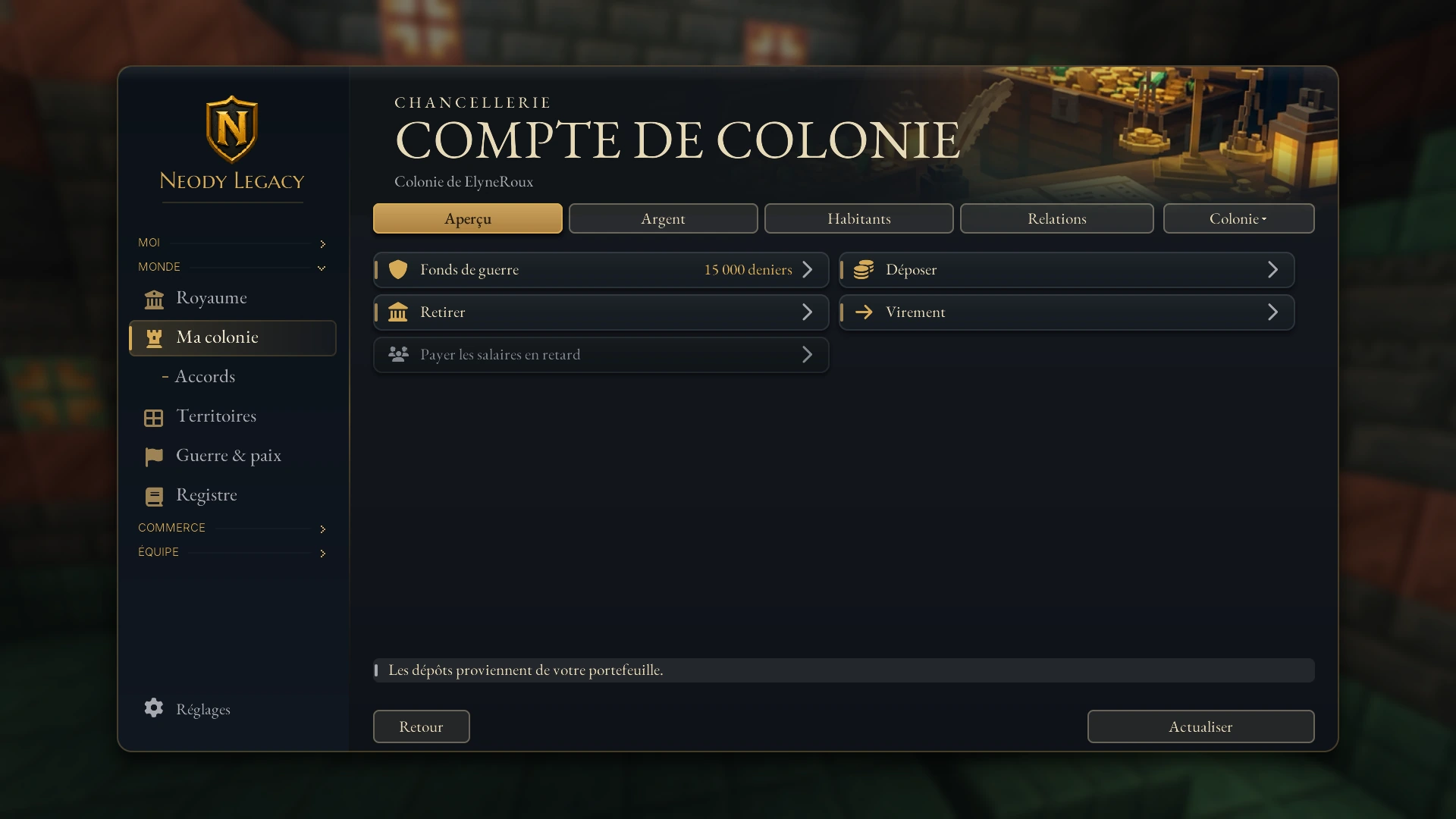
- Déposer (Deposit): from your wallet to the colony. Available to all members. This is the usual way to fund your colony: Royal Order earnings and sales reach your wallet, and you then choose how much to deposit.
- Retirer (Withdraw): from the colony to your wallet. You need permission to spend.
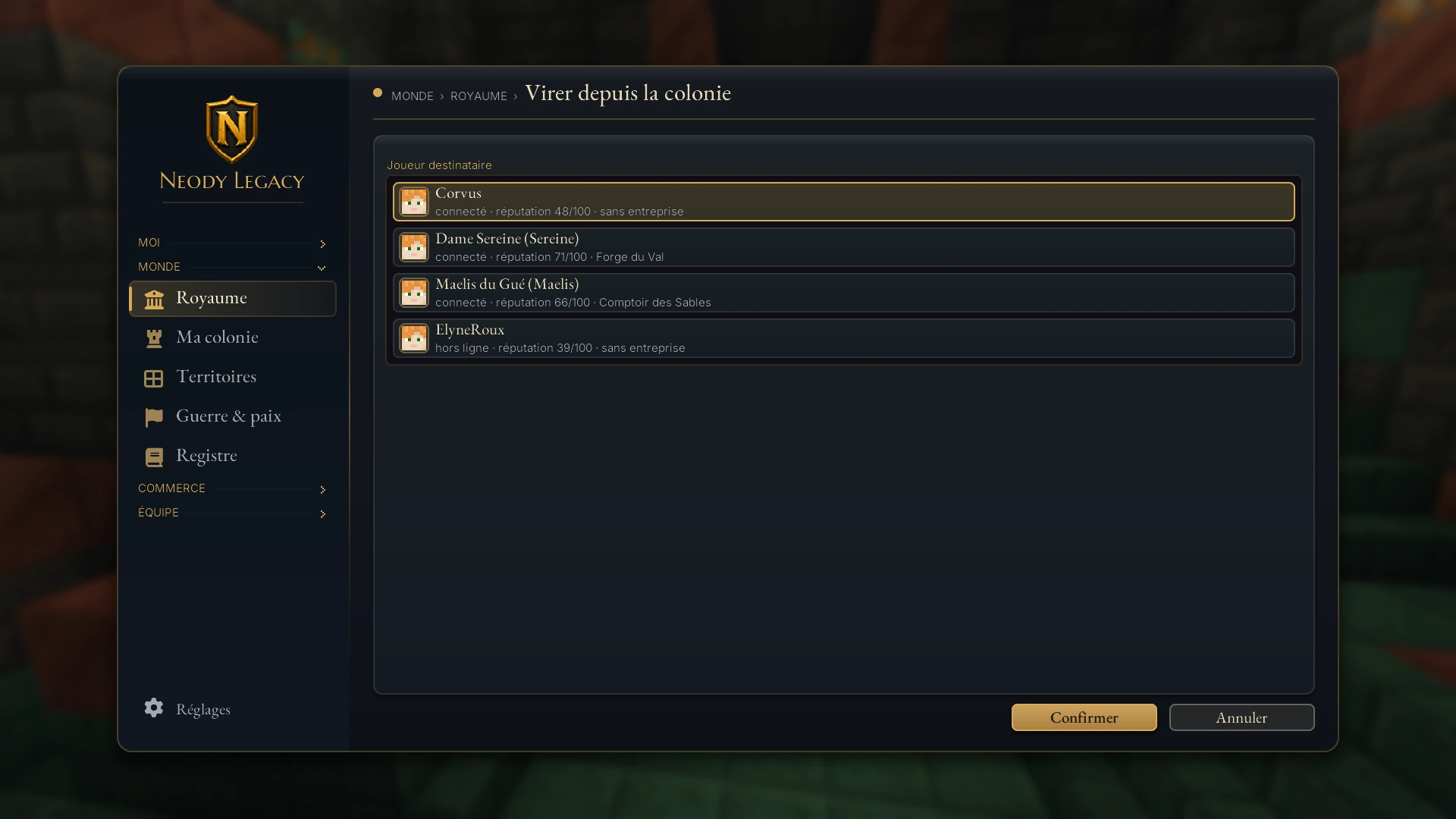
- Virement (Transfer): from the colony to a player (their Minecraft username) or to another colony (search by name). The same permission is required.
- Payer les salaires en retard (Settle overdue wages): pays wages still owed to guards.
Banking access
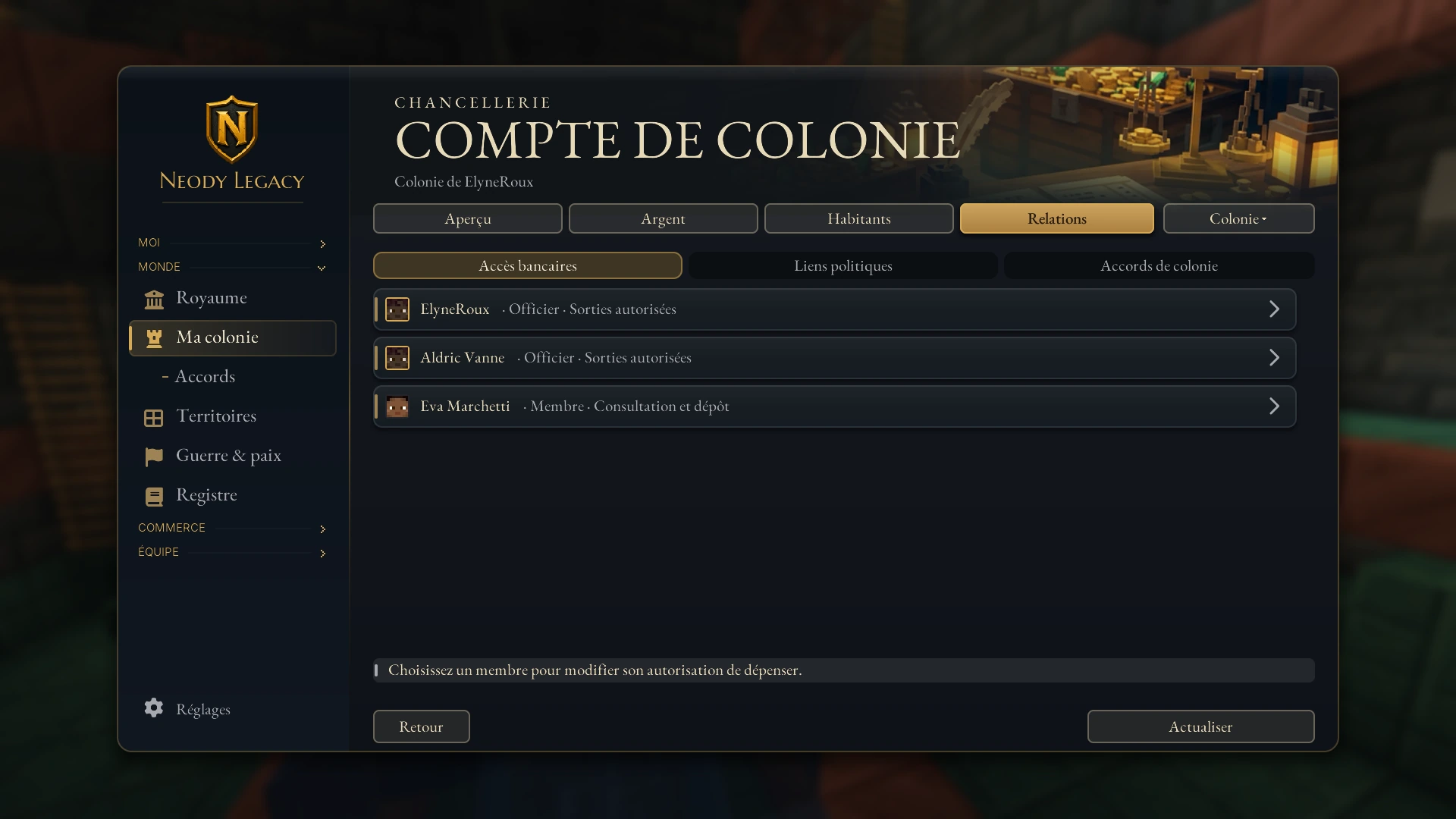
The Accès bancaires (Banking access) page lists every member with their role and rights: Officier · Sorties autorisées (Officer · Outgoing payments authorised) or Membre · Consultation et dépôt (Member · View and deposit). Everyone can view and deposit; only those with outgoing payments authorised can withdraw and transfer. To change a right, select a member, then Modifier un accès (Change access): you can authorise withdrawals and transfers or remove permission to spend (viewing and depositing then remain available).
Member contributions
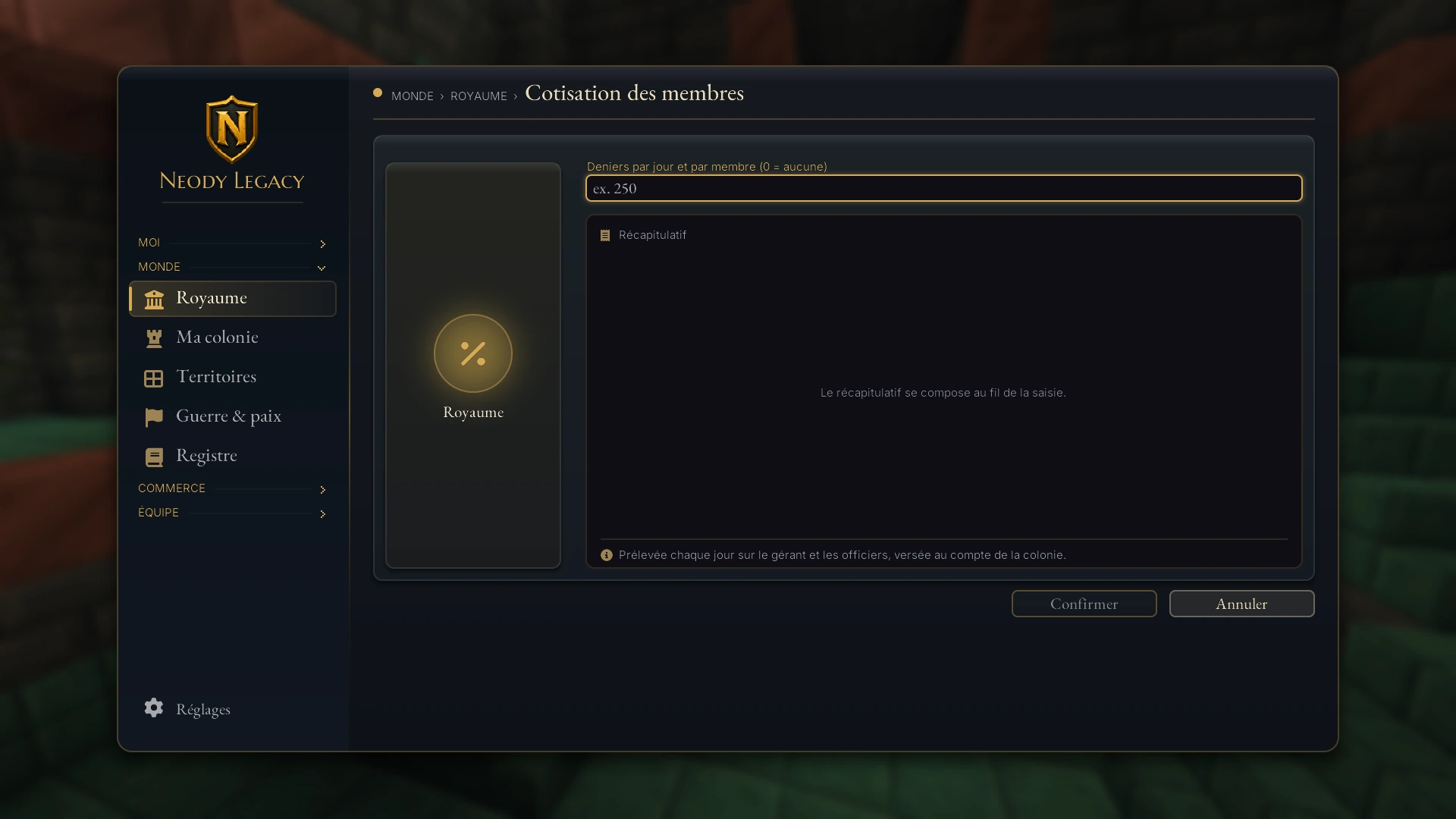
If your role allows it, the Cotisation des membres (Member contributions) action sets an amount in deniers per day per member (from 0 to 1,000 D, with 0 meaning none). It is taken each day from the manager and officers and paid into the colony account. It is useful for a jointly managed colony, provided you clearly explain it to your officers.
Mood, unpaid wages and tax revolt
The Humeur des habitants (Residents' mood) page distinguishes happiness, garrison arrears and tax pressure. All three may reduce your income, for different reasons.
- Insufficient happiness : happiness below 1 out of 10 suspends civil income once your colony has at least 5 workers. Below that threshold, low happiness reduces income without suspending it on its own. Food, housing and living conditions remain essential.
- Garrison arrears : an account unable to cover guard pay gradually loses income. After 7 days of shortfall, civil income is suspended. Deposit deniers and settle the arrears; pressure then falls over three daily settlements. Waiting three days without paying does not settle the debt.
- Tax revolt : this depends on a royal contribution above 10%, with risk affected by happiness. The current deduction is 5% : this arrangement therefore creates no new tax revolt. If the rule changes, the mood screen shows the risk and effects; a revolt can suspend civil income for up to three days.
- Deposits remain possible : you can replenish garrison funds during a suspension.
Dormant colony
A colony without a leader or officer does not generate money indefinitely. If no manager or officer has connected for 3 days, the colony becomes dormant: no civil income and no garrison pay. A leader or officer returning wakes a dormant colony. After a prolonged absence, first check its status: requisition follows a separate process. Telling your officers about a long absence avoids surprises, and a healthy balance before going on holiday is always a good idea.
One last, rare case: if the colony has disappeared, its account is “à vider” (to be emptied). You can then recover the available balance or transfer it to another colony; outstanding commitments remain reserved.
After 30 days of dormancy, a colony may be requisitioned. It then becomes a PvE target: raid rules differ from war between active colonies and do not require its former leader to be online. Read your colony's status and contact the staff about restitution; simply returning to the game does not guarantee that requisition ends.
Other colonies, agreements and the built-in guide
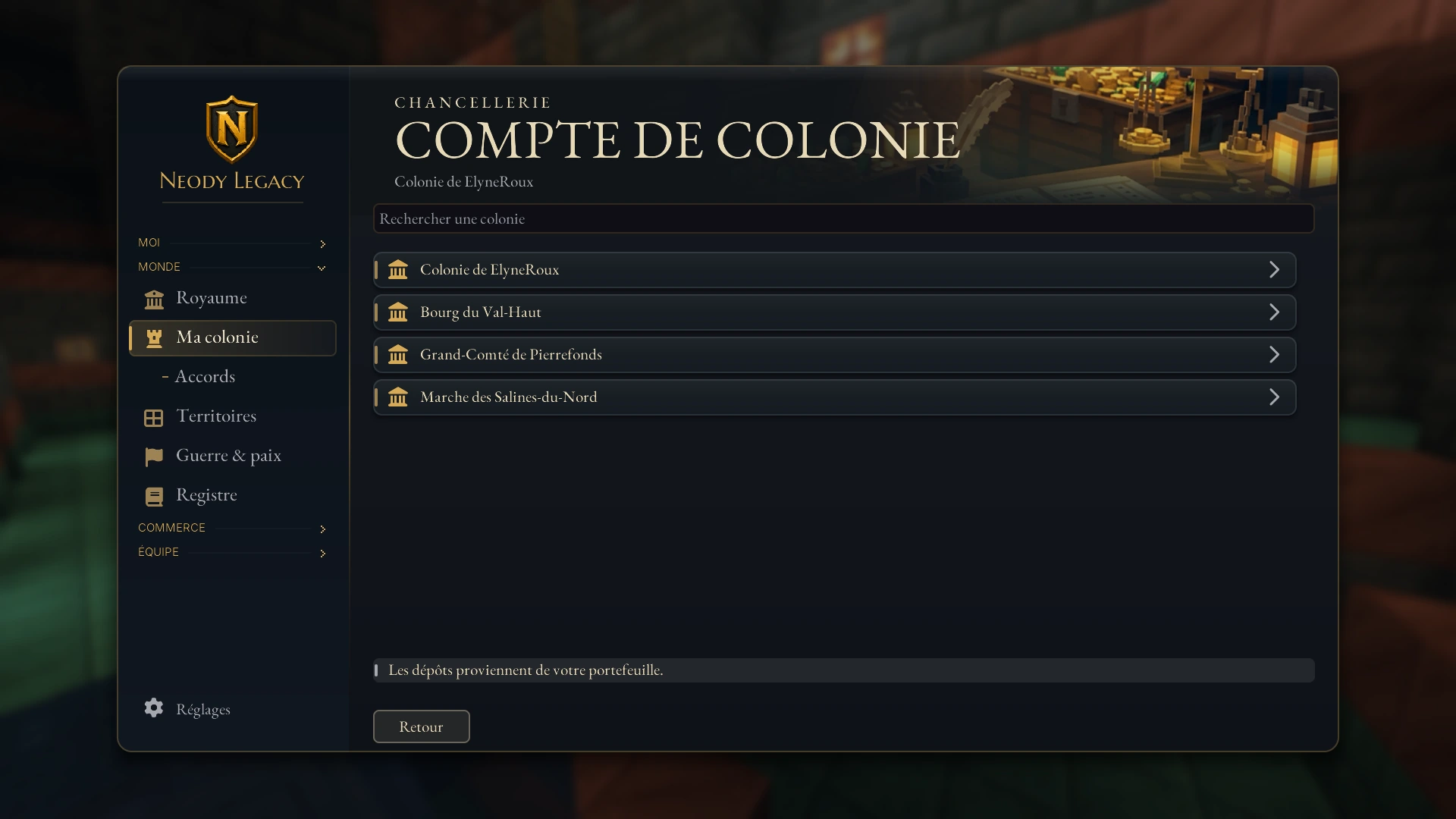
The Colonie ▾ (Colony) selector opens a searchable list: this is how you switch accounts, and the same search lets you choose the colony receiving a transfer. Money actions remain restricted to those with rights on the account concerned.
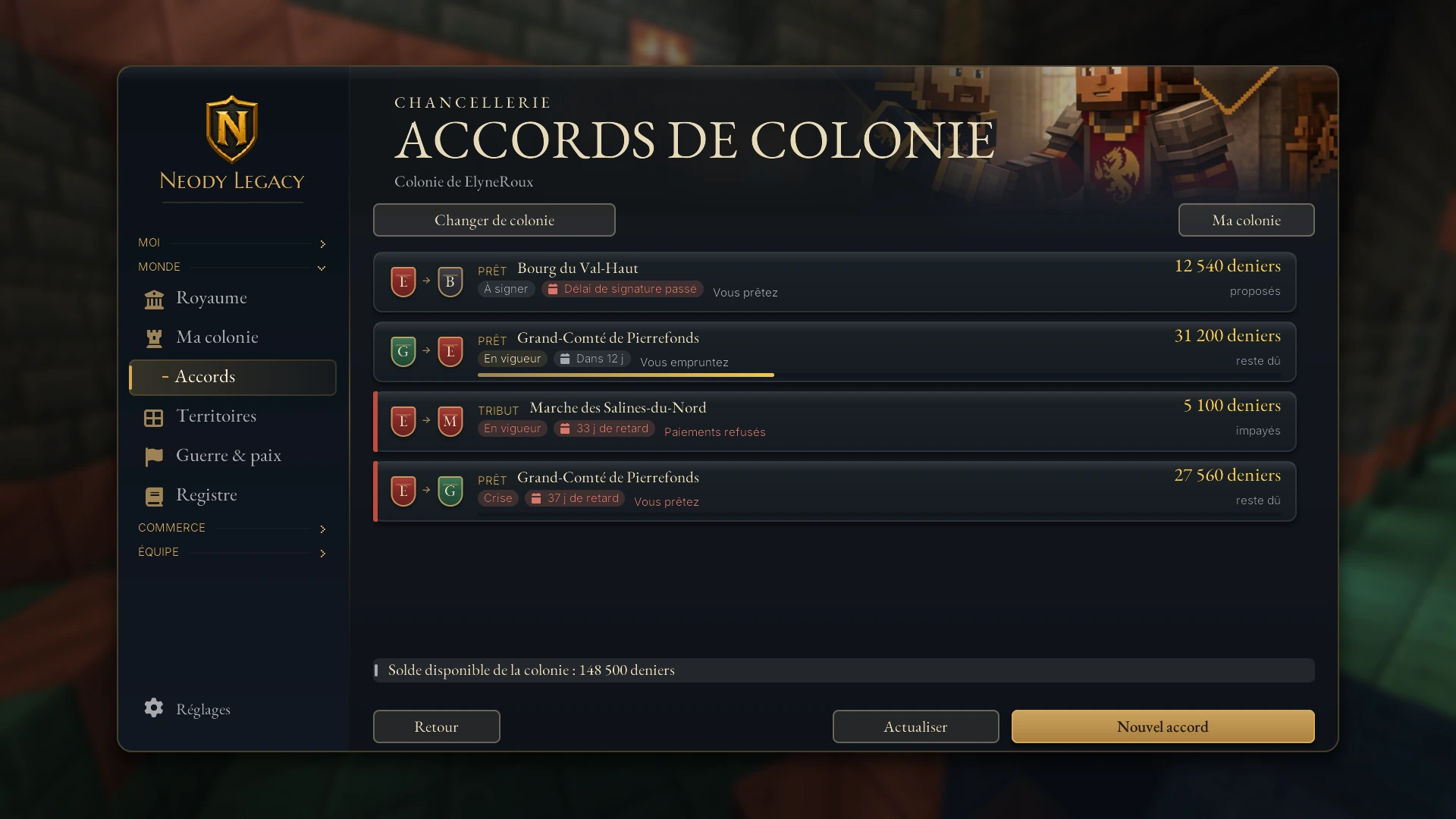
Financial commitments between colonies (loans and tribute, ultimatums over arrears) are managed in Accords de colonie (Colony agreements). All members can read; only authorised officers can sign. The step-by-step explanation is in Contracts, companies and loans.
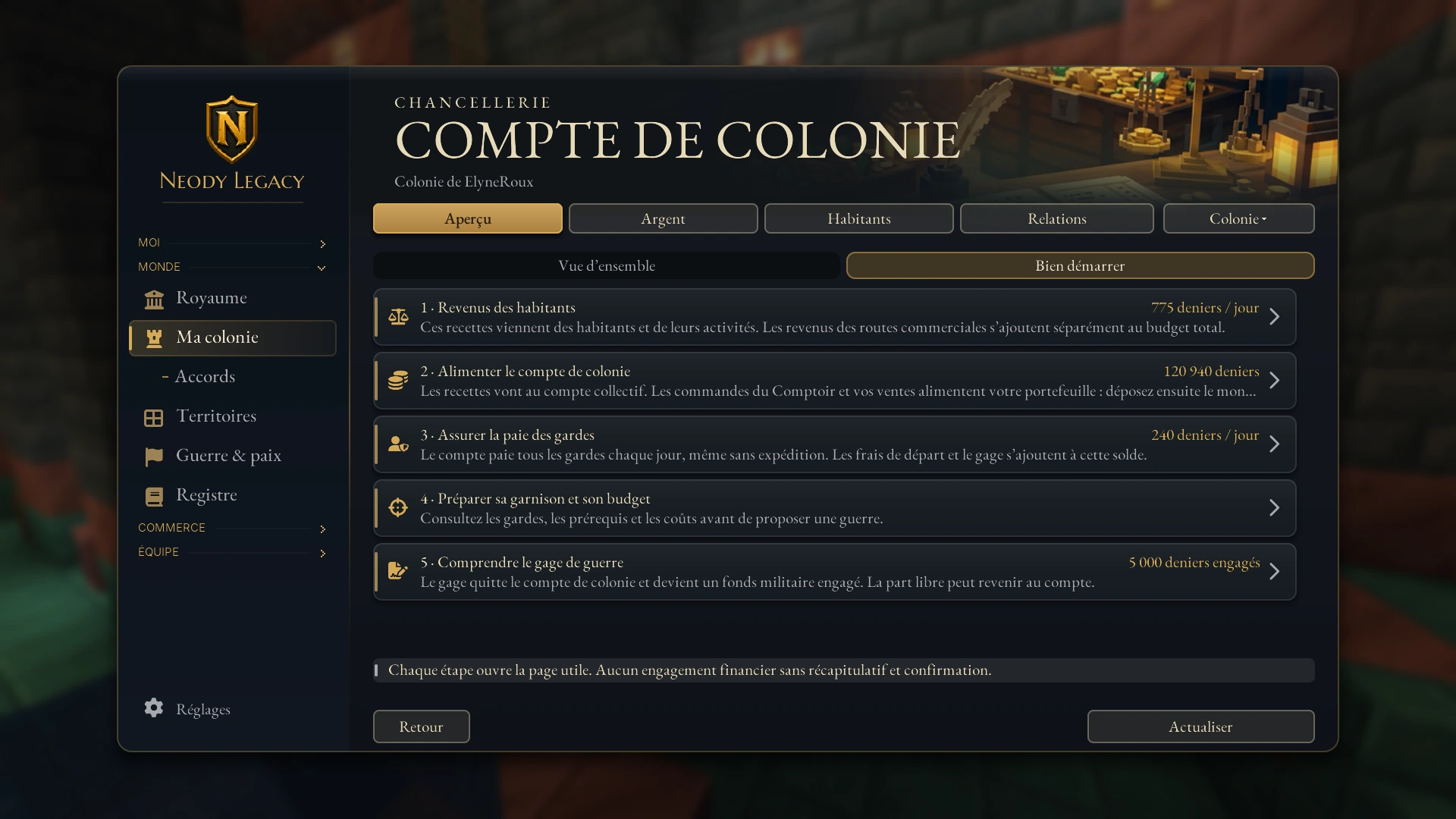
Finally, the Bien démarrer (Getting started) button opens the De la colonie à la guerre (From colony to war) guide, a five-step journey linking to each useful page, with today's figures:
1. Residents' income
What your colonists and their activities earn. Trade routes are added separately.
2. Funding the account
Income goes into the collective account. Your trade counter orders and sales reach your wallet first: then deposit the amount you choose.
3. Covering guard pay
The account pays every guard each day, even without an expedition.
4. Preparing your garrison and budget
Check guards, requirements and costs before proposing a war.
5. Understanding the war bond
The bond leaves the colony account and becomes committed military funds; the available share can return to the account.
Your treasurer's routine
Each day you connect: glance at the balance and forecast net income in the overview.
Each week: compare “Budget” and “Bilan”. A lasting gap may indicate an unoccupied building or falling happiness.
Before recruiting: multiply your guards by 40 D and check that net income stays positive.
Before an absence: make a safety deposit and tell your officers (dormancy begins after 3 days without a leader or officer connecting).
Treasury checklist
I know how to open Ma colonie with K and read the balance, income, guards and net income.
I know the rates: residence 10 D, tavern 8 D, agriculture 6 D, industry 8 D per level.
I budget 40 D per guard per day.
Only my trusted officers have outgoing payments authorised.
I monitor mood: I distinguish happiness, garrison arrears and tax pressure.
A wealthy colony does not spend the most: it always knows how much it can afford tomorrow.