Neody
Contracts, companies and loans
Contrats, Entreprise and Prêts in Commerce: signing, delivering, creating a company and managing commitments, including financial agreements between colonies.

Contents
A handshake is a promise, but on Neody Legacy it is also a signature. The Contrats (Contracts), Entreprise (Company) and Prêts (Loans) entries in Commerce (Trade) bring together player commitments: contracts with deadlines and deliverables, companies with shareholders and dividends, interest-bearing loans and financial agreements between colonies. This guide explains every screen, button and rule so you can trade, form a partnership or lend without surprises.
- Access
- Press K › Commerce › Contrats
- Three Commerce entries
- Contrats · Entreprise · Prêts
- Creating a company
- 180 D, then a 50 D fee every 30 days
- Loan tax
- 7.25% (on interest only, paid by the lender)
- Colony agreements
- Loans and tribute, from your colony account
Everything uses deniers (D), the Kingdom's currency. If you have not explored your wallet yet, start with Deniers, the currency of the Kingdom; to earn money to invest, see Royal Orders and the Market. If you simply need to find a screen, the Neody menu guide points you in the right direction at a glance.
Three entries for your commitments
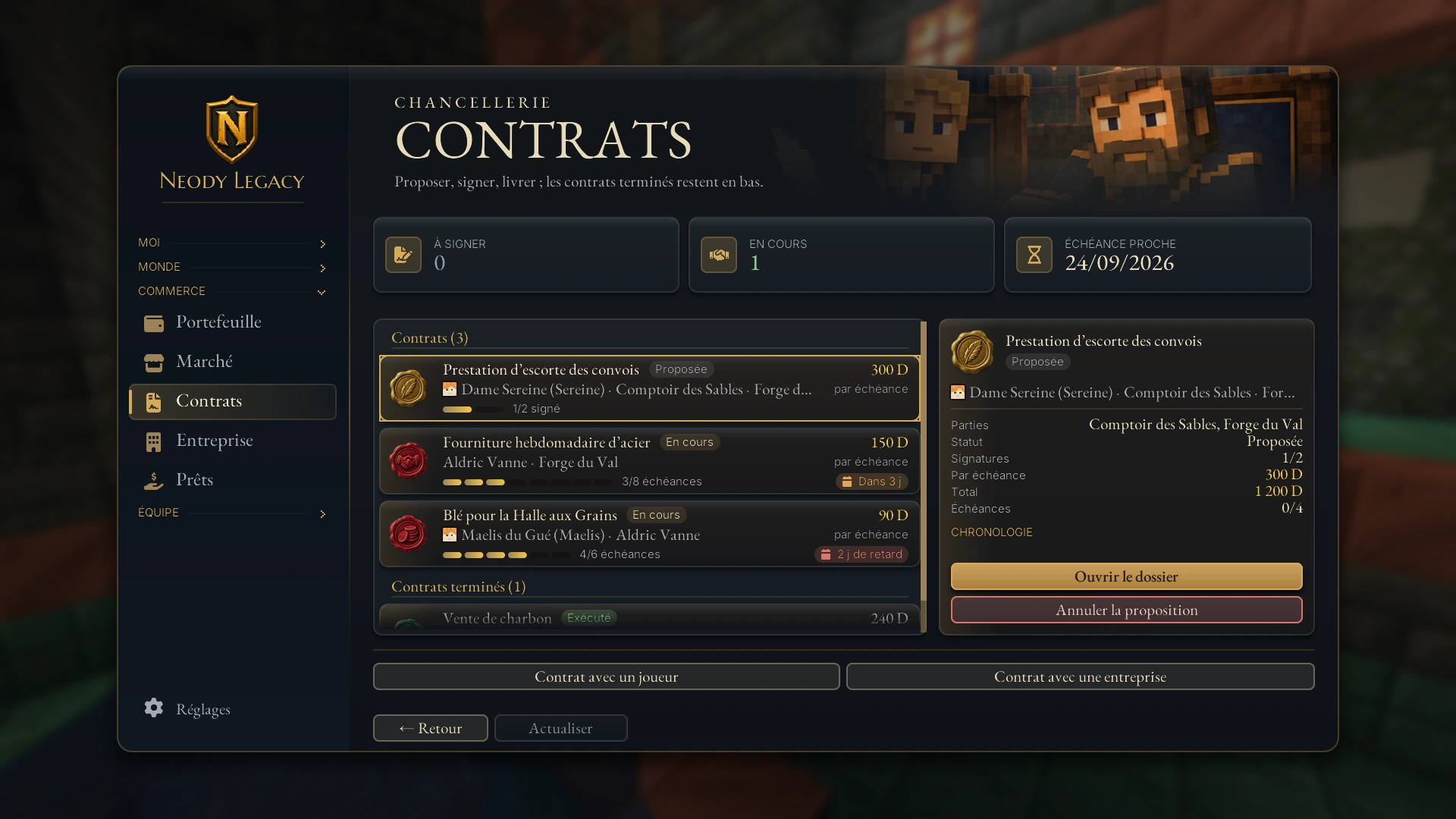
Each Commerce entry opens its own records: Contrats to propose, sign and deliver; Entreprise to manage your company; Prêts to lend and repay. Completed matters remain filed on the relevant page.
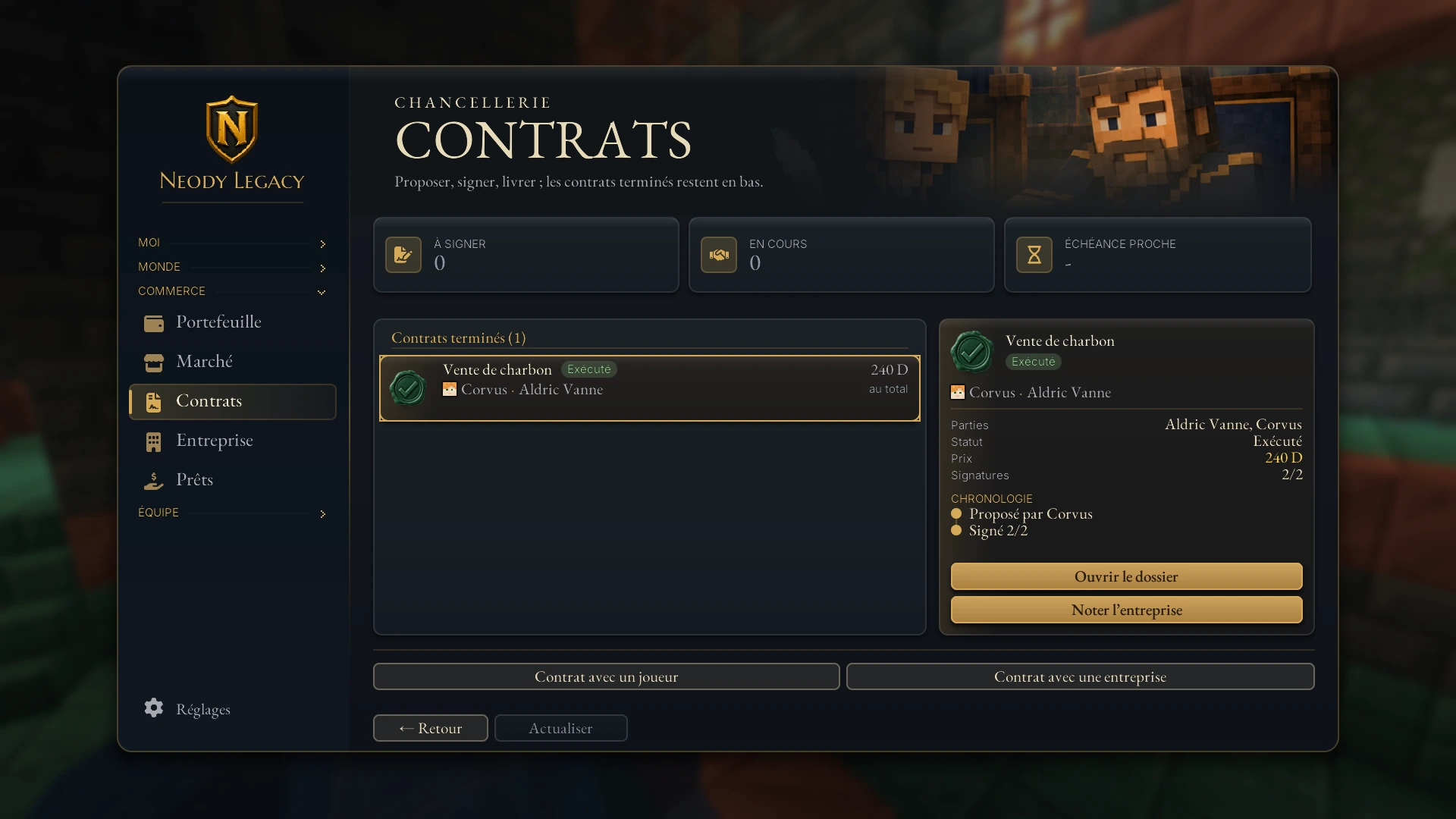
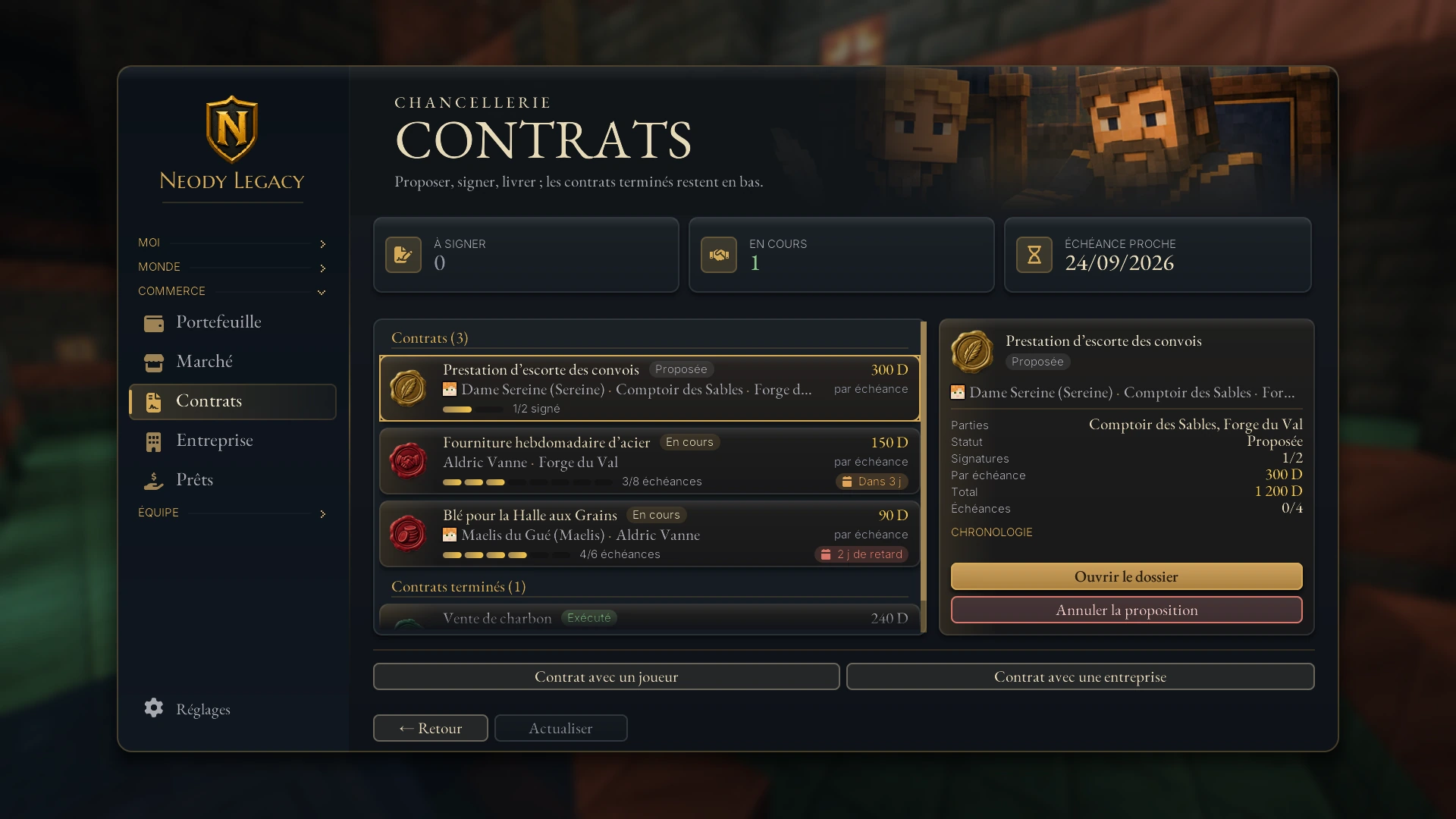
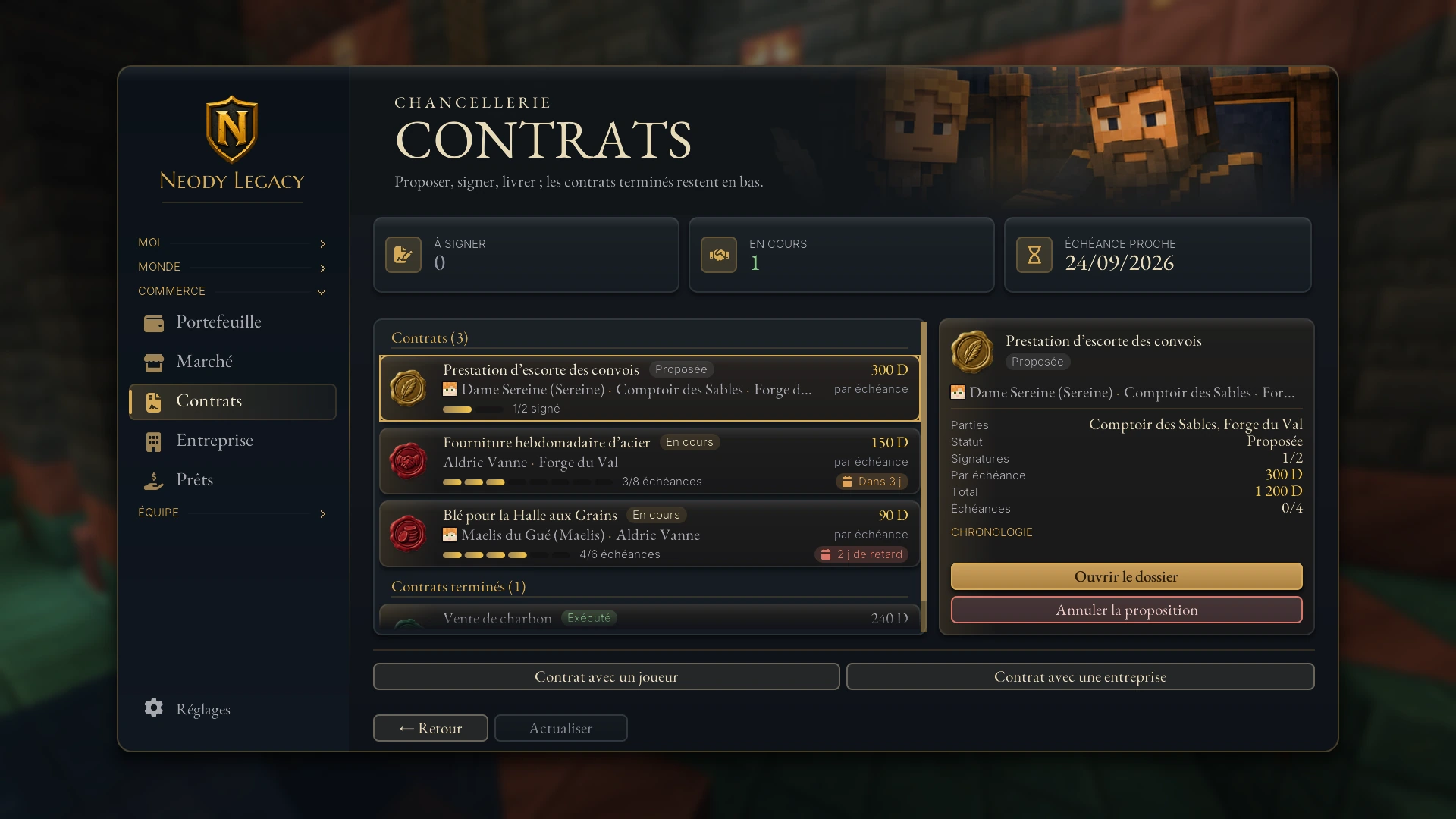
Each matter is a card with a status badge: Proposée (Proposed), À signer (Awaiting signature), À financer (Awaiting funding), À livrer (Awaiting delivery), À valider (Awaiting approval), En cours (Active), Exécuté (Fulfilled), Annulé (Cancelled), En litige (In dispute), Impayés (Arrears) or Clos (Closed). Click a card to open its file on the right: parties, status, signatures, amount per instalment, total, timeline and clauses. The Ouvrir le dossier (Open file) button displays the contract as a full page.
Until you sign anything, the screen is empty and invites you to propose your first contract. That is normal: everything starts with a button.
Contracts: propose, sign and honour
A contract is a written commitment between 2 and 16 parties. It may bind two players, a player and a company, two companies or two colonies. The button you choose at the bottom (or on a company profile) determines its type:
- Proposer un contrat (Propose a contract): between players. Every named player must sign before it takes effect.
- Contrat avec une entreprise (Contract with a company): you sign personally; the chosen company must countersign.
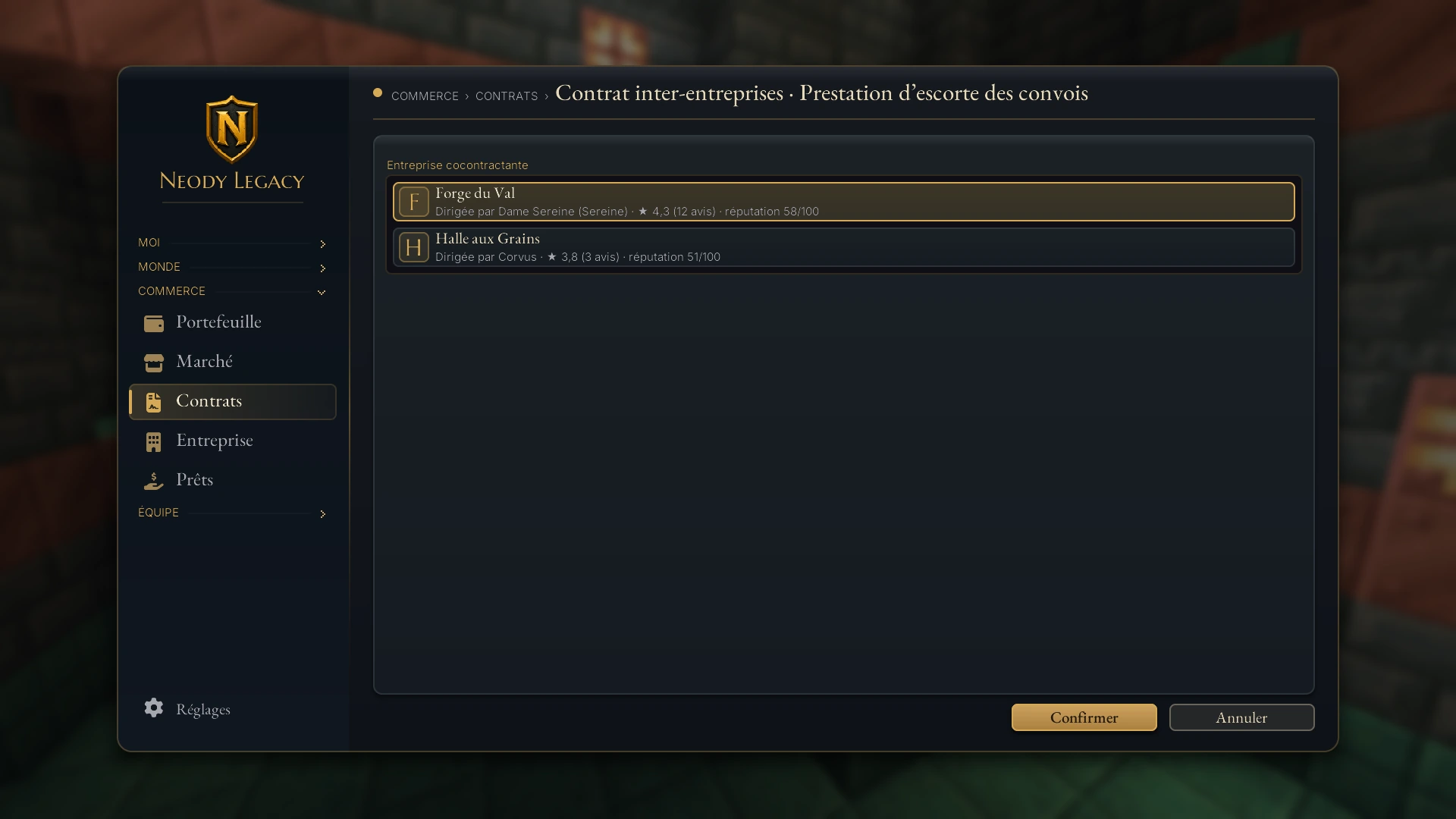
- Contrat avec un joueur (Contract with a player) and Contrat inter-entreprises (Contract between companies): from your company profile, the company commits. Between companies, only leaders and managers sign.
- Accord entre colonies (Agreement between colonies): an officer from each named colony must sign.
Completing the proposal
Start by choosing your counterparty. For each player, the list shows online status, reputation out of 100 and any company: a low score (below 45) signals a risky partner.
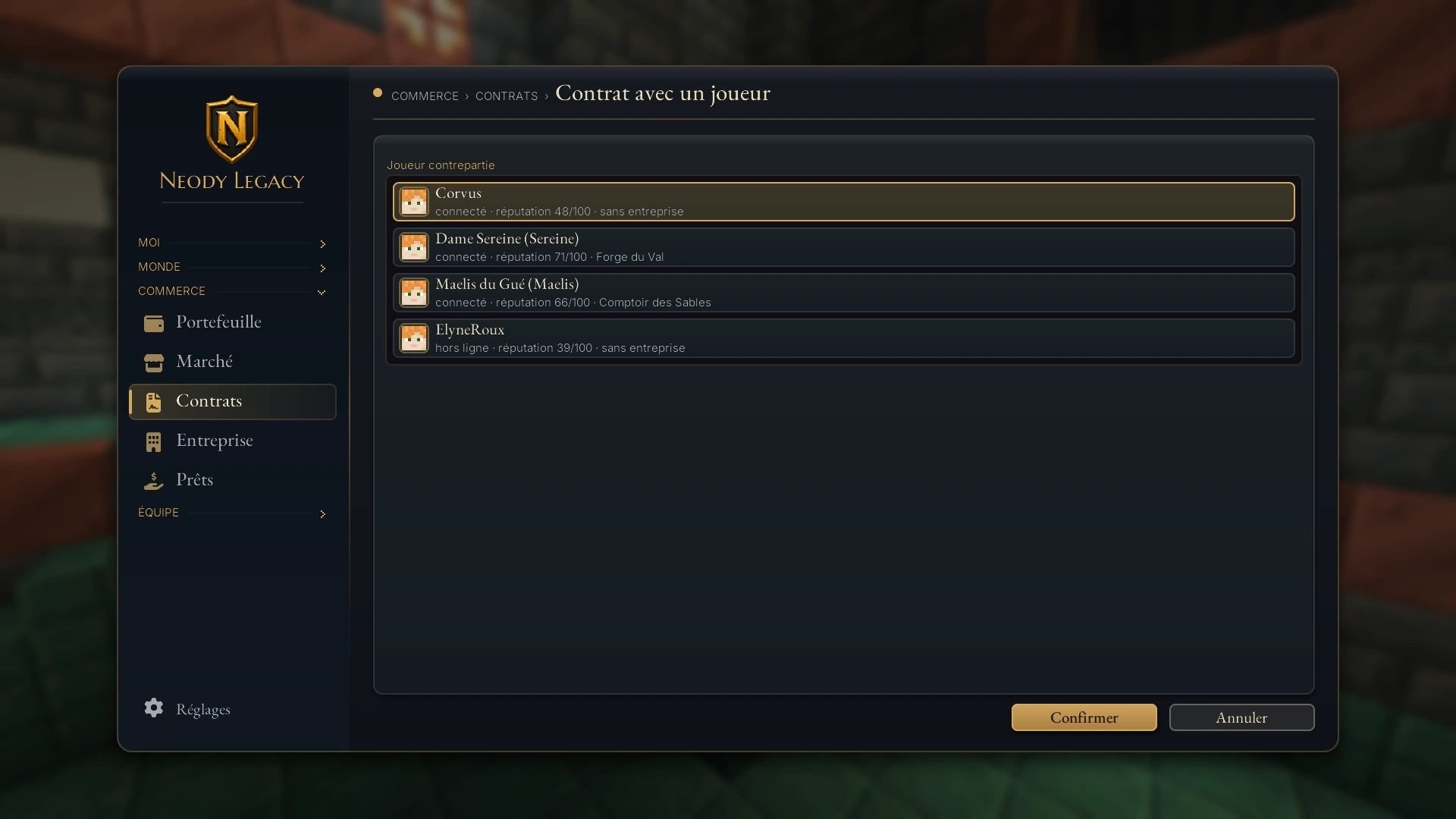
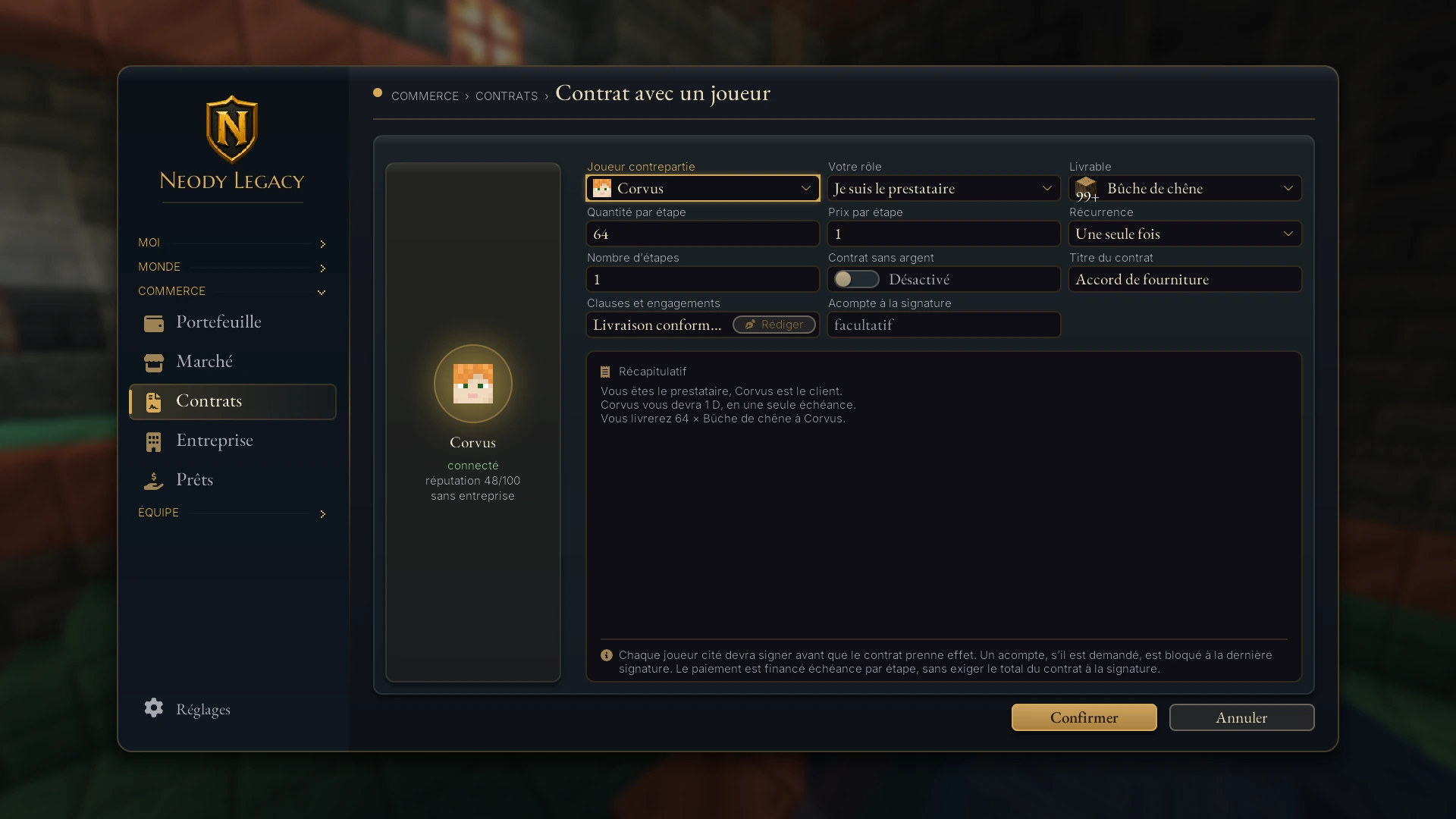
The form then asks, in order:
- Titre du contrat (Contract title) (up to 100 characters).
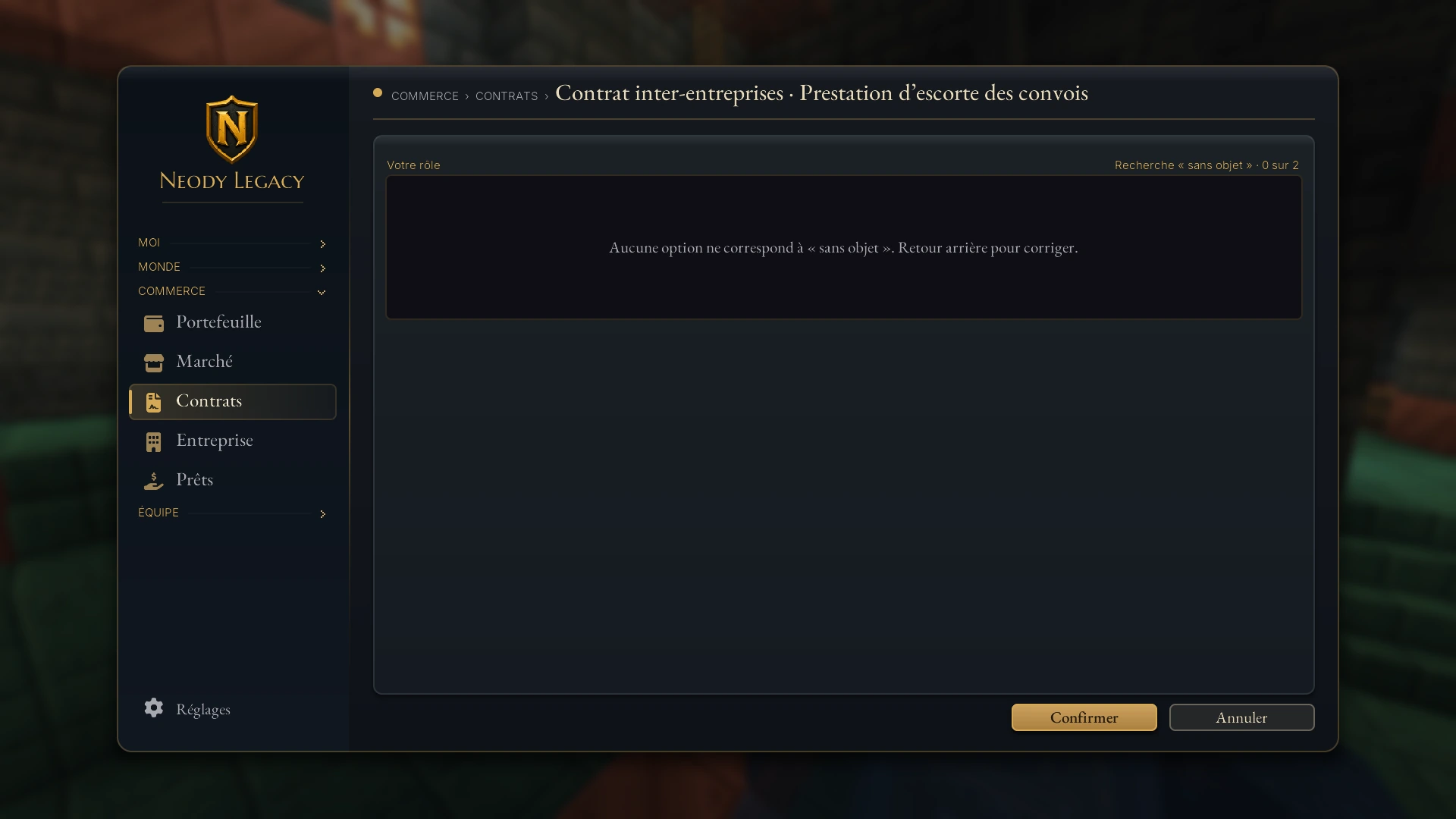
- Livrable (Deliverable) and Quantité par étape (Quantity per stage): the item to deliver, chosen from a searchable list. For services, choose Service sans objet à livrer (Service without an item to deliver): the parties then approve each stage themselves.
- Prix par étape (Price per stage): the amount paid at each deadline (optional).
- Nombre d'étapes (Number of stages) (up to 365) and Récurrence (Frequency): Une seule fois (Once only), Chaque jour (Daily), Chaque semaine (Weekly) or Chaque mois (Monthly).
- Acompte à la signature (Advance payment on signing) (optional), and the Contrat sans argent (Contract without money) option for a simple exchange of goods or services.
- Clauses et engagements (Clauses and commitments): the contract text, written in a dedicated editor (the Rédiger (Write) button), up to 12,000 characters.
Signing and funding
Each party signs from their file with Signer (Sign). Any requested advance payment is reserved at the last signature. The contract never requires the full total on signing: payment is funded instalment by instalment using Financer le contrat (Fund the contract) when the badge reads À financer (Awaiting funding). A proposal nobody signs expires after 30 days.
Until everyone signs, nothing is irreversible: the proposer withdraws with Annuler la proposition (Cancel proposal), and the other party can simply refuse.
What about a counter-proposal? If the clauses do not suit you, refuse the offer or use Contre-proposer (Counter-propose) to send your own version of the clauses.
Delivering, disputing and closing
Once a contract takes effect, each stage follows the same pattern. The supplier uses Livrer cette étape (Deliver this stage): the game checks item and quantity and removes all or nothing. For a service, use Terminer l'étape (Complete stage), then the client confirms with Accepter l'étape reçue (Accept received stage). That instalment's payment then goes to the supplier.
- Security deposit: the supplier generally reserves 10% of the contract (20% for a large contract of at least 2,000 D or reputation below 45 out of 100).
- Late delivery: a daily penalty, capped at 10% of the instalment, is taken from the security deposit for the client. Two consecutive missed deadlines automatically place the contract En litige (In dispute) .
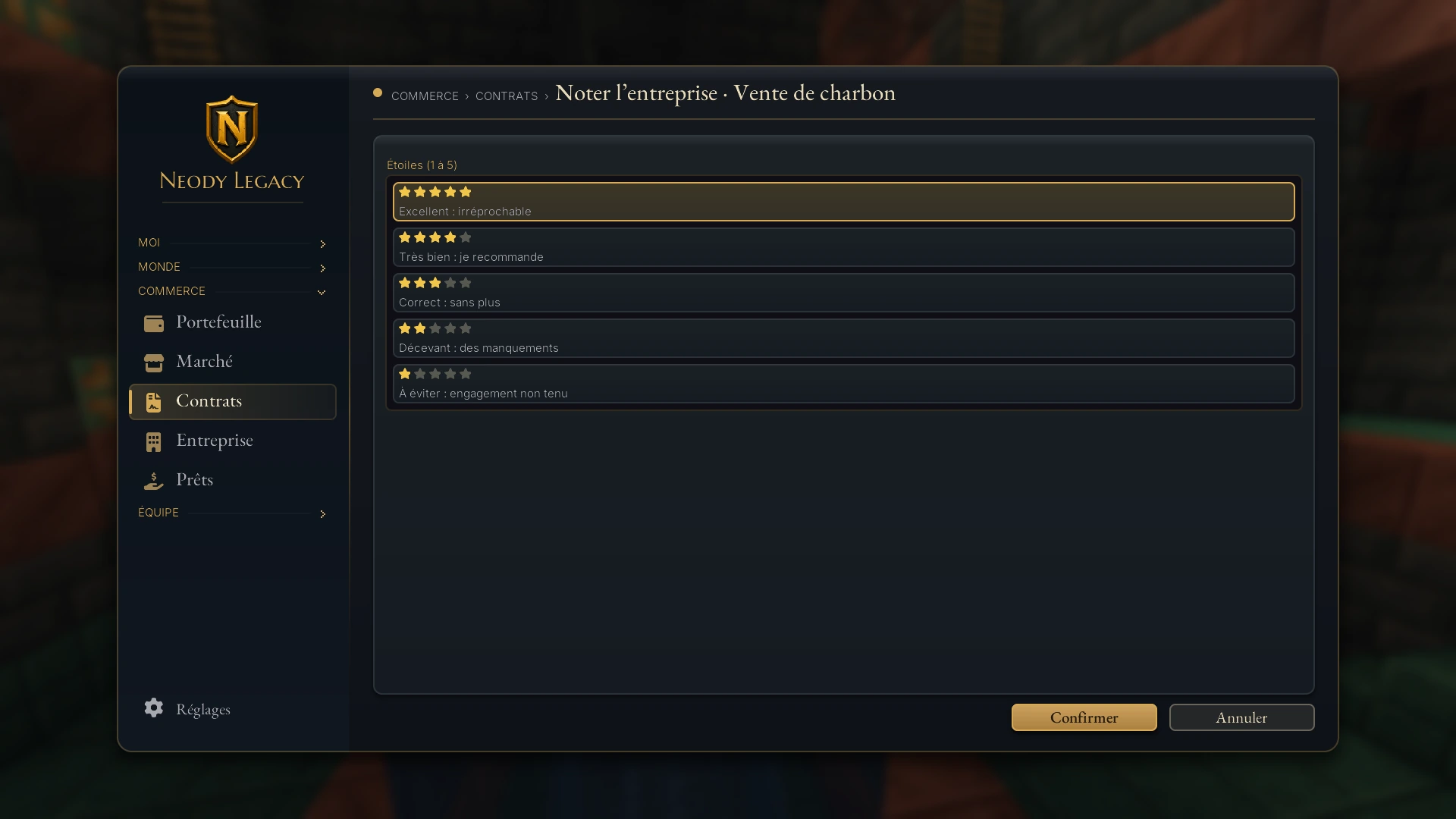
- Reviews: after a contract with a company, you may rate it from 1 to 5 stars. The rating appears on its profile alongside the review count.
Requesting cancellation
An active contract cannot simply be dropped. The Demander l'annulation (Request cancellation) button sends your request and reason to the staff. The contract remains in force until their decision. If the other party objects, cancellation is refused with a reason sent to both sides, and the contract continues.
Opening a dispute
Delivery never arrived, doubtful quality or a broken clause? Ouvrir un litige (Open a dispute), with a clear Motif du litige (Reason for dispute) , freezes the contract's execution. The file is examined and decided: either the contract is declared fulfilled and funds are released, or it is cancelled and reserved money returned. If no decision is made within 3 days, the dispute expires: the client receives the security deposit and the reserved budget is returned. The clauses are definitive, which is why clear drafting matters.
Companies: a formal partnership
A company is an official structure bringing a team together around a shared account. It can sign contracts, receive payments and be rated by clients.
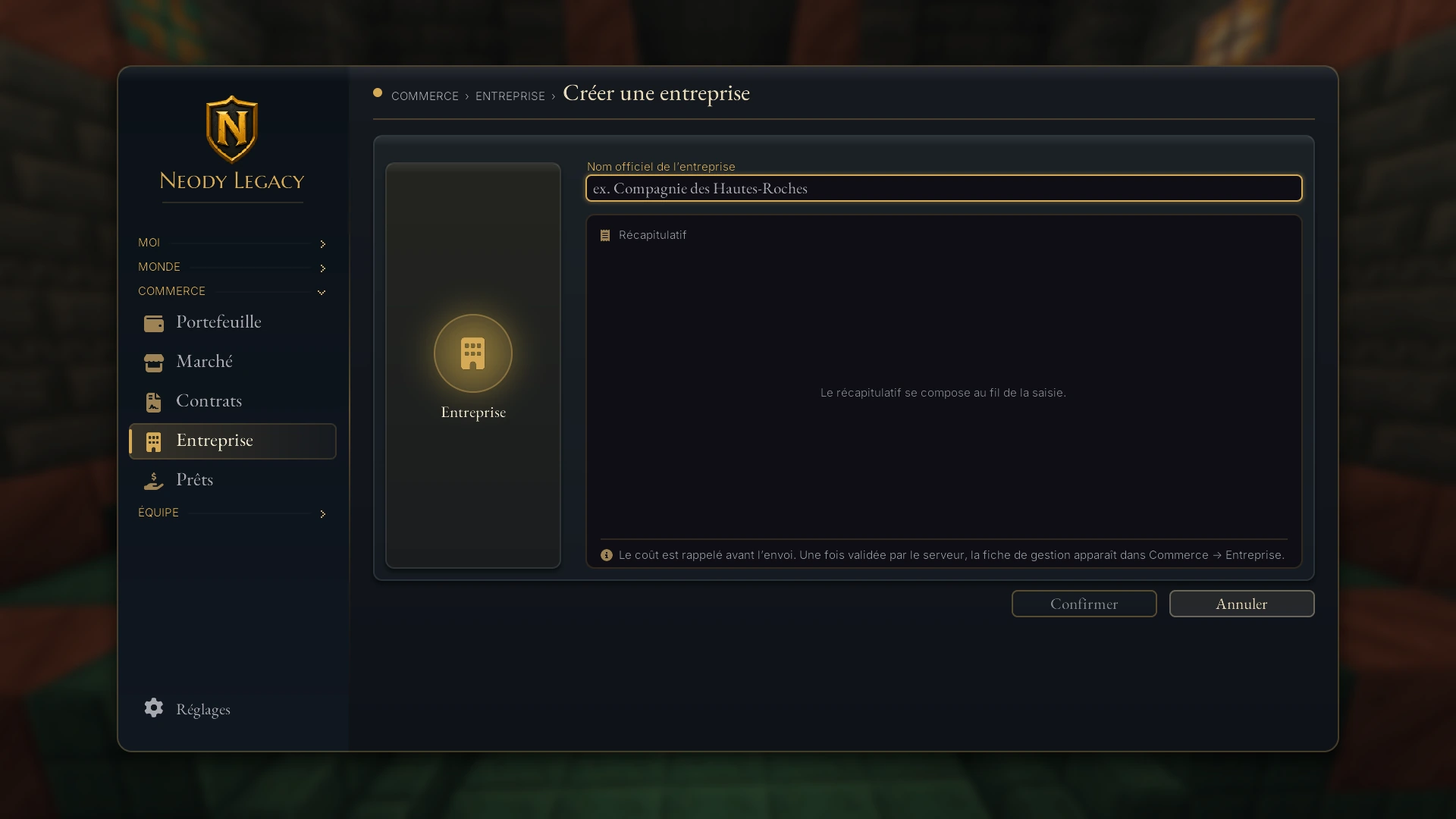
1. Choose an official name
In the Entreprise tab, the Créer mon entreprise (Create my company) button opens “Donnez vie à votre entreprise” (Bring your company to life). Its name must be unique and contain 3 to 32 characters.
2. Pay the creation fee
Creation costs 180 D. The cost is shown before submission; if funds are short, the screen shows “Solde insuffisant” (Insufficient balance).
3. Manage it from Commerce
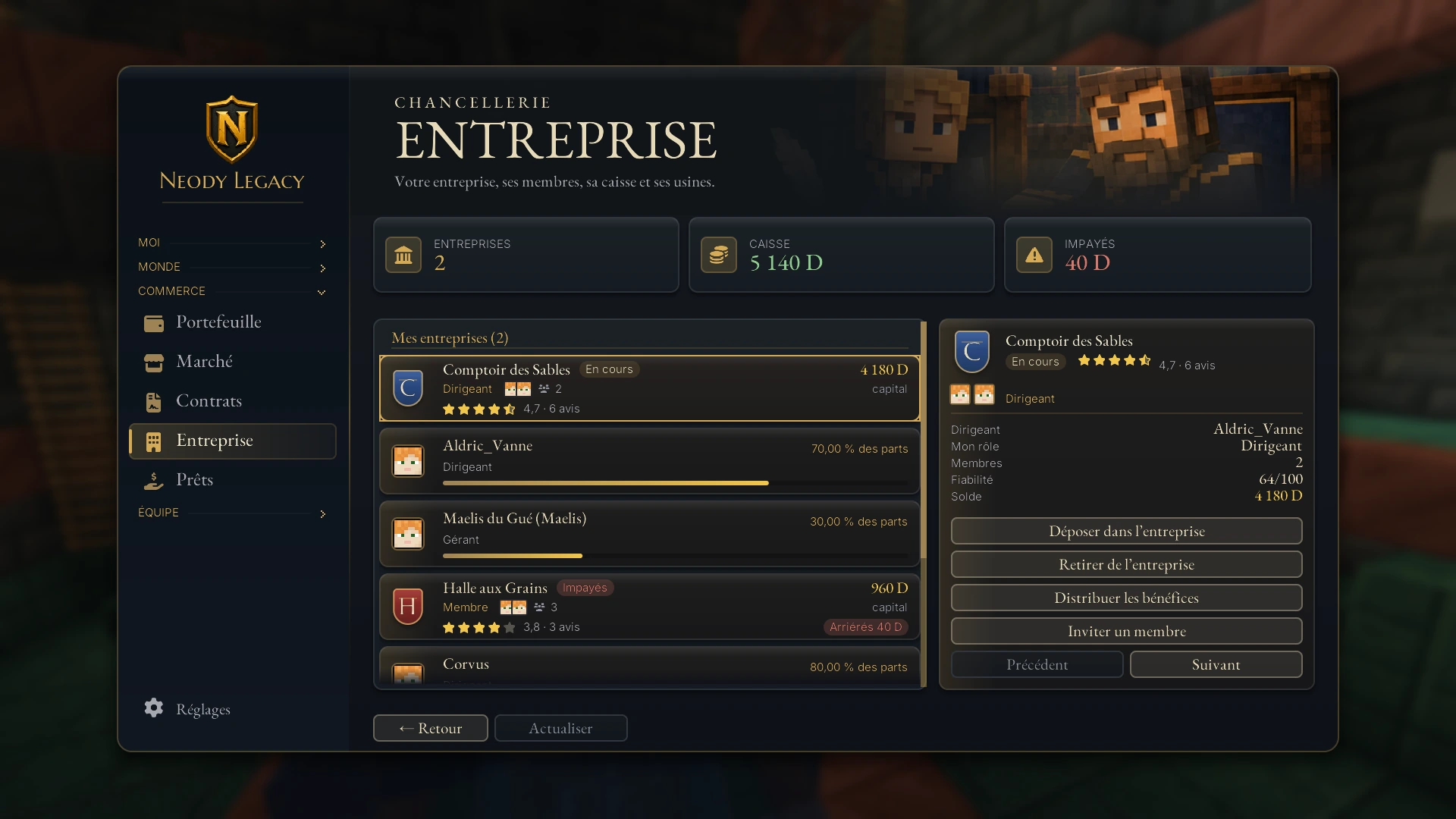
Once accepted, the management profile appears in Entreprise. You are its Dirigeant (Leader) and hold 100% of shares.
- Company fee: 50 D every 30 days to keep the company active. Arrears appear on its card if payments fall behind.
- One leadership position per player: you lead only one company at a time (but may join others).
- Roles: Dirigeant (Leader, only one), Gérant (Manager) and Membre (Member). Up to 100 members.
Members, roles and shares
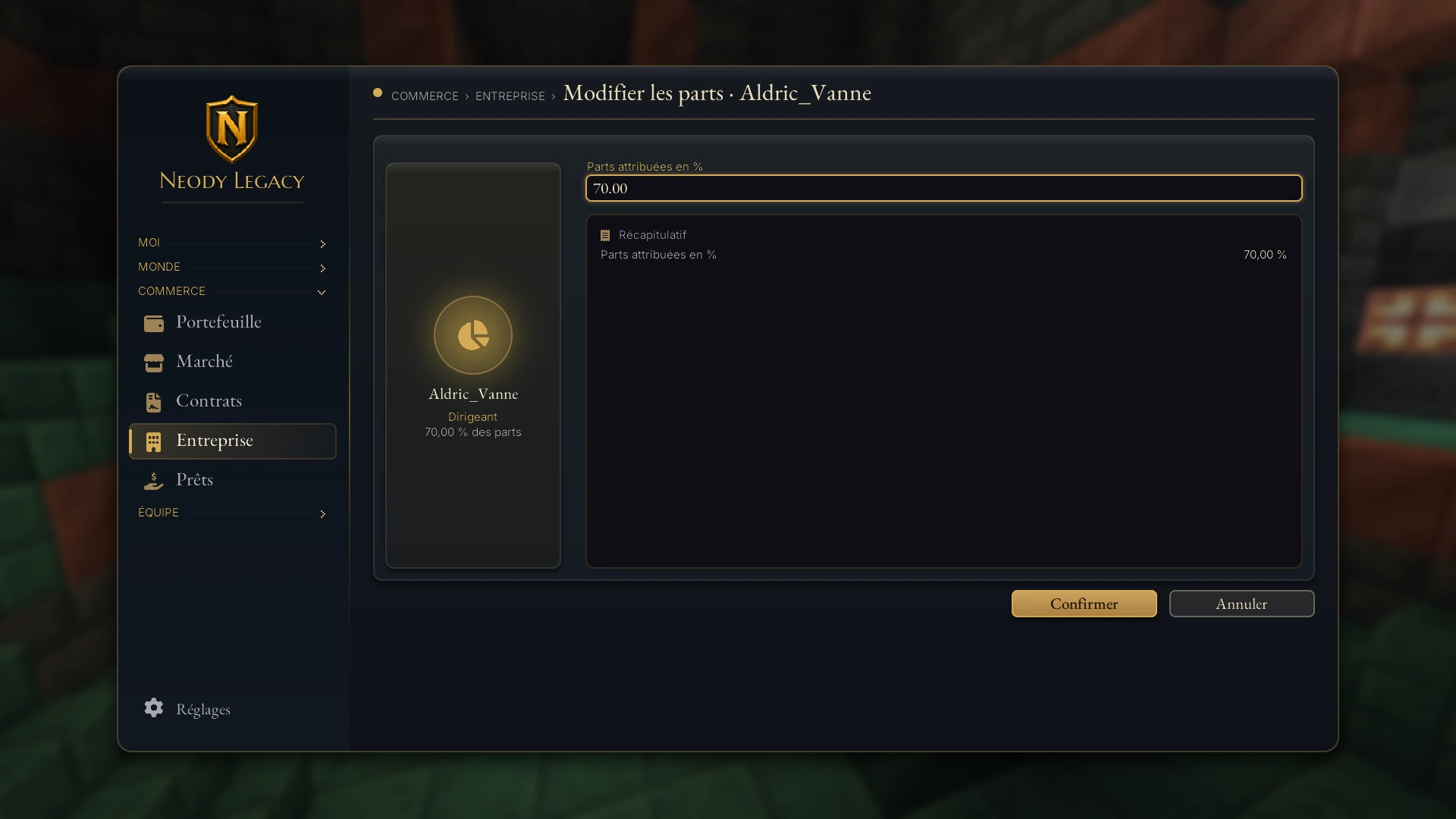
On the profile, Inviter un membre (Invite a member) recruits a player, and Changer le rôle (Change role) assigns Gérant or Membre. The shares are allocated as percentages using Modifier les parts (Change shares): the total always equals exactly 100%. Departing members return their shares to the leader; the leader cannot leave without transferring leadership or dissolving the company.
Deposits, withdrawals and dividends
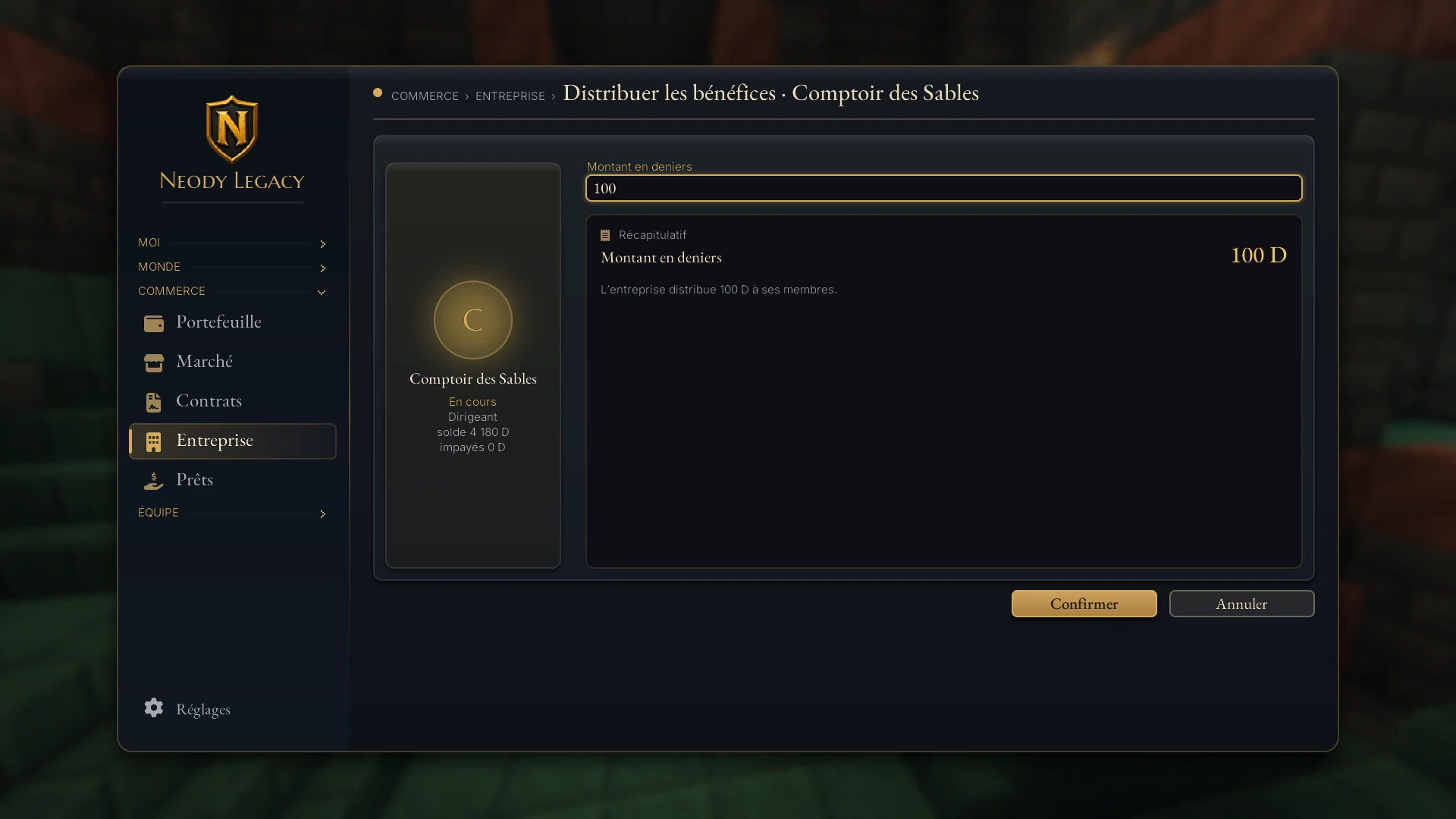
The company account receives funds through Déposer dans l'entreprise (Deposit into the company) (available to all members). Retirer de l'entreprise (Withdraw from the company) is reserved for the leader and managers; above 2,000 D, only the leader can withdraw. To share profits, the leader uses Distribuer les bénéfices (Distribute profits): the chosen amount is divided between shareholders according to their shares, with any rounding remainder going to the leader.
Dissolving
Dissoudre l'entreprise (Dissolve the company) is possible when it has no active contract or Market order attached. It then moves to Archives with its reviews.
Loans between players
The Prêts tab lets you lend or borrow deniers with a clear rate and purpose.
1. The lender proposes
Proposer un prêt (Propose a loan): choose the borrower, amount, interest and purpose. Your principal is reserved as soon as you propose until the borrower signs (or you cancel with Annuler la proposition).
2. The borrower signs
Signer et recevoir (Sign and receive): money reaches your wallet and the repayment period begins.
3. They repay
Rembourser (Repay) before the deadline, set at 30 days after signing. The card shows “dû, intérêts…” (owed, interest…) and any days overdue.
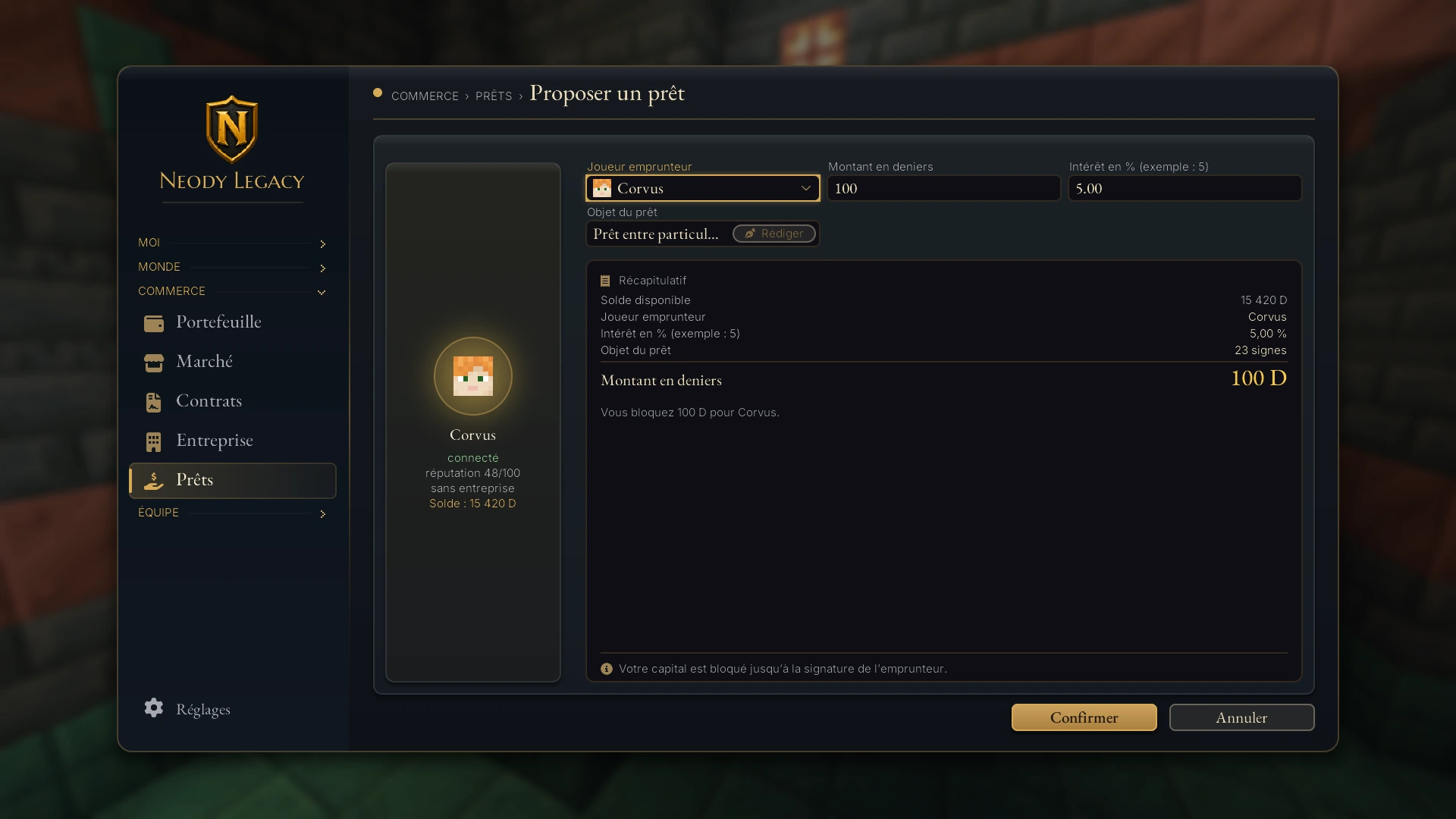
- Interest: from 0 to 50% of principal, rounded up to the next denier. You cannot lend to yourself.
- Loan tax: 7.25% of interest only (never principal), paid by the lender. Example: a 1,000 D loan at 5% earns 50 D interest, of which around 3.6 D is taxed.
- Unpaid loan: after the deadline, the lender can use Déclarer le prêt impayé (Declare loan unpaid). The debt remains due and repayable: the borrower is not released from it.
Loans and tribute between colonies
Colonies can make commitments too. From your colony account (see your colony treasury), Monde › Ma colonie › Relations › Accords de colonie lists your colony's agreements: loans made or received, daily tribute and arrears. All members may view them; only authorised officers can commit the colony.
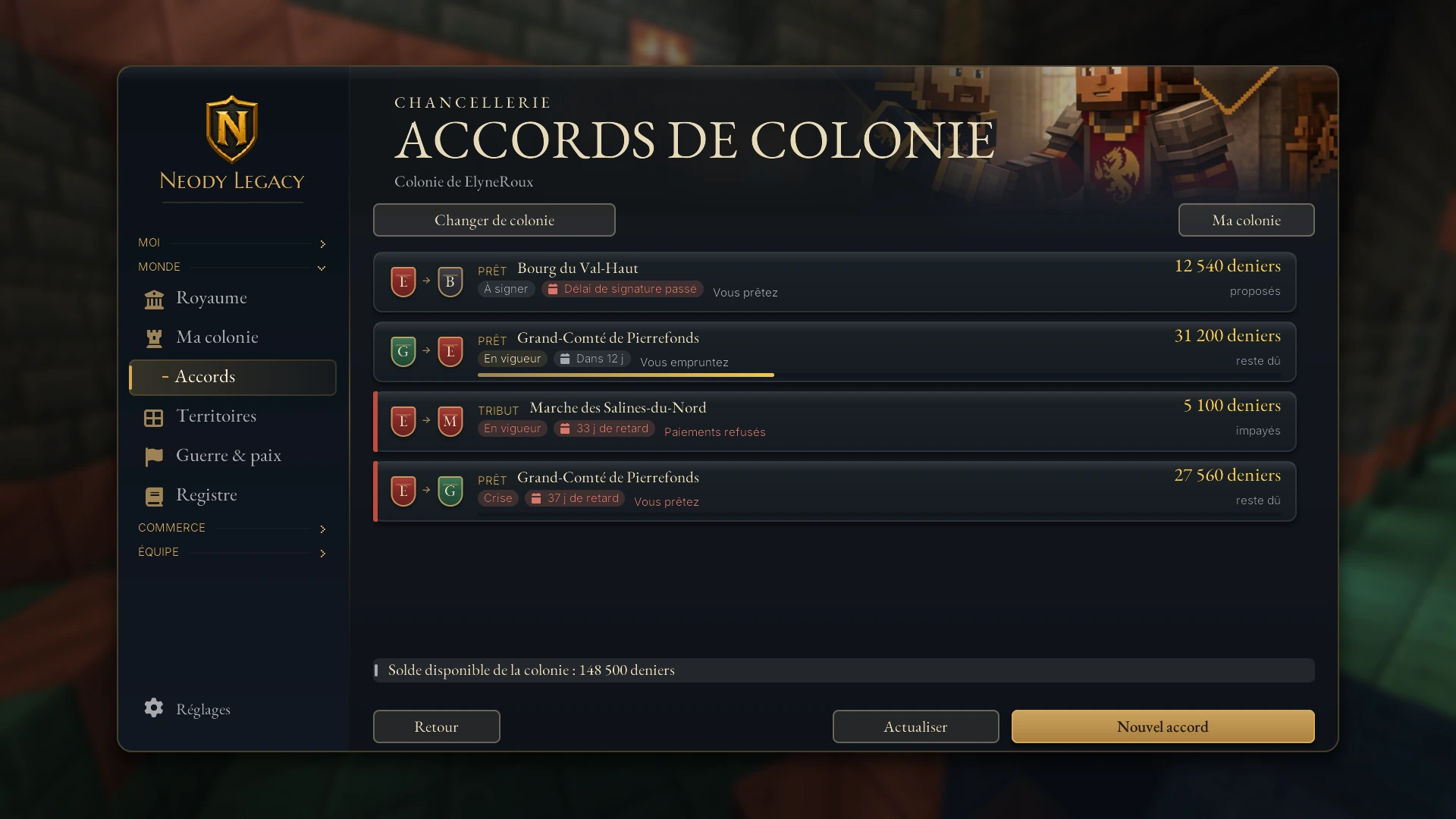
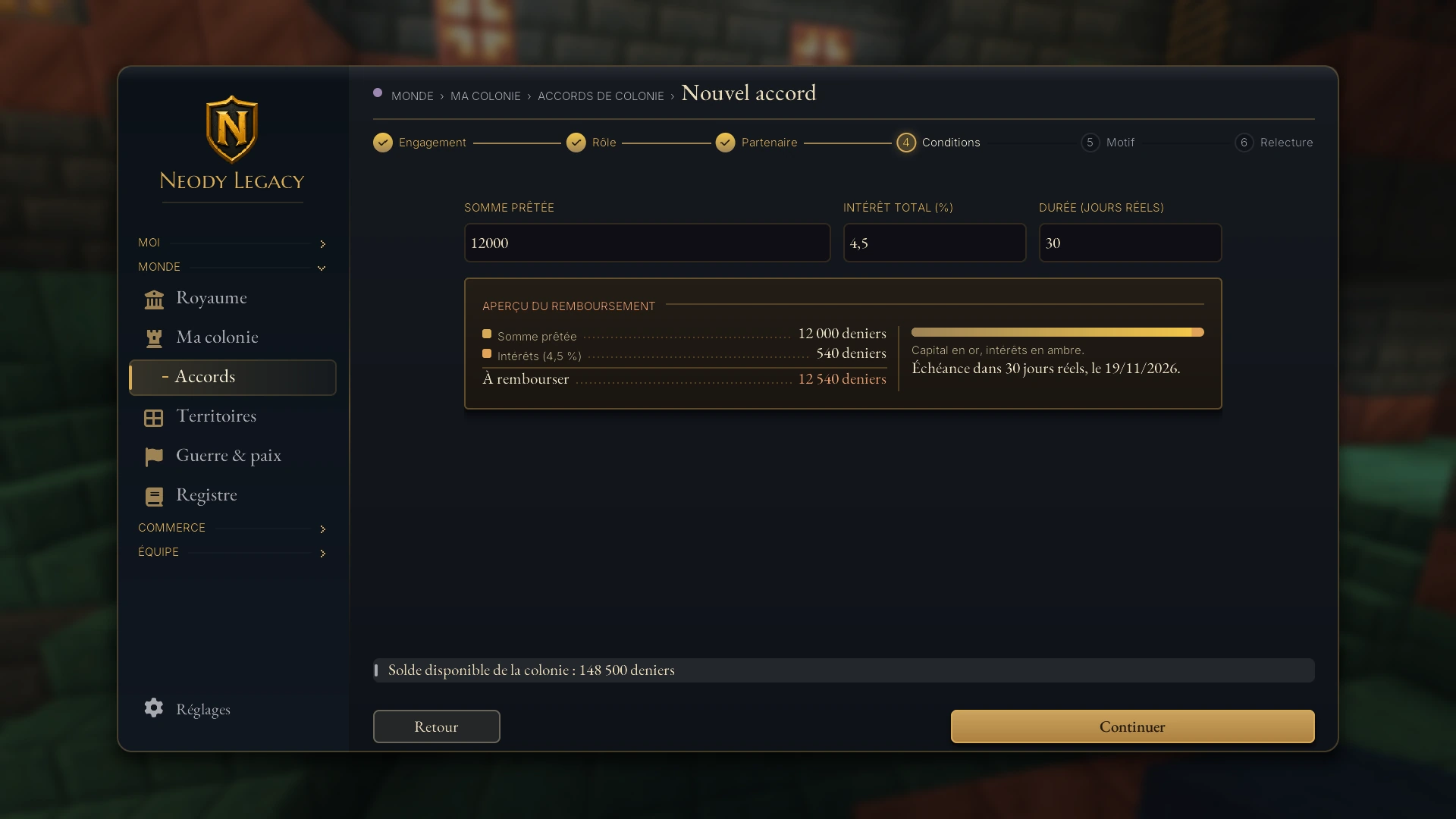
The Nouvel accord (New agreement) button opens a guided six-step journey: Engagement (Commitment), Rôle (Role), Partenaire (Partner), Conditions (Terms), Motif (Reason), Relecture (Review). There are two commitments:
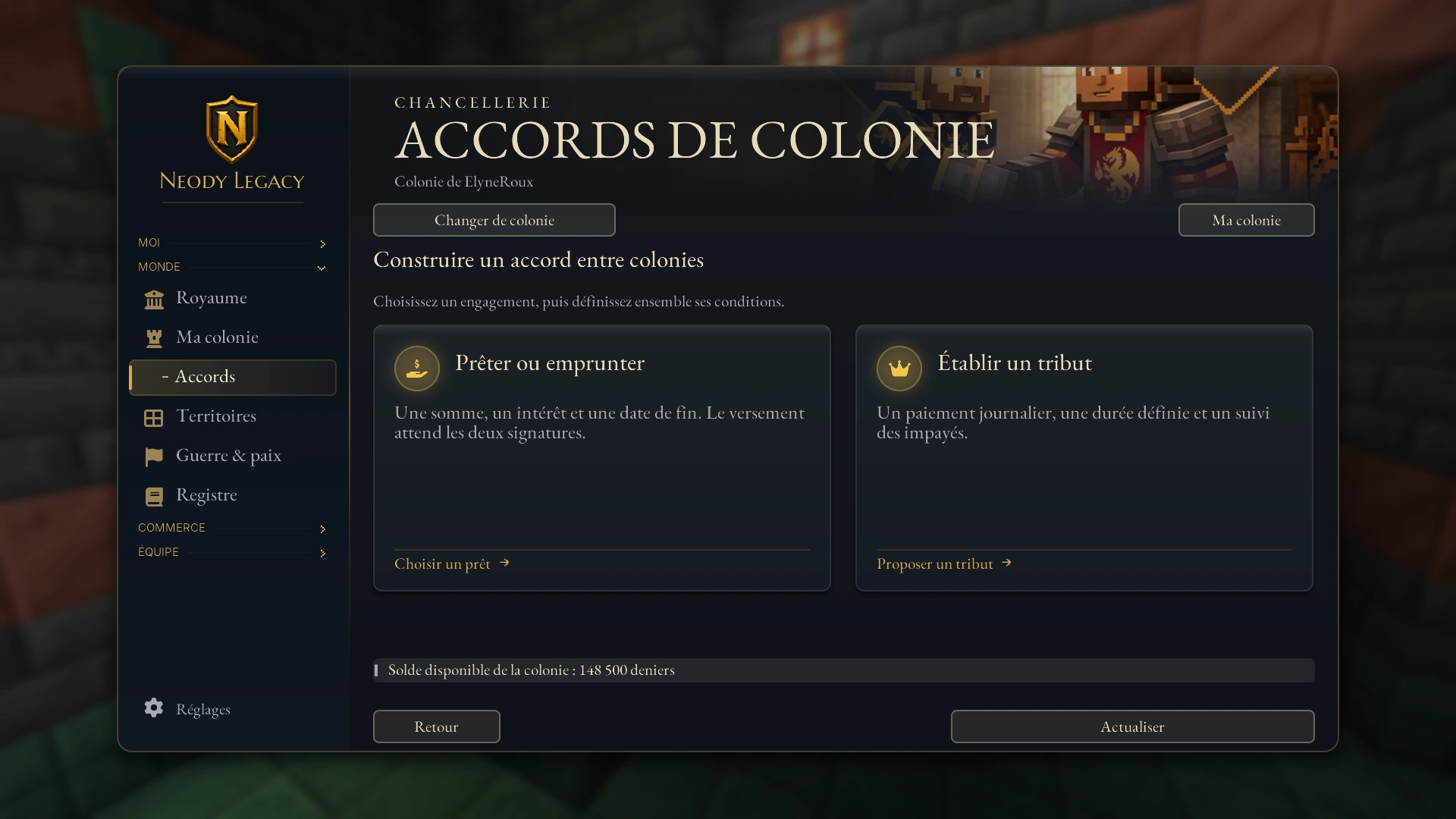
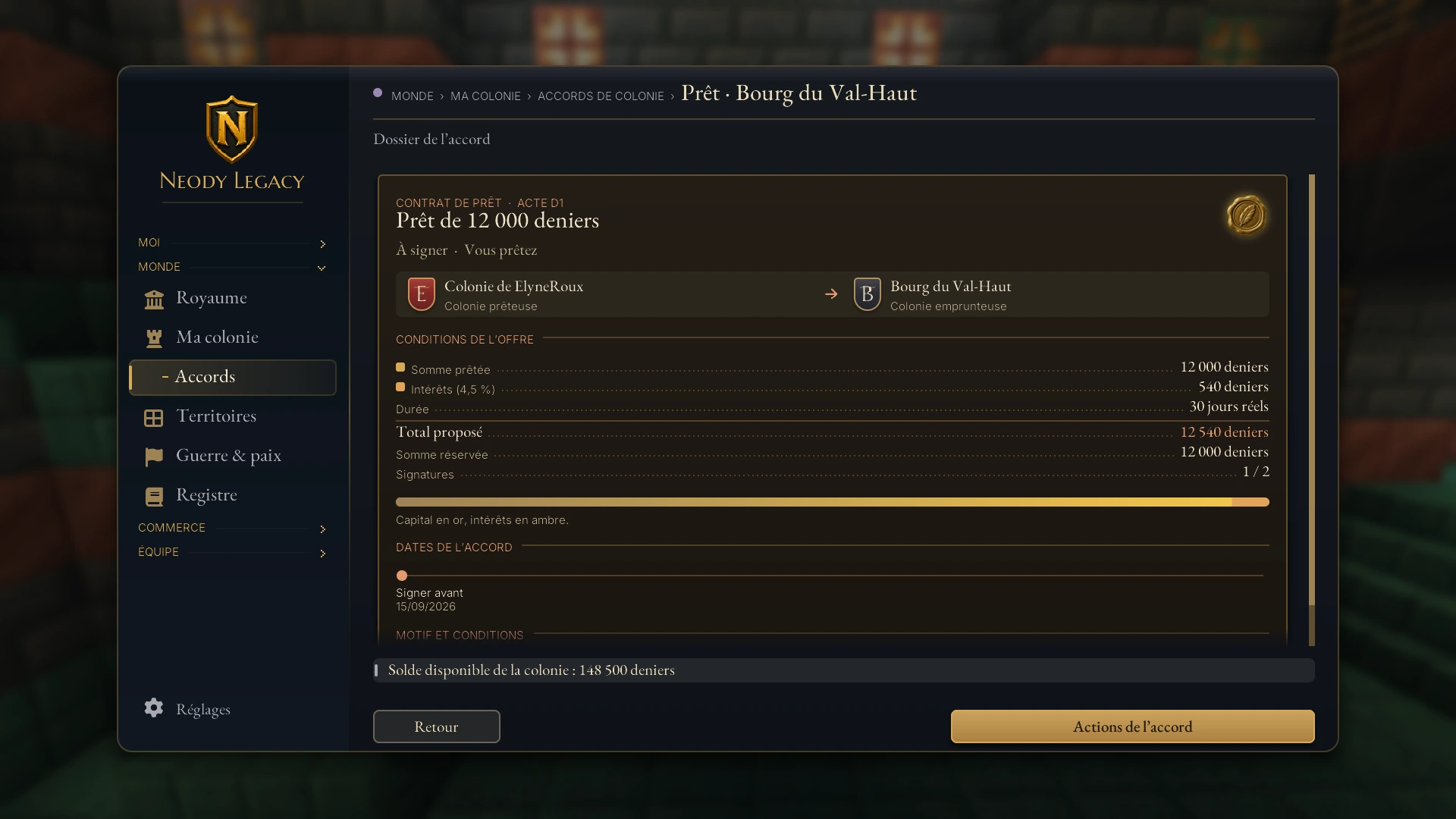
- Loan between colonies: an amount paid after both signatures, with a debt and end date. You can lend (the amount is reserved on sending) or request a loan (nothing is taken before the lender agrees). Total interest ranges from 0 to 50%, over 1 to 365 real-world days starting on acceptance. Refusal, withdrawal or expiry releases reserved funds. The signing period is 2 days.
- Daily tribute: a payment each real-world day, starting the day after signing.
Repaying, refusing and issuing an ultimatum
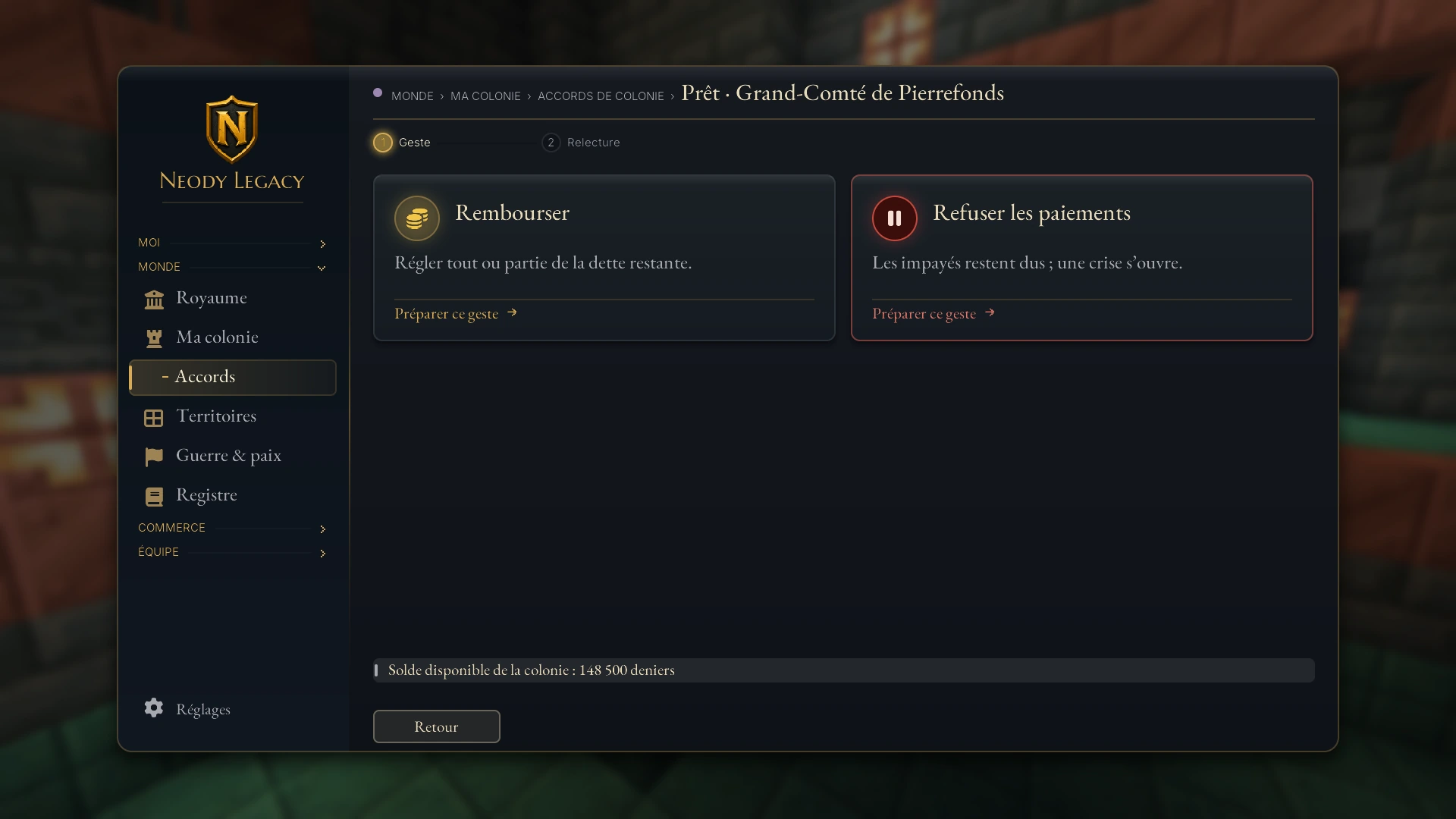
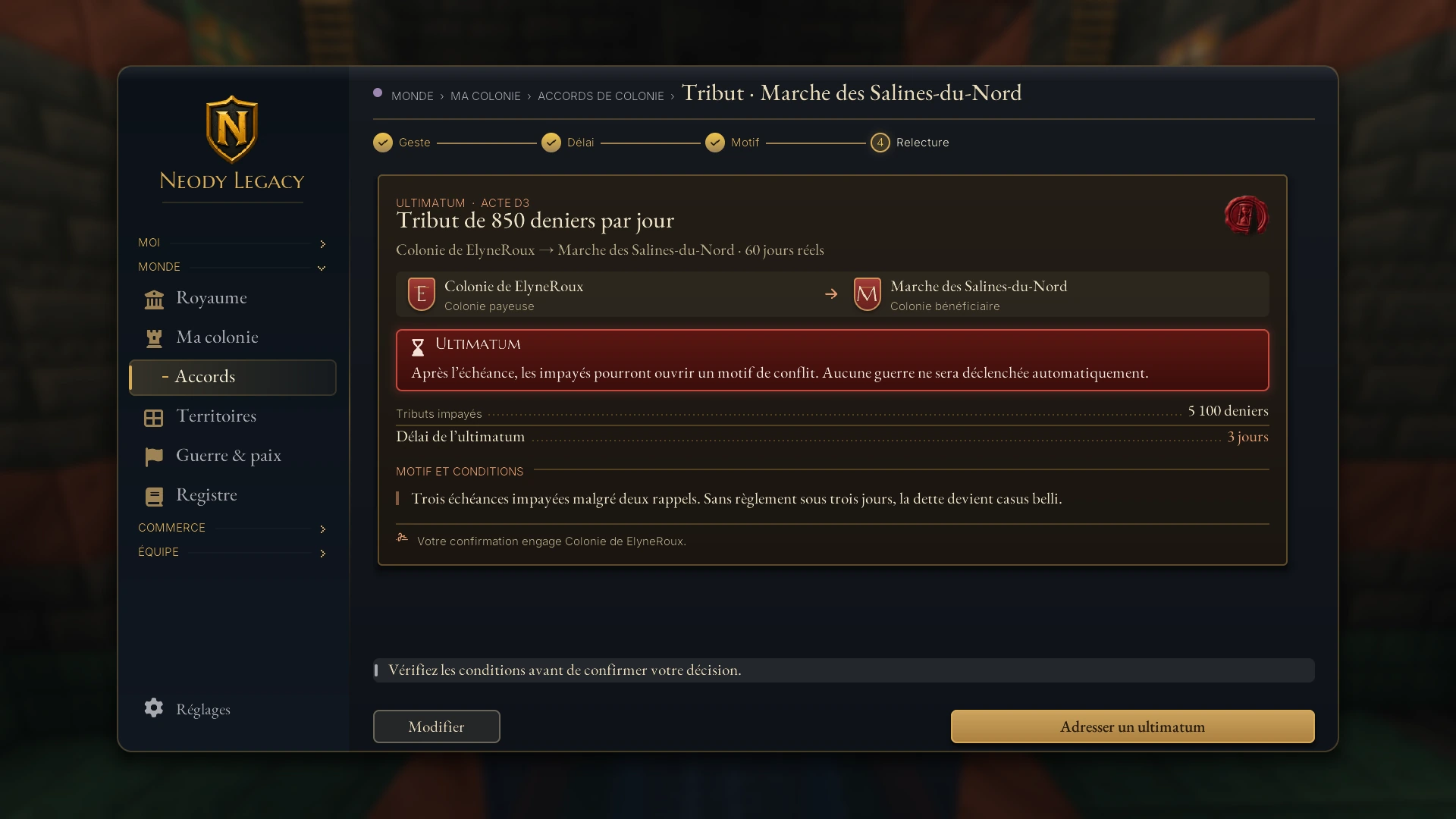
On an active agreement, Rembourser (Repay) settles all or part of the remaining debt, without exceeding it. Refuser les paiements (Refuse payments) applies to tribute: it opens a crisis without erasing arrears. A creditor with overdue debt may Adresser un ultimatum (Issue an ultimatum) with a reason and a period of 1 to 7 days, for either a loan or tribute. After that, arrears may provide grounds for conflict: no war starts automatically. Read the diplomacy guide before taking further action.
Pitfalls and good habits
Read before signing. Open the file, read each article and check the amount per instalment, number of stages and frequency. A signature commits you.
Check reputation. The score out of 100 beside a player reflects their history. Below 45, require an advance payment or guarantee.
Calculate a loan's actual cost. Interest rounded up to the next denier, 7.25% tax on interest: the lender earns slightly less than the displayed rate.
Watch approaching deadlines. The contract file and alerts are your reminders: delay incurs a penalty; two consecutive delays open a dispute.
Between colonies, put everything in writing. Both signatories read the agreement's reason, which is retained: write it as a promise you will keep.
Before your first commitment
I have enough deniers for instalments (and any advance payment).
I have reread the clauses and checked my counterparty's reputation.
I know cancellation of an active contract goes through the staff.
For a company: 180 D on creation, 50 D every 30 days.
For a loan: 7.25% tax on interest, due after 30 days.
In Neody's Kingdom, a well-written contract protects as much as a sword: sign slowly, honour promptly and your reputation will work for you.